[Bug] Username change cannot be saved in Account Settings #205

Description

Tags: bug, ui, ux
Quality Rating: ⭐ 7/10
Reporter: 鲁力 (ALineWalker)
Description
In the Account Settings page, modifying the username does not save successfully. The interaction for saving username changes appears to be broken — clicking the "保存" (Save) button does not persist the change.
Steps to Reproduce
- Open the Clawith platform and navigate to Account Settings (账户设置)
- Under "个人信息" (Personal Information), modify the "用户名" (Username) field
- Click the "保存" (Save) button
- Observe the result
Expected Behavior
The username change should be saved successfully, and the user should see a confirmation that the update was applied.
Actual Behavior
The username modification cannot be saved. The save interaction does not work as expected.
Screenshots
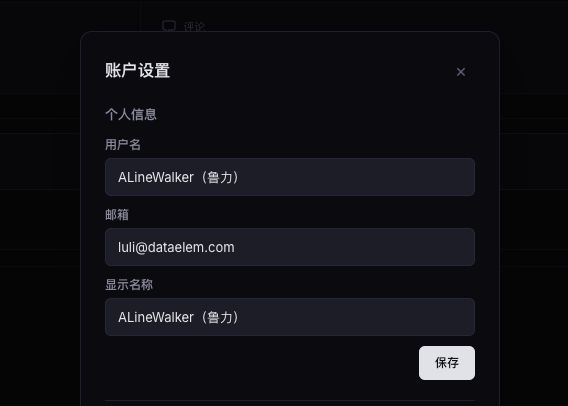
Additional Context
- The screenshot shows the Account Settings modal with fields: 用户名 (Username), 邮箱 (Email), and 显示名称 (Display Name).
- The user attempted to modify the username but the save operation failed or had no effect.