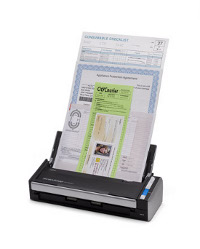
This is a HowTo for installing the Drivers of a Futjisu SnapScan S1300 document scanner on Linux (e.g. ArchLinux)

saneis installed
sudo sane-find-scanner
...
found USB scanner (vendor=0x04c5 [FUJITSU], product=0x11ed [ScanSnap S1300]) at libusb:003:010sudo mkdir -p /usr/share/sane/epjitsusudo cp <PATH-TO>/1300_0C26.nal /usr/share/sane/epjitsu/1300_0C26.nalmake sure the following entry exists in /etc/sane.d/epjitsu.conf
...
# Fujitsu S1300
firmware /usr/share/sane/epjitsu/1300_0C26.nal
usb 0x04c5 0x11ed
...
or equivalent for other scanner models
sudo rebootscanimage -LNothing will happen for a few seconds, that's normal. After a short time you should hear the scanner spool up and the light will turn solid blue. Once that's happened the terminal should return something like:
device 'epjitsu:libusb:003:008' is a FUJITSU ScanSnap S1300 scanner