View does not update correctly when performing many file operations at a time #1203

Description

Prerequisites
- I have searched open and closed issues for duplicates.
Describe the error
The view of files and folders does not update correctly when performing many file operations at a time, such as creating and renaming.
To reproduce
Test case 1:
- Open Files.
- Create an empty file named “Essai”.
- Open Terminal.
- Execute the following command:
mv Essai Essai2; mv Essai2 Essai; mv Essai Essai2; mv Essai2 Essai; mv Essai Essai2; mv Essai2 Essai; mv Essai Essai2; mv Essai2 Essai; - A series of “empty files” and incorrect selections emerge in Files.
- Press F5 to refresh the view.
- The files and folders should display correctly.
Test case 2:
- Open Files.
- Switch to Column View.
- Copy a text file named “Script” with the following content into the Home folder:
#!/bin/bash

for i in {1..2000}; do
    nouveauFichier="$(mktemp XXXXXXXX)"
    mv -- $nouveauFichier "$1/$nouveauFichier"
done

IFS=$'\n'; set -f
for fichier in $(find "$1"); do
    if [ -f "$fichier" ]
    then
        chemin="$(dirname $fichier)"
        nouveauFichier="$(mktemp XXXXXXXX)"
        mv -- "$fichier" "$chemin/$nouveauFichier"
        rm "$nouveauFichier"
    fi
done
unset IFS; set +f- Create a new folder named “Essai” and open it.
- Open Terminal.
- Run the following commands:
chmod +x ~/Script; ~/Script ~/Essai - A series of random files appear in the Home folder.
- Press F5 to refresh the view.
- The random files are gone.
- A related issue which I have so far been unable to reproduce is the occasional appearance of files with names like “#7200” or “#4000” in the Home folder. They disappear upon refreshing the view.
Expected behaviour
Non-existent files are never displayed in Files; i.e. the view is always updated correctly such that non-existent files are not displayed.
Screenshots or screen recordings
Platform information
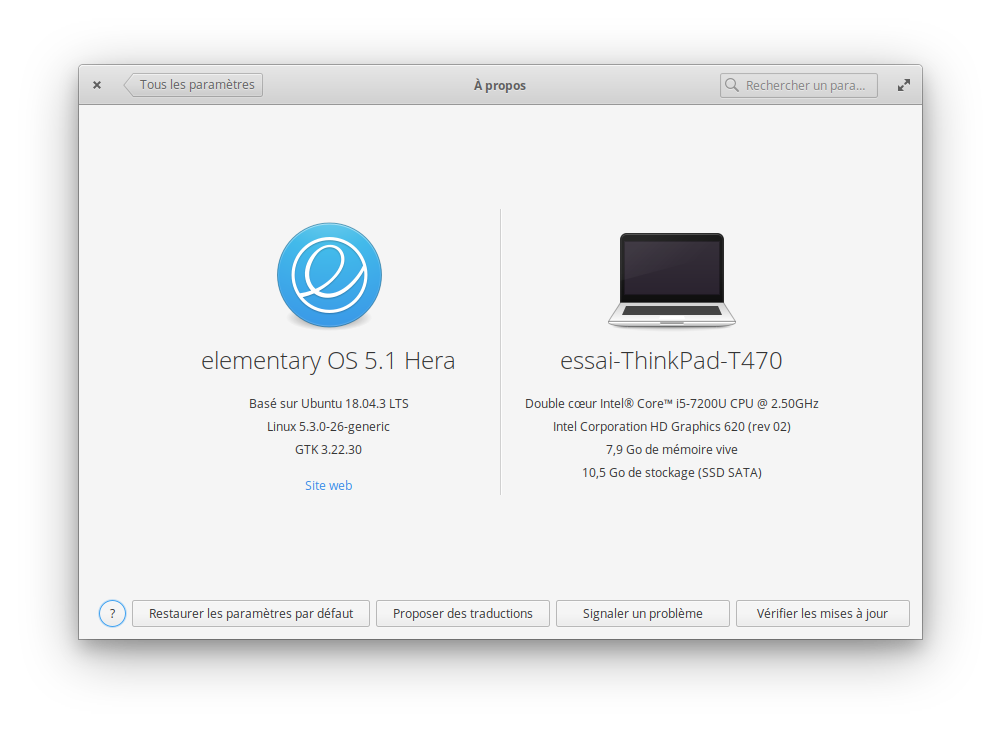
- I'm using the latest version from git that I've manually compiled
- I'm using the latest released stable version
Language: French
Keyboard: English (US) - English (Dvorak intl., with dead keys)
Location: Paris
The testing system is installed on a small partition on a ThinkPad T470 laptop on which UEFI Secure Boot is disabled. Aside from specifying the language, keyboard, location, initial user, and the specific partition in which to install elementary OS, all of the default settings were used during the installation. No Internet connection was used during the installation. The only system-wide changes which have been made after the installation are that the system connects to the Internet by wi-fi via a Linksys WRT54GL Wireless Router and that Screen Recorder has been installed via AppCentre.
Additional context
Before this test was performed, the following steps were followed:
- All system-wide changes from previous tests were reverted.
- All system components were updated via the blue “Update All” button in AppCentre.
- A new administrator user named “Essai” or “Essai 2” was created with the password “komalleana”.
- The current user was logged out and the new user was logged in.
- The old user was deleted, the screen resolution was set to 800x600 at 60 Hz, tap clicking was disabled, and the touchpad pointer speed was set to the maximal value.
- The computer was rebooted.
- The test user was logged in.