HOWTO: Run the CloudBench orchestrator outside of the cloud (or with multiple tenant networks)
-
Problem: During the deployment of a Virtual Application (VApp), the CB orchestrator node will briefly ssh into the VMs,as explained in detail here.
- This might become a problem when one aims to run the CB orchestrator node outside of the Cloud. If VMs do not have an IP address that is accessible to connections initiated from the outside, then the VApp deployment cannot be completed.
- Please note that this is an issue only for the VApp's initial deployment. Once deployed, VMs within a intra-Cloud (i.e., "tenant") network can still push/pull data to/from CB's Object Store, Metric Store and, Log Store (short explanation).
- An obvious question would be: well, why doesn't CB makes use of Cloud-init? The answer: historically, Cloud-init was not supported by every cloud (we are willing to concede that this is not the case in 2015), and we wanted to keep CB compatible with as many clouds as possible. An additional point to consider: if we adopt Cloud-init, with some mechanism for notification when the Virtual Application deployment scripts finished the execution on the VMs (probably through Pub/Sub), new and more complex modes of failure will have to be taken into account.
- Please note the above problem can promptly rewritten as: how to deploy Virtual Applications in multiple networks, other than the one currently occupied by the CB orchestrator?
-
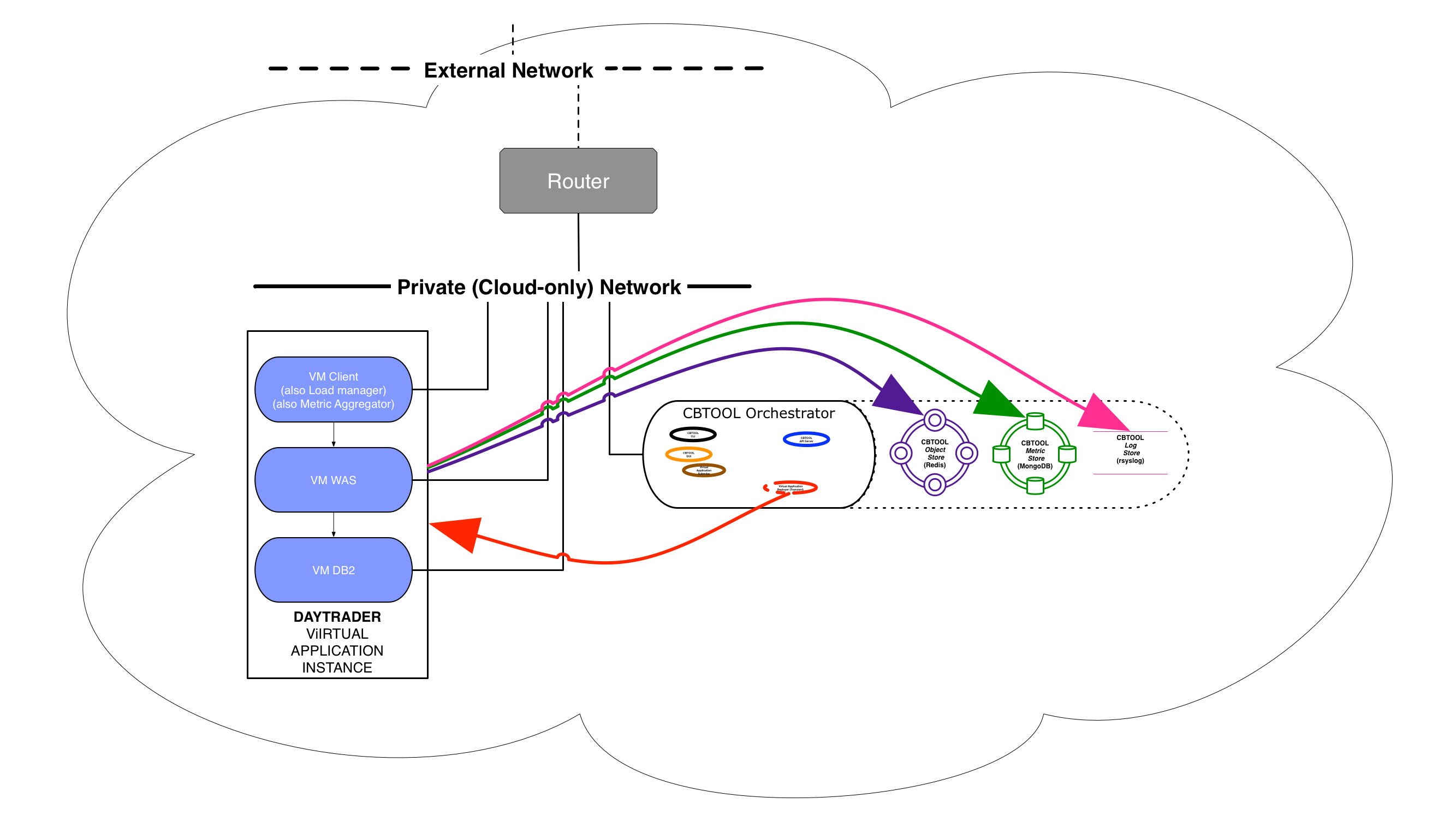
Here are five potential solutions for the problem. Each solution contains a (very brief) pro/cons, a diagram, and the CB attributes that need to be set on your private configuration file
-
Option 1: Flat or Provider Network
- Comment: just have the VMs to be connected to networks that, albeit different, are accessible through one or more routers
- Pros: Simple and robust setup
- Cons: Each VMs requires an IP address in the external network. Typically, no more than a few dozens (up to a few hundreds) of addresses would be available in private cloud (this is entirely different for a public cloud, where each VM has a public and private address).