This project is a Flask-based web application designed for system monitoring, optimization, and tweaking on Linux systems. It provides detailed information about system resources, networking, hardware, processes, I/O schedulers, sysctl settings etc. Users can also modify system settings directly from the web interface
- System Information: View detailed OS and hardware information
- Network Monitoring: Display network interfaces, IP addresses, and perform speed tests
- Process Management: List and analyze running processes
- I/O Scheduler Management: Change and tune I/O schedulers dynamically
- Sysctl Tweaks: Modify and apply kernel parameters in real-time
- API Support: Expose endpoints for automation and remote management
- CPU Tuning: Change governors, frequencies and features
- Network Settings: Change and modify some network preferences easily
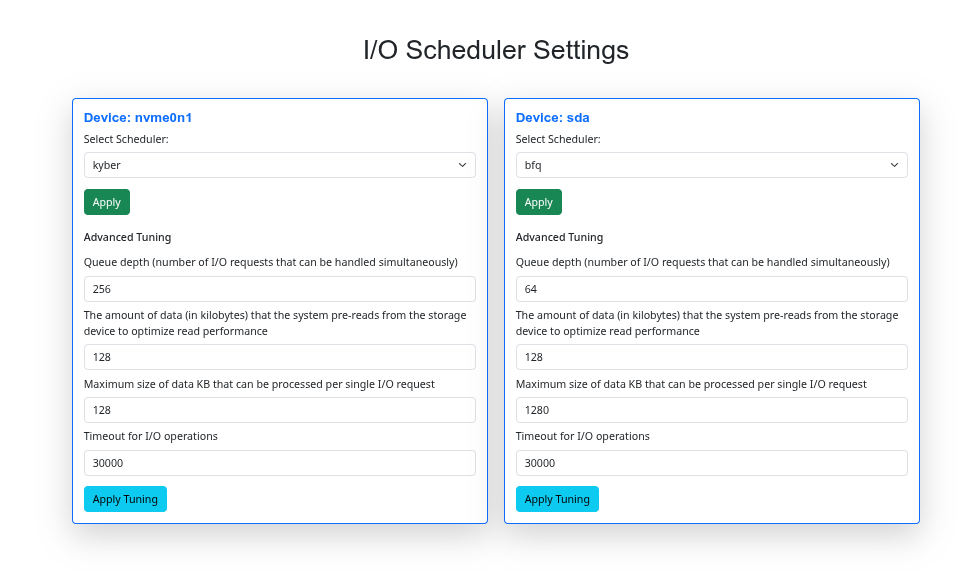
The scheduler selection interface for NVMe and SATA devices is shown below:
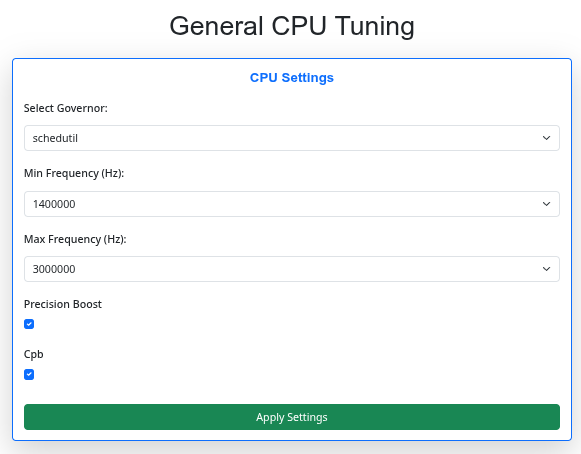
An example of setting the CPU frequency and choosing a governor:
You can view your hardware specifications directly in the service itself:
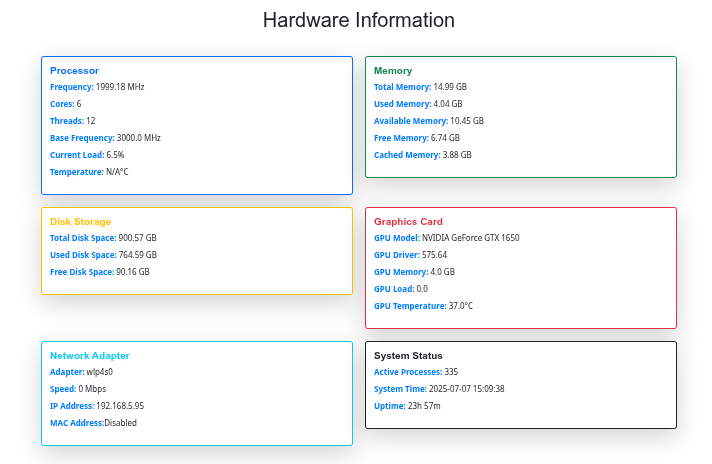
I have highlighted only some photos, you can check the full functionality yourself
- Python 3.10 or higher
- Flask
- Required Python packages (listed in
requirements.txt)
# Clone the repository
git clone https://github.com/Andrey-oss/kernel-auditor.git
cd kernel-auditor

# Install dependencies
pip3 install -r requirements.txt

# Run the application
sudo python3 main.py

# Or you can run by Makefile
make run

# Also you can view full Makefile settings
make help# You can install it by running
make make_syswide
# And if you wish to delete it
make del_syswide
# Also you can free some space on your drive
make cleanThe application uses a configuration file to manage settings. You can adjust settings in settings.json
-
Set I/O Scheduler:
POST /api/set_scheduler{ "device": "sda", "scheduler": "mq-deadline" } -
Tune Scheduler Parameters:
POST /api/set_sched_tunning{ "parameter": "nr_requests", "value": "128" }
- Modify Kernel Parameters:
POST /api/set_sysctl{ "name": "vm.swappiness", "value": "10" }
-
Set CPU Governor:
POST /api/set_cpu_governor{ "cpu": 0, "governor": "performance" } -
Set CPU Frequencies:
POST /api/set_cpu_frequency{ "cpu": 0, "min_freq": 2400000, "max_freq": 5000000 } -
Set CPU Features:
POST /api/set_cpu_features{ "cpu": 0, "cpb": 1, "boost": 1 }
- Visit
http://127.0.0.1:5000/to access the web interface - Navigate through the sections to view and modify system settings
You can read our documentation, if you don't understand something
At the moment, kernel-auditor has not been tested on Intel processors
If you are using an Intel CPU and encounter any issues or bugs, please open an issue on the repository or contact me directly
Feel free to fork this repository and submit pull requests for improvements
This project is licensed under the MIT License