


JConsoleImage is a small Java API to print images (pixelarts) in your console or terminal.
You can find the latest jar in the Releases, which you can add as library to your projectbuild.
Coming soon!
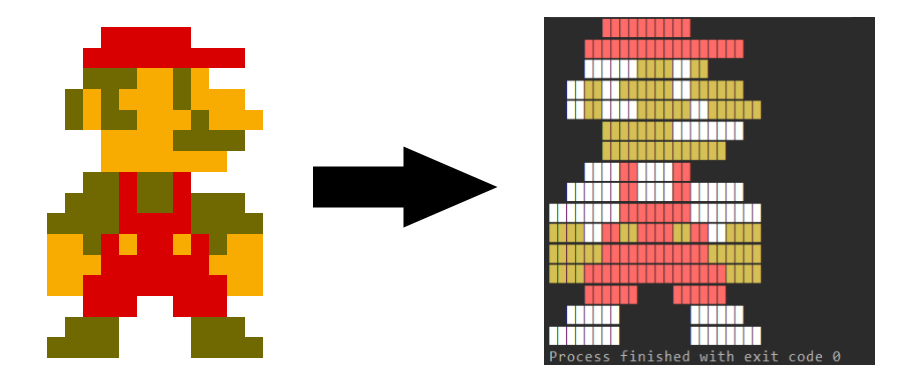
This will print out the image mario.png(12x16) to the console.

ConsoleImage myImage = new ConsoleImage();

myImage.setImage("examples/mario.png");
myImage.set8Colors();

myImage.build();
Result:

The string Path can be the path to you image in the Project Build or on your local storage or an URL to an online image.
I recommend to use images with a low resolution (Pixelarts), for example 30x20. Each pixel of the weight of your image will need one or two row(s) of the console. The feature of resizing images will come soon!
Possibilities:
- set8Colors()
Coming soon:
- set2Colors()
- set16Colors()
- set256Colors()
- setGrayScale()
Some terminals doesn't support colors or only 8 or 16 colors. The Windows Terminal (cmd) doesn't support Ascii colors, but the most Linux terminals or Bash support (256) Colors. See Bash tips: Colors and formatting for more information!
Prints out your image to the console.
You can find the JavaDocs of the Api here.
- EweLoHD - Founder & Head-Developer
I would really appreciate it if somebody could help me on this project to make it better. Look at the CONTRIBUTING.md for more information.
- Maven Support
- set2Colors()
- set16Colors()
- set256Colors()
- setGrayScale()
- Resize Images
This project is licensed under the MIT license. See LICENSE.