Automatically generate synthetical yet realistic distribution networks based on open data
The GridCreator is a tool for automated generation of synthetic low-voltage networks based on open data. Currently we use data from
- ding0
- OpenStreetMap (osm)
- Zensus 2022
- Marktstammdatenregister
The tool builds up on existing projects and databases and combines them in a single tool to cover the whole pipeline from choosing an area and timerange to having a fully parametrised distribution grid. This is achieved in five steps, that can either be executed individually or subsequently (see also https://github.com/INATECH-CIG/GridCreator/blob/main/Steps.pdf):
- Step 1: load grid data from ding0 for specified coordinates
- Step 2: Load sozio-economic data from census for the specified coordinates and attach them to network nodes
- Step 3: Load data on installed units for specified coordinates; distribute PV, Battery Storage, EVs and Heat Pumps according to socio-economic correlations from Step 2 to all nodes in the network
- Step 4: Include weather data and generate time series for PV generation, demand and Heat Pump operation based on this. Also generate profiles for occupancy and EV availability
- Step 5: Prepare the network for optimization with PyPSA
tbd
- Clone the repository and navigate to its directory:
git clone https://github.com/INATECH-CIG/GridCreator.git
cd GridCreator- Set up an environment
conda create -n GridCreator python=3.12.11- Install required packages
conda activate GridCreator
pip install -r requirements.txtDownload input.zip containing weather data, zensus data and ding0 grids from zenodo [LINK] Unpack and place the folder "input" in your GridCreator repository. The subfolders "grids", "weather_2013", "zensus_daten" and the files should for example be in C:/Users/YourName/GridCreator/input
- in main.py: add your scenario in the examples dict using the coordinates of your bounding box
- specify the scenario name and steps you want to perform
- run the python file main.py
Frameworks used in this work:
- osmnx https://github.com/gboeing/osmnx
- pyPSA https://github.com/PyPSA/PyPSA
- pyCity https://github.com/RWTH-EBC/pyCity
Data used in this work:
- ding0 Networks: Amme, J., Dubielzig, P., & Schachler, B. (2023). Distribution grid data generated by ding0 (v0.3.0-alpha) [Data set]. Zenodo. https://doi.org/10.5281/zenodo.10405129
- OpenStreetMap; https://www.openstreetmap.org
- Zensus 2022 Data: © Statistisches Bundesamt (Destatis), 2025; https://www.destatis.de/DE/Themen/Gesellschaft-Umwelt/Bevoelkerung/Zensus2022/_inhalt.html#
- "mastr_values_per_plz.cs": Data from Marktstammdatenregister: ©2025 Bundesnetzagentur für Elektrizität, Gas, Telekommunikation, Post und Eisenbahnen; https://www.marktstammdatenregister.de/ that was internally postprocessed.
- "FZ Pkw mit Elektroantrieb Zulassungsbezirk_-8414538009745447927.geojson": Kraftfahrtbundesamt - Statistikportal: © Kraftfahrt-Bundesamt, Flensburg; https://das-kba-statistikportal.hub.arcgis.com/
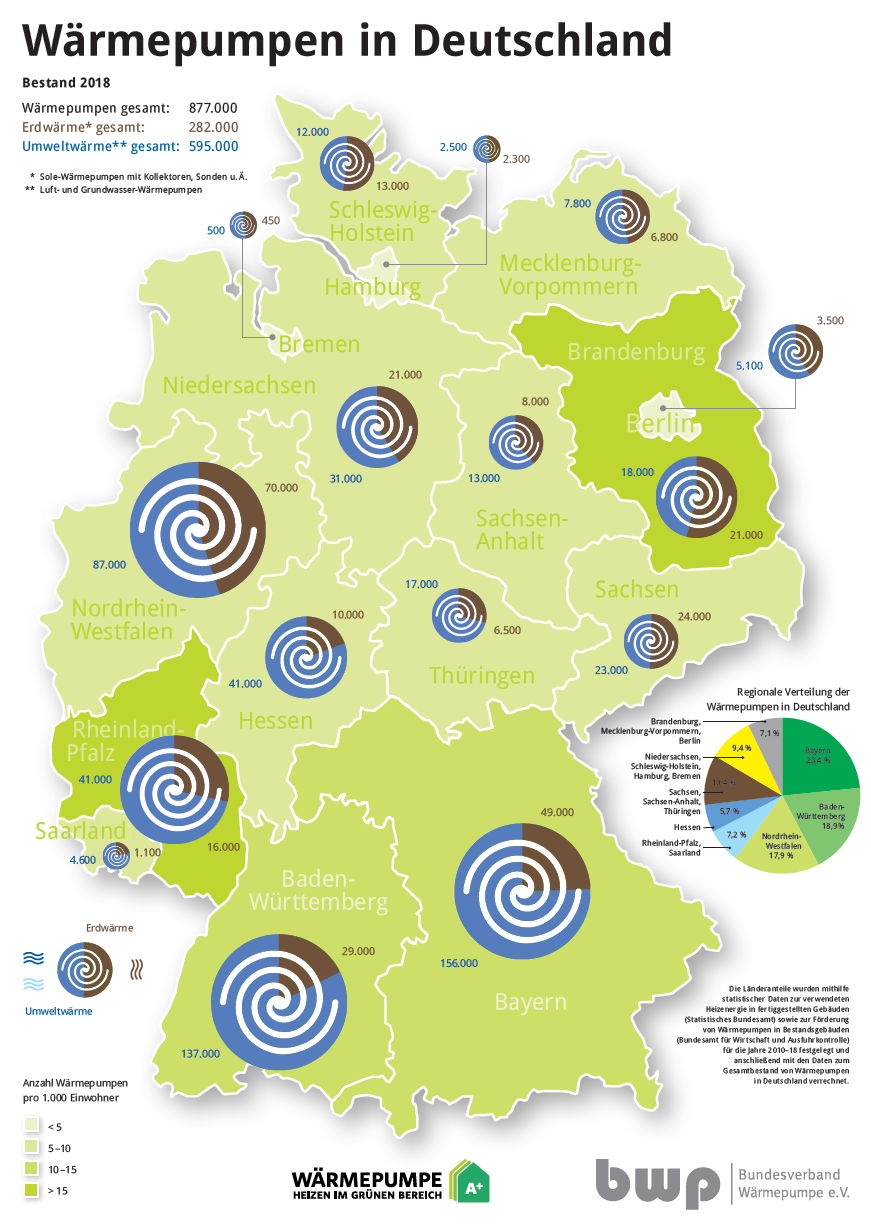
- Bundesverband Wärmepumpe (BWP) e.V. Wärmepumpen in Deutschland, 2018; https://www.waermepumpe.de/fileadmin/user_upload/Mediengalerie/Zahlen_und_Daten/Absatzzahlen_Marktanteile/619_WPinDeutschland_2018.PNG
- Climate data store: Era5 hourly data on single levels from 1940 to present; https://cds.climate.copernicus.eu/datasets/reanalysis-era5-single-levels?tab=download
- "georef-germany-postleitzahl.geojson": Postleitzahlen Deutschland; from https://www.govdata.de/suche/daten/deutschland-postleitzahlen under „Datenlizenz Deutschland – Namensnennung – Version 2.0" (https://www.govdata.de/dl-de/by-2-0)
This Repo is in work in progress.