A lightweight, keyboard-driven image sequence viewer with support for local and remote (SSH) files.
zapvis is a lightweight image sequence viewer designed for fast, keyboard-driven inspection of numbered image sequences, both locally and over SSH.
It was developed to solve a practical problem: browsing large computer vision datasets stored on remote servers. Traditional SSH + X11 workflows and many image viewers perform poorly when directories contain tens of thousands of files, often blocking, lagging, or crashing due to directory enumeration. zapvis avoids this entirely by opening a single known frame and navigating the sequence purely by filename pattern, without listing directories.
|
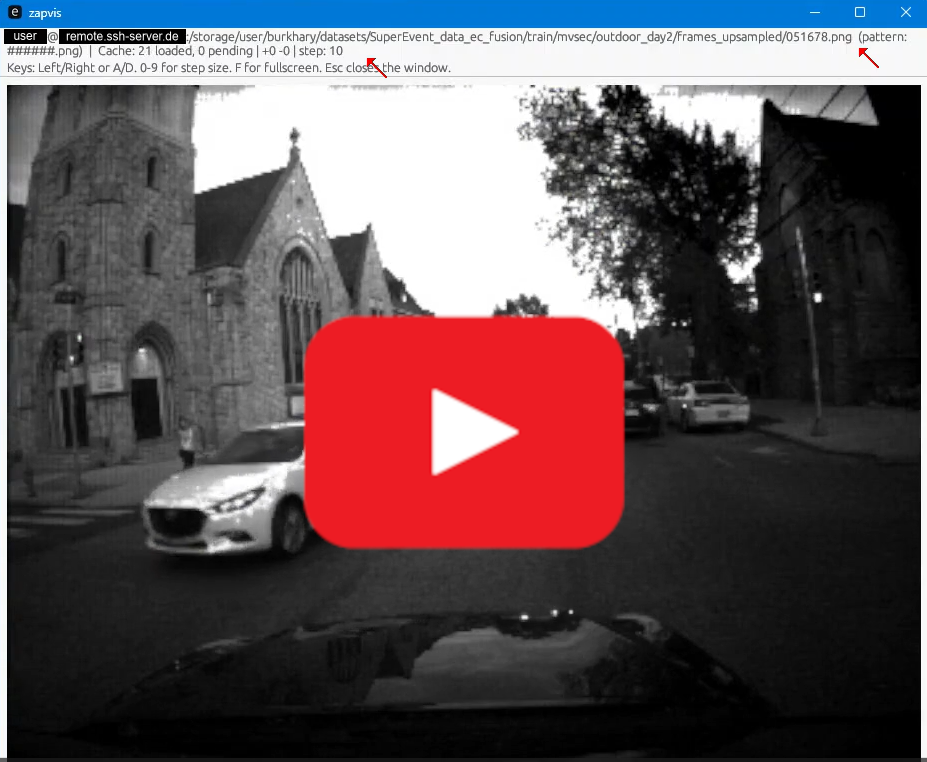
This demo showcases the temporally upsampled outdoor_day2 sequence from the MVSEC dataset, consisting of 228,651 frames stored in a single directory. All frames reside on a remote server and are accessed on demand via SSH. No directory enumeration is performed. Frames are fetched lazily and cached locally, enabling smooth navigation even at this scale. |
Common use cases include:
- Screening large computer vision sequences stored on remote servers
- Inspecting training, validation, or inference outputs without directory enumeration
- Reviewing rendered animation or simulation frames
- Browsing scene segmentation or video-to-image breakdowns at scale
The focus is on predictable performance, minimal UI overhead, and fast sequential navigation rather than general image management.
- Pattern-based navigation: Define patterns like
frame_#####.pngwhere#marks the frame number - Local & remote support: View sequences from your filesystem or over SSH
- Efficient caching: Bidirectional preload with configurable radius to keep images ready
- Non-blocking UI: Background image loading on separate threads; UI never stalls
- Persistent SSH: Single SSH connection reused for all remote operations
- Step-size navigation: Jump through sequences using power-of-ten increments (10⁰–10⁹) via number keys
- Configuration: Patterns are auto-saved and reused
Requires Rust 1.70+.
Install Rust and Cargo via rustup: https://rustup.rs
On Linux, additional system libraries for windowing/OpenGL may be required.
cargo build --releaseThe binary will be at target/release/zapvis.
Open an image file:
zapvis /path/to/frame_00000.pngThe viewer will try to match it against patterns in your config. If a match with neighbor evidence is found, the sequence loads.
Specify a pattern inline:
zapvis /path/to/frame_00000.png --pattern "frame_#####.png"If the pattern matches and neighbors are found, it will be saved to config for future use.
Use user@host:/path/to/file syntax:
zapvis user@render.server.local:/renders/job_123/frame_00000.pngSSH will connect to the server on port 58022 (hardcoded).
View your current patterns and config location:
zapvis --config| Key | Action |
|---|---|
| ← or A | Previous frame |
| → or D | Next frame |
| 0 | Set step size to 1 |
| 1 | Set step size to 10 |
| 2 | Set step size to 100 |
| 3 | Set step size to 1,000 |
| 4 | Set step size to 10,000 |
| 5 | Set step size to 100,000 |
| 6 | Set step size to 1,000,000 |
| 7 | Set step size to 10,000,000 |
| 8 | Set step size to 100,000,000 |
| 9 | Set step size to 1,000,000,000 |
| F | Toggle fullscreen (OS window maximization, keeps window decorations) |
| Esc | Quit |
Patterns are stored in a platform-specific config directory:
- Linux/macOS:
~/.config/zapvis/zapvis/config.toml - Windows:
%APPDATA%\zapvis\zapvis\config.toml
Example config.toml:
patterns = [
    "frame_#####.png",
    "render_####_final.exr",
    "output_###.jpg"
]
Patterns are automatically added when you use --pattern with a successful match.
- Patterns use
#as a digit placeholder - Exactly one contiguous run of
#is supported (current limitation) - Width is determined by the number of
#symbols - Examples:
frame_####.png→ matchesframe_0123.png(4-digit width)output_#####.exr→ matchesoutput_00042.exr(5-digit width)
- UI: egui/eframe for immediate-mode GUI
- Image loading: image crate, decoded in background threads
- Cache: Maintains images in [current - radius, current + radius] range
- SSH: Custom protocol over persistent shell session (see
persistent_ssh.rs) - Threading:
- Main UI thread (egui)
- Image decoder thread (waits on load requests)
- Remote worker thread (owns SSH connection, executes commands serially)
When connecting via SSH, a simple shell loop on the remote end handles three commands:
EXISTS <path>→ respondsOKorNOCAT <path>→ respondsOK <bytes>\n<raw_data>orNOQUIT→ exits
This avoids repeated SSH handshakes and keeps the channel open for fast queries.
"No sequence pattern matched"
- Ensure your filename follows a pattern in the config
- Try adding a custom pattern with
--pattern - Check that at least one neighboring frame exists
Remote files fail to load
- Verify SSH connectivity:
ssh -p 58022 user@host ls /path/to/dir - Ensure public-key auth is configured (no password prompts)
- Check the server has the
shshell available
Image loads slowly
- Increase the cache radius in code (adjust
cache_radiusinmain.rs) - For remote files, this is limited by network and server responsiveness
egui/eframe– GUIimage– image decodingregex– pattern matchingserde/toml– config serializationclap– CLI parsingdirectories– platform config paths
See Cargo.toml for full dependency list.
Licensed under the Apache License, Version 2.0. See LICENSE for details.
YT Logo from Vecteezy