Budgeting that actually fits into your life.
Check it out now!
| URL | comaney.app/login |
demo@comaney.app |
|
| Password | 91448 |
The demo account is a public sandbox. Do not enter personal, sensitive, or illegal data. It is reset automatically once a week.
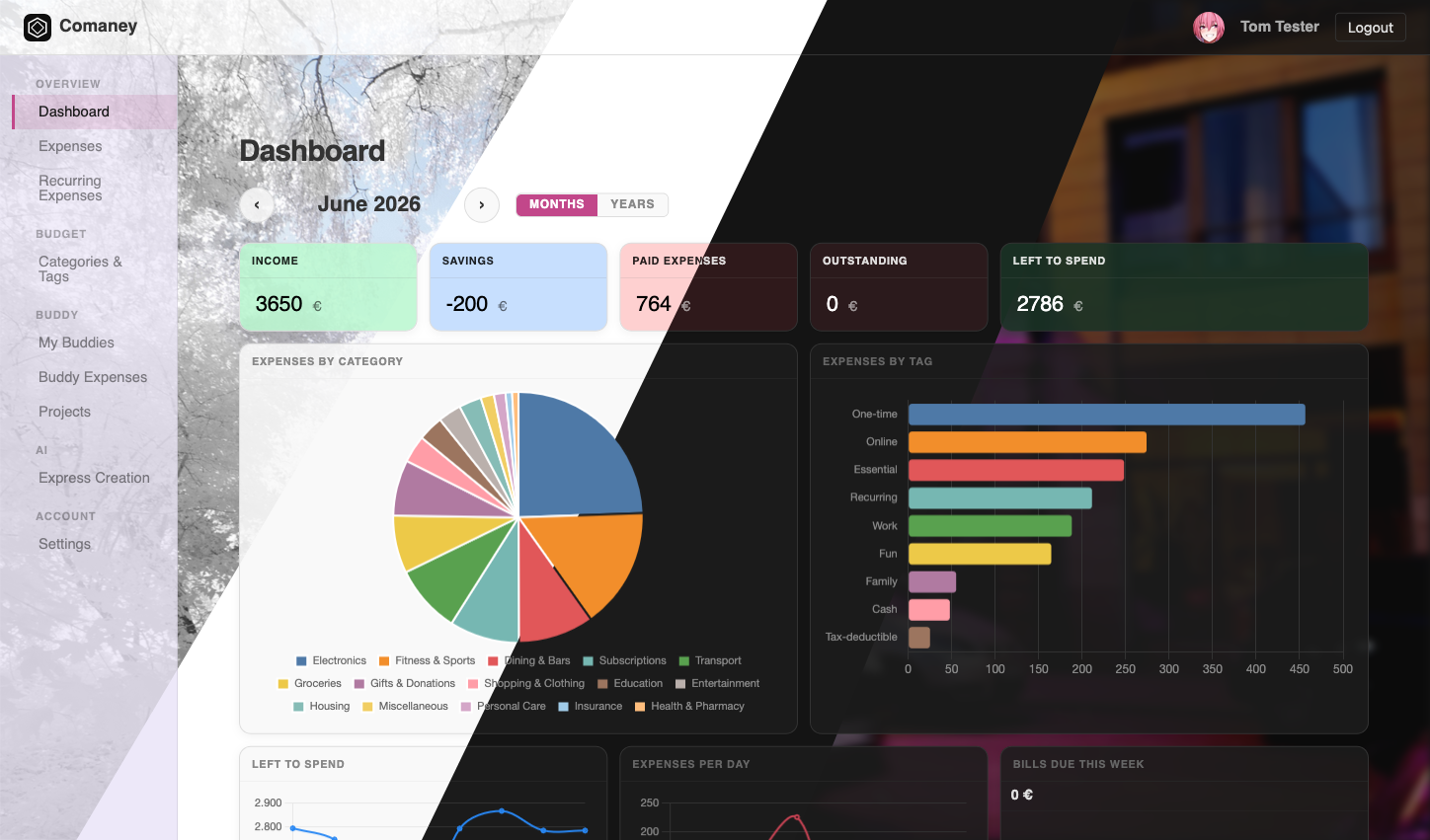
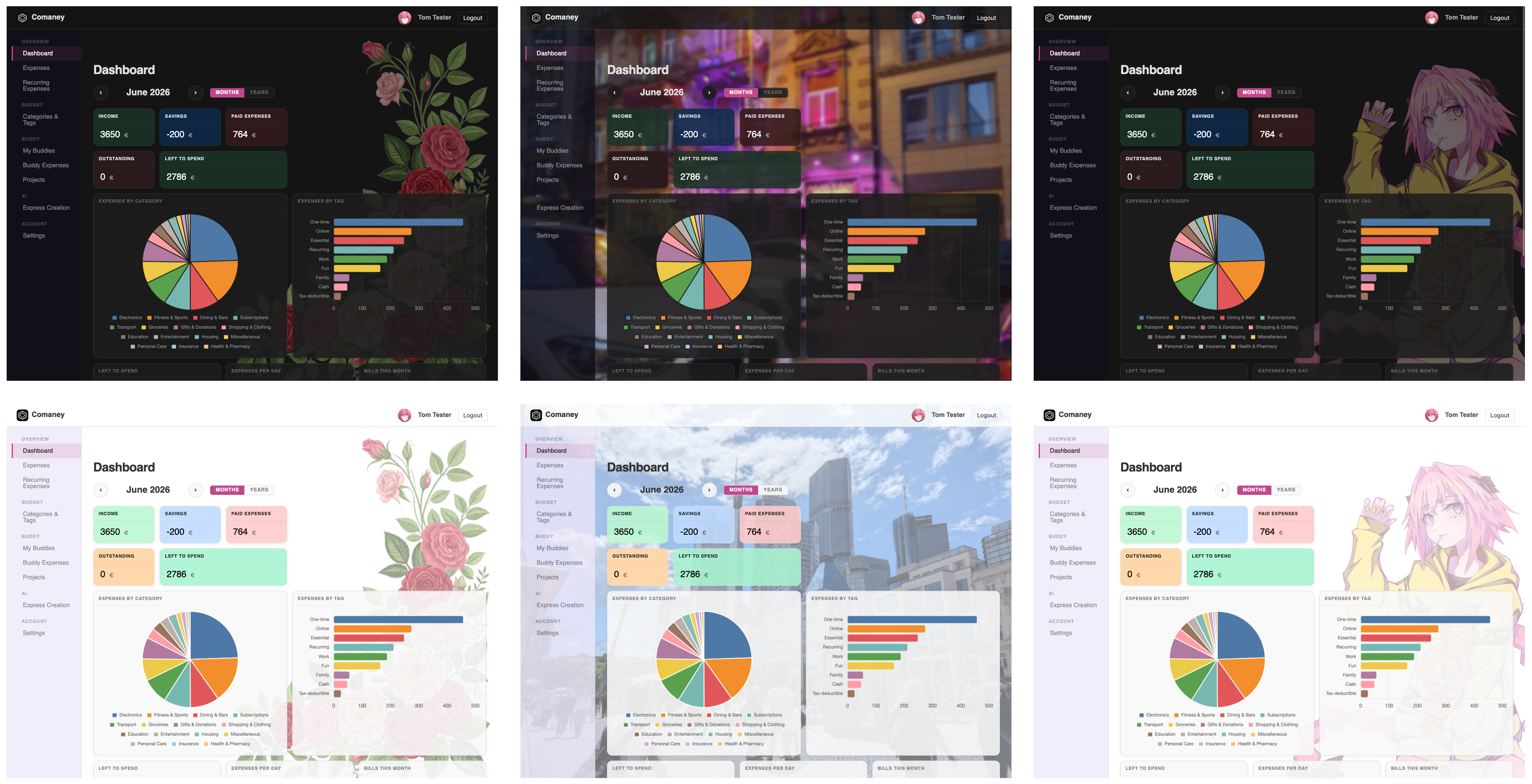
Custom themes, configurable in your account settings. Download exemplary backdrop files.
Full documentation is available at https://comaney.app/docs.
Comaney is a personal budgeting app available as a hosted service at comaney.app or self-hosted on your own server.
Log expenses with a title, amount, date, and category. Tag them however you like and search or filter across your whole history in seconds. Export everything to CSV at any time.
Set up scheduled expenses (subscriptions, rent, insurance) once and Comaney generates them automatically. Get notified when a payment is coming up or overdue.
The modular dashboard lets you build your own overview from scratch: spend-by-category charts, running totals, custom lists, and more. Each card is fully configurable and can link through to the matching filtered expense list.
AI express entry lets you jot down a quick note like "strawberries for date night with Ann, 4 EUR" and Comaney turns it into a properly categorised and tagged expense. Snap a photo of a receipt and it splits it into individual line items automatically.

A project is an expense container tied to a specific goal, event, or ongoing situation. Projects work fine on their own as a way to keep expenses organized, and they scale up to full multi-person shared budgets when you need them.
Examples:
- Repairing a motorcycle (just you, solo tracking)
- Beach trip 2025 with friends
- Tracking monthly flat expenses with housemates
A solo project is just you. It is a clean way to bucket all expenses related to a specific goal without mixing them into your main expense list. The debt diagram and settlement tools are hidden because there is no one else to settle with.
Add other people to a project and it becomes a shared budget. A project can include any mix of:
- Real users: other Comaney accounts, invited by email. They see the project, approve expenses created for them, and confirm settlements.
- Offline members: people who do not use Comaney. You manage their records yourself. You can link their real account to an offline entry later so the full history carries over.
When creating an expense, set the assignment to Project and pick the project. For multi-member projects you then set:
- Who paid upfront: you, or any other member.
- Who participated: all members, or a custom selection.
- How the cost is split: drag sliders to set percentages, or use Equal shares for an even split.
If a connected user is set as the one who paid, the expense is created in their account and they must approve it before it counts toward the balance.
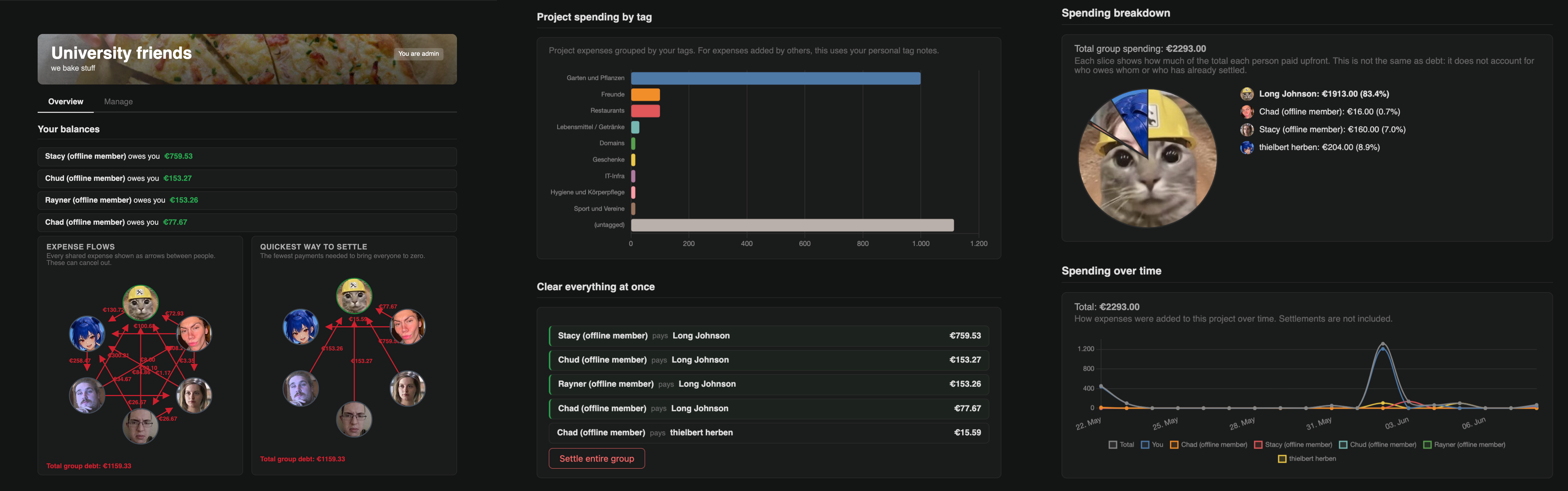
The project page shows two debt views based on all approved shared expenses:
- Raw debts: an arrow from each person who owes money to the person they owe, with the exact amount.
- Simplified: the minimum number of payments needed to settle everything. Comaney chains debts together where possible. If Alex owes Bailey 10 and Bailey owes Casey 10, the simplified view shows a single arrow: Alex pays Casey 10 directly.
The Your balance section gives you a plain-language summary of who you owe and who owes you.
Use the Pay someone back form on the project page to record a payment. The amount is pre-filled with what you owe, but you can enter any value.
- For a connected user: they receive an email and must confirm receipt. The balance only clears once they confirm.
- For an offline member: the project admin confirms receipt on their behalf.
The project admin can also settle the entire project at once: Comaney calculates the simplified debt breakdown and creates one settlement per debtor-creditor pair in a single action, then notifies everyone by email.
Every project has one admin. Only the admin can invite and remove members, trigger a group-wide settlement, archive or delete the project, and transfer admin rights.
Archiving freezes the project. No new expenses or settlements can be created, but in-flight settlements can still be confirmed. Archived projects remain accessible for review but no longer appear in expense form dropdowns.
Removing a real user keeps their name as a read-only offline entry so past expenses still reference them correctly.
Removing an offline member moves their shared expense history to Achim Archive rather than deleting it, keeping all balances intact.

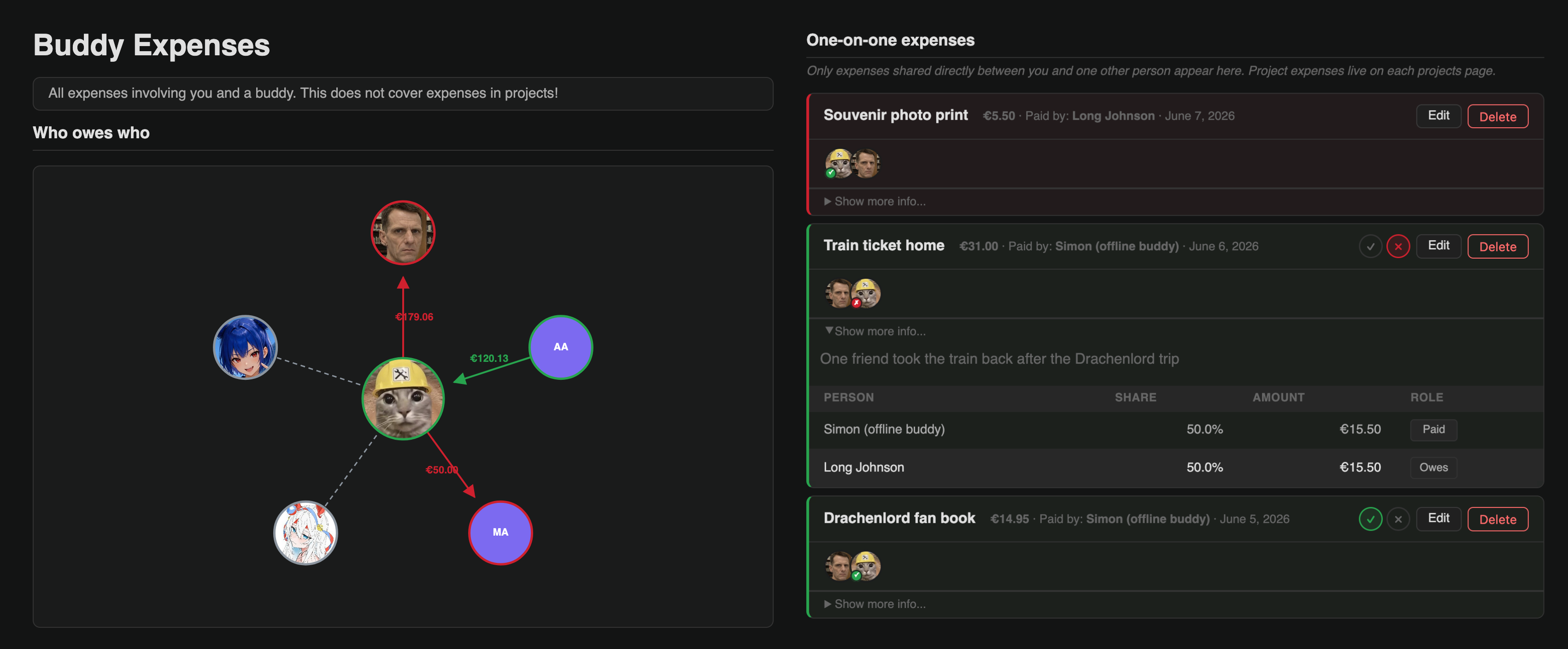
If you want to split costs with a single person, you do not need a project. The Buddies feature gives you the same split-pay mechanics directly between two people.
Go to Buddies in the navigation, then My Buddies.
- Offline buddy: someone without a Comaney account. Enter a name; only you track the balance and log expenses for them.
- Connected user: send an email invitation. Once they accept, both of you can see the shared balance and log expenses against each other.
You can link an offline buddy to their real Comaney account later so the full history carries over.
Create a new expense and set the assignment to Direct Buddy. Choose the buddy, set who paid and the split, then save.
From the Buddy Expenses page, use the Pay someone back form. For a connected user, they must confirm receipt before the balance clears. For an offline buddy, it is confirmed automatically.
If a connected buddy logs an expense with you as the one who paid upfront, it appears in the "Did you pay for this?" section on Buddy Expenses. Approve it to move it into your regular expense list; reject it to delete it entirely.
When you remove an offline member from a project or your buddy list, Comaney does not delete their shared expense history. It moves that history to a placeholder called Achim Archive so all balances stay correct.
Multiple removed offline members all fold into the same archive. You can permanently delete the archived expenses at any time; Comaney shows you exactly what will change before asking you to confirm. This cannot be undone.
Comaney runs as a Docker container backed by MariaDB.
services:
  web:
    image: leonetienne/comaney:latest
    restart: unless-stopped
    ports:
      - "80:8000"
    depends_on:
      - mariadb
    environment:
      # Generate: python -c "from django.core.management.utils import get_random_secret_key; print(get_random_secret_key())"
      DJANGO_SECRET_KEY: "change-me"
      DB_HOST: mariadb
      DB_PORT: 3306
      DB_NAME: comaney
      DB_USER: comaney
      DB_PASSWORD: "change-me"
      SITE_URL: "http://localhost:80"
      ALLOWED_HOSTS: "localhost"
      CSRF_TRUSTED_ORIGINS: "http://localhost"
      ENABLE_REGISTRATION: "TRUE"   # disable after creating your account
      DISABLE_EMAILING: "TRUE"      # set up SMTP for full functionality
      GUNICORN_WORKERS: 1
    volumes:
      - comaney_data:/app/data      # required: profile pictures and persistent app data

  mariadb:
    image: mariadb:lts
    restart: unless-stopped
    environment:
      MARIADB_DATABASE: comaney
      MARIADB_USER: comaney
      MARIADB_PASSWORD: "change-me"
      MARIADB_ROOT_PASSWORD: "change-root-too"
    volumes:
      - mariadb_data:/var/lib/mysql

volumes:
  mariadb_data:
  comaney_data:
Important: the
comaney_datavolume is required. Comaney stores user-generated files (profile pictures, etc.) under/app/datainside the container and will refuse to start if that path is not a persistent mount.
docker compose up -d- Register your account via the web UI at
http://localhost/register/, or create one from the command line:docker exec -it comaney-web-1 python manage.py create_user you@example.com - Set
ENABLE_REGISTRATION: "FALSE"and restart.
To change a user's password at any time:
docker exec -it comaney-web-1 python manage.py set_user_password you@example.com# Every 5 minutes: notifications, recurring expense generation, auto-settle, end-of-month allowance handling
*/5 * * * * user docker compose -f /path/to/docker-compose.yml exec -T web python manage.py run_cron
# Monthly: reset AI trial budgets
0 0 1 * * user docker compose -f /path/to/docker-compose.yml exec -T web python manage.py reset_trial_budgets| Variable | Default | Description |
|---|---|---|
DJANGO_SECRET_KEY |
(dev placeholder) | Required in production. Signs sessions and CSRF tokens. |
DB_HOST / DB_PORT / DB_NAME / DB_USER / DB_PASSWORD |
127.0.0.1 / 3306 / comaney / comaney / comaney |
MariaDB connection. |
SITE_URL |
http://localhost:8080 |
Public base URL, embedded in outgoing email links. |
ALLOWED_HOSTS |
* |
Comma-separated list of accepted hostnames. |
CSRF_TRUSTED_ORIGINS |
(empty) | Required when behind an HTTPS reverse proxy. |
ENABLE_REGISTRATION |
FALSE |
TRUE to allow new signups. |
DISABLE_EMAILING |
(unset) | TRUE to suppress all emails (also disables email verification). |
EMAIL_HOST / EMAIL_PORT |
(none) | SMTP server. Required unless DISABLE_EMAILING=TRUE. |
EMAIL_USE_TLS |
(unset) | TRUE for STARTTLS (port 587). |
EMAIL_HOST_USER / EMAIL_HOST_PASSWORD |
(empty) | SMTP credentials. |
DEFAULT_FROM_EMAIL |
noreply@comaney.local |
Sender address for outgoing emails. |
ADMIN_NOTIFICATION_EMAIL |
(unset) | Receives system alerts. Also enables the contact form. |
AI_TRIAL_API_KEY |
(unset) | Shared Anthropic key for the AI trial feature. |
AI_TRIAL_USAGE_LIMIT |
0 |
Per-user monthly cap in US cents. |
PUBLIC_PAGE_IMPRINT_MD |
(unset) | Path to a Markdown file served at /impressum/. |
PUBLIC_PAGE_EUDATENSCHUTZ_MD |
(unset) | Path to a Markdown file served at /datenschutzerklaerung/. |
GUNICORN_WORKERS |
1 |
Number of Gunicorn worker processes. |
Full reference: Admin Manual: Environment Variables
./build/build-assets.shRuns npm install && npm run build inside a node:25.9.0-slim linux/amd64 container. Never run npm directly on the host; see Dev Manual: Building Assets.
./docs/build/build-docs.shBuilds the mkdocs site to docs/build/site/, then served by Django at /docs/.
# Stack must be running: docker compose up
# Mailpit at :8030, app at :8080
pip install -r requirements-test.txt
pytest ./tests/ -vsx
See Dev Manual: Testing for full details.
docker buildx build \
  --platform linux/amd64 \
  -f Deployment/Dockerfile \
  -t leonetienne/comaney:<version> \
  --build-arg APP_VERSION=<version> \
  --push \
  .