
NeurIPS 2025



Zhening Huang1, Xiaoyang Wu2, Fangcheng Zhong1, Hengshuang Zhao2, Matthias Nießner3, Joan Lasenby1
1University of Cambridge 2The University of Hong Kong 3Technical University of Munich
- [2026-01-19] LiteReality code is out! Test it with the example scans (Instruction, results visualization), or your own scans!
- [2025-09-18] LiteReality has been accepted at NeurIPS 2025!
- [2025-07-03] Our paper is now available on arXiv! Check out the video demo.
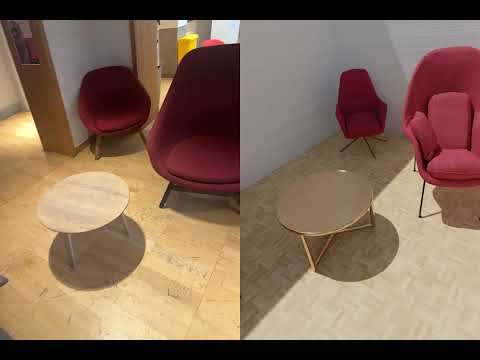
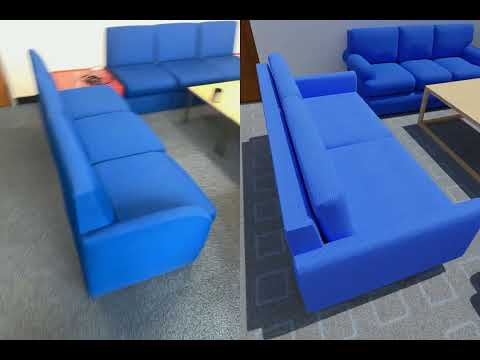
We tested this codebase with several example scans; here are some of the results (Left:RGB, Right:LiteReality Reconstruction). Click on any thumbnail to watch the full video 🎬.
| Girton Study Room | Darwin BedRoom | CUED BoardRoom |
|---|---|---|
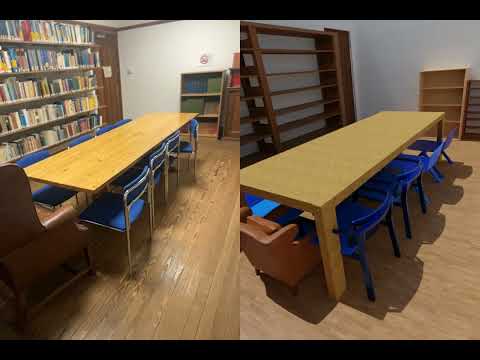 |
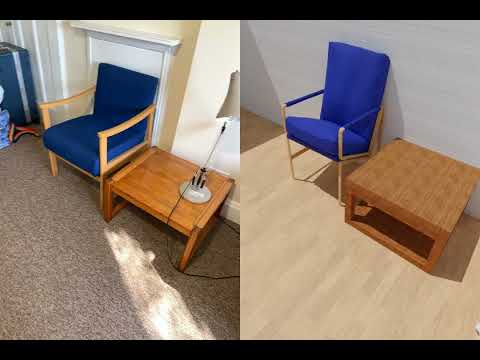 |
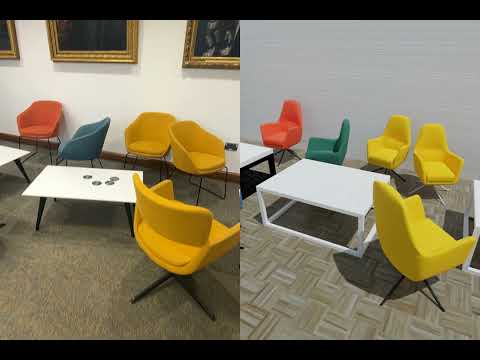 |
| Girton Study Room 2 | Girton Common Room | SigProc Tea Room |
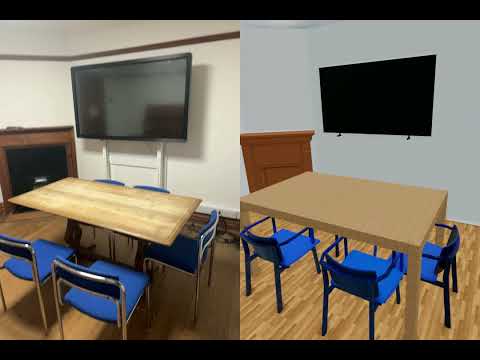 |
 |
 |
- Linux machine
- Conda
- NVIDIA RTX-enabled GPU (≥ 24 GB VRAM)
- CUDA 12.x or 11.x
git clone https://github.com/LiteReality/LiteReality.git
cd LiteReality

conda create -n litereality python=3.9 -y
conda activate litereality

pip install torch torchvision torchaudio --index-url https://download.pytorch.org/whl/cu124
pip install -e .Note: The GroundingDINO code in this repository includes patches for compatibility with PyTorch 2.5.1+ and CUDA 12.4.
mkdir third_party
cd third_party
git clone https://github.com/IDEA-Research/GroundingDINO.git
cp ../litereality/utils/setup_grounding_dino.py GroundingDINO/setup.py # replace setup.py with this file for easy installation

cd GroundingDINO

# Install dependencies
pip install -r requirements.txt
conda install -c conda-forge gcc=13 gxx=13 -y
pip install -e . --no-build-isolation
cd ../..
If issues persist, please refer to the official GroundingDINO repository.
This script downloads weights for CLIP, DinoV2, Qwen-VL-8B-Instruct, and SAM.
python litereality/utils/download_pretrained_weights.pybash litereality/utils/install_blender.sh(This might take quite a while!)
This downloads and extracts the material database (~200 GB) to ./litereality_database/.
python litereality/utils/litereality_database_download.py
cp -r asset/pbr_annotations/* litereality_database/PBR_materials/material_lib/annotations/ # Important: Replace the existing annotations with the new annotation JSON filesThis downloads example scans to the ./scans/ directory.
python litereality/utils/download_example_scans.pyAfter downloading the database and example scans, run the full test suite:
bash example_scans_test.shOr test on a single example first:
bash script.sh scans/2025_05_05_08_42_28 Darwin_BedRoomCurrently, data capture uses Apple RoomPlan on a LiDAR-equipped iPhone. We use the 3D Scanner App to capture full images, depth, camera data, and RoomPlan raw outputs. Following the video below:

Once you export all data, save it under the scans/ folder, then run:
bash script.sh scans/{your_scan_name} {scene_name}Example:
bash script.sh scans/2025_01_20_08_44_07 BoardRoom_CUEDContains material painting results for each processed scene:
{scene_name}/- Per-object material assignments and textures{scene_name}_output_gltf/- GLTF exports with applied PBR materials
Contains intermediate object-level processing results:
{scene_name}/- Individual reconstructed objects before material painting
Final integrated scene models ready for rendering:
blender/- Native Blender project files (.blend) for the reconstructed sceneglb/- 3D scene files (.glb) with full PBR materials for the reconstructed scene
Rendered visualizations and videos of the complete scenes:
videos/- Side-by-side comparison with the original RGB-D inputsrendered_rgbd/- Rendered images from reconstructed scene
Cache files are saved under ./cache/, where you can inspect:
- Scene-graph and parsed scene (before and after)
- Object clustering (e.g., chairs)
- Object retrieval results
- Material painting results
The following works have been helpful and inspirational for the creation of LiteReality:
- Make-it-Real: Unleashing Large Multimodal Model for Painting 3D Objects with Realistic Materials
- MatSynth: A Modern PBR Materials Dataset
- Qwen3-VL: Alibaba's Vision-Language Model
- Phone2Proc: Bringing Robust Robots Into Our Chaotic World
- 3D-FUTURE: 3D Furniture Shape with TextURE
- AI2-THOR: An Interactive 3D Environment for Visual AI
- Apple RoomPlan: ARKit 6 framework for 3D floor plans
If you find this project useful for your research, please cite:
@inproceedings{huang2025litereality,
  title={LiteReality: Graphics-Ready 3D Scene Reconstruction from RGB-D Scans},
  author={Zhening Huang and Xiaoyang Wu and Fangcheng Zhong and Hengshuang Zhao and Matthias Nießner and Joan Lasenby},
  booktitle={Advances in Neural Information Processing Systems (NeurIPS)},
  year={2025}
}