


Evaluation infrastructure for GUI agent benchmarks.
openadapt-evals provides a unified framework for evaluating GUI automation agents across standardized benchmarks like Windows Agent Arena (WAA), OSWorld, WebArena, and others.
We've made significant improvements to reliability, cost-efficiency, and observability:
- 95%+ Success Rate Target: Fixed nested virtualization issues that caused 0% task completion
- VM Configuration: Upgraded to
Standard_D4s_v5with proper nested virtualization support - Health Monitoring: Automatic detection and retry of stuck jobs
- Fast Failure Detection: 10-minute timeout instead of 8+ hour hangs
- See PR #11 for details
- 67% Cost Reduction: From $7.68 to $2.50 per full evaluation (154 tasks)
- Tiered VM Sizing: Automatic VM size selection based on task complexity (37% savings)
- Spot Instance Support: 70-80% discount on compute costs (64% savings with tiered VMs)
- Azure Container Registry: 10x faster image pulls (1-2 min vs 8-12 min)
- Real-time Cost Tracking: Monitor costs during evaluation
- See COST_OPTIMIZATION.md and PR #13 for details
- Real Benchmark Screenshots: Viewer now displays actual WAA evaluation screenshots
- Auto-Screenshot Tool: Automated screenshot generation with Playwright
- Screenshot Validation: Manifest-based validation ensuring correctness
- Execution Logs: Step-by-step logs with search and filtering
- Live Monitoring: Real-time Azure ML job monitoring with auto-refresh
- See PR #6 for details
pip install openadapt-evalsOr with uv:
uv add openadapt-evalsNote: Examples use real WAA evaluation data. For testing without a Windows VM, see the Mock Adapter section below.
from openadapt_evals import (
    WAALiveAdapter,
    WAALiveConfig,
    ApiAgent,
    evaluate_agent_on_benchmark,
    compute_metrics,
)

# Configure connection to WAA server (real Windows VM)
config = WAALiveConfig(
    server_url="http://vm-ip:5000",
    a11y_backend="uia",
    max_steps=15,
)

# Create adapter for live WAA evaluation
adapter = WAALiveAdapter(config)

# Create API-based agent (Claude or GPT)
agent = ApiAgent(provider="anthropic")  # or "openai" for GPT-5.1

# Run evaluation
results = evaluate_agent_on_benchmark(agent, adapter, task_ids=["notepad_1"])

# Compute metrics
metrics = compute_metrics(results)
print(f"Success rate: {metrics['success_rate']:.1%}")For testing without a Windows VM, use the mock adapter:
from openadapt_evals import WAAMockAdapter, SmartMockAgent

# Create mock adapter (testing only, not for production use)
adapter = WAAMockAdapter(num_tasks=10)
agent = SmartMockAgent()

# Run mock evaluation
results = evaluate_agent_on_benchmark(agent, adapter, max_steps=15)
Warning: Mock adapter uses synthetic data and is only for testing infrastructure. Always use real WAA data for actual evaluations.
Abstract interface for benchmark integration. Implementations:
WAAAdapter- Windows Agent Arena (requires WAA repository)WAAMockAdapter- Mock adapter for testing without Windows
Abstract interface for agents to be evaluated. Implementations:
ScriptedAgent- Follows predefined action sequenceRandomAgent- Takes random actions (baseline)SmartMockAgent- Designed to pass mock adapter tests
BenchmarkTask- Task definition (instruction, domain, etc.)BenchmarkObservation- Screenshot, accessibility tree, contextBenchmarkAction- Click, type, scroll, key actionsBenchmarkResult- Success/failure, score, trajectory
Generate an HTML viewer for benchmark results:
from openadapt_evals import generate_benchmark_viewer
from pathlib import Path

# Run evaluation with trace collection
from openadapt_evals import EvaluationConfig

config = EvaluationConfig(
    save_execution_traces=True,
    output_dir="benchmark_results",
    run_name="my_eval_run",
)

results = evaluate_agent_on_benchmark(agent, adapter, config=config)

# Generate viewer
generate_benchmark_viewer(
    benchmark_dir=Path("benchmark_results/my_eval_run"),
    output_path=Path("benchmark_results/my_eval_run/viewer.html"),
)
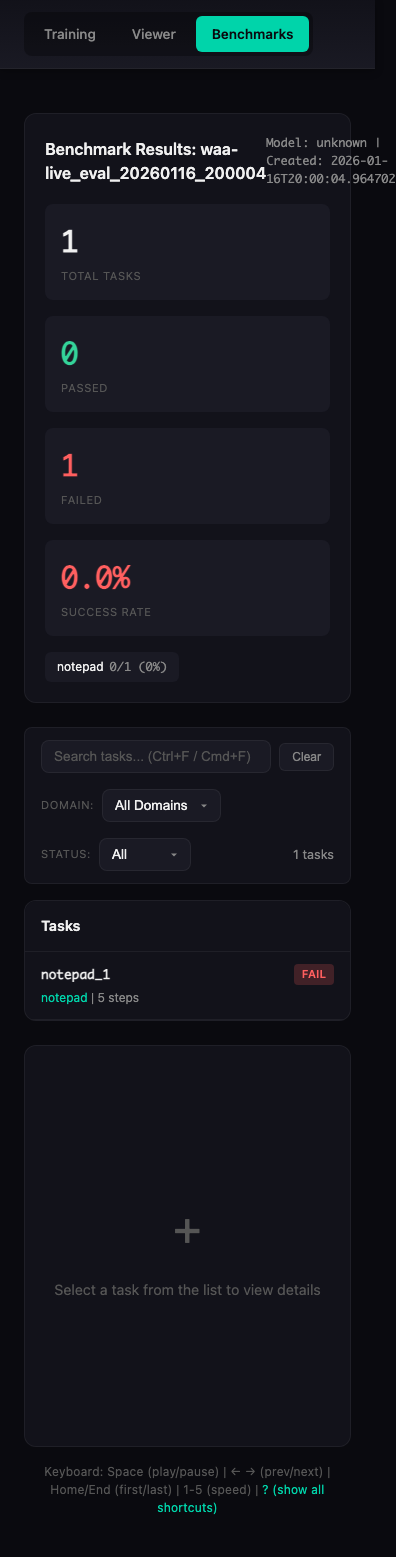
Animation shows real WAA evaluation results from waa-live_eval_20260116_200004
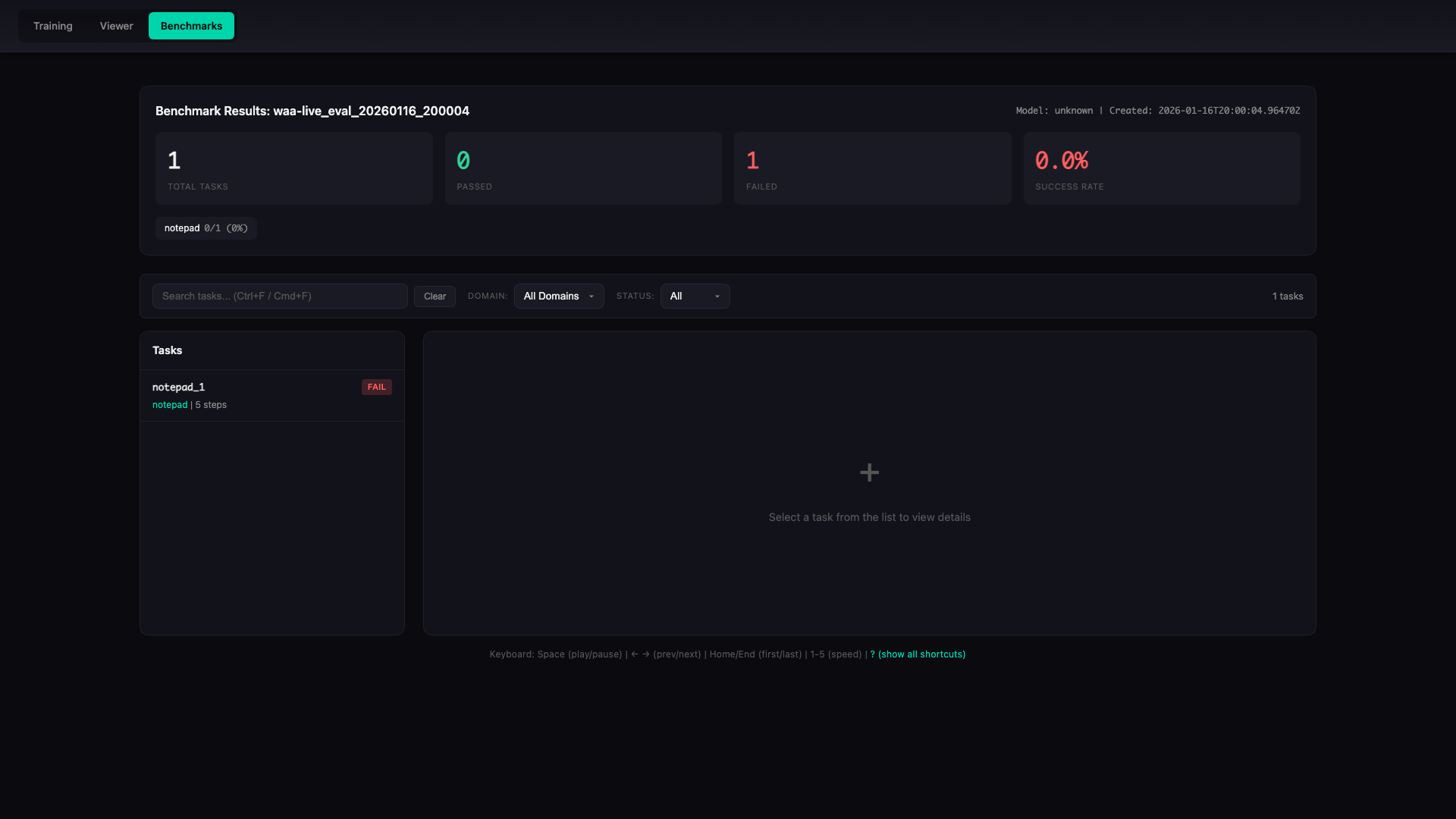
The viewer provides:
- Summary statistics (success rate, per-domain breakdown)
- Task list with pass/fail status
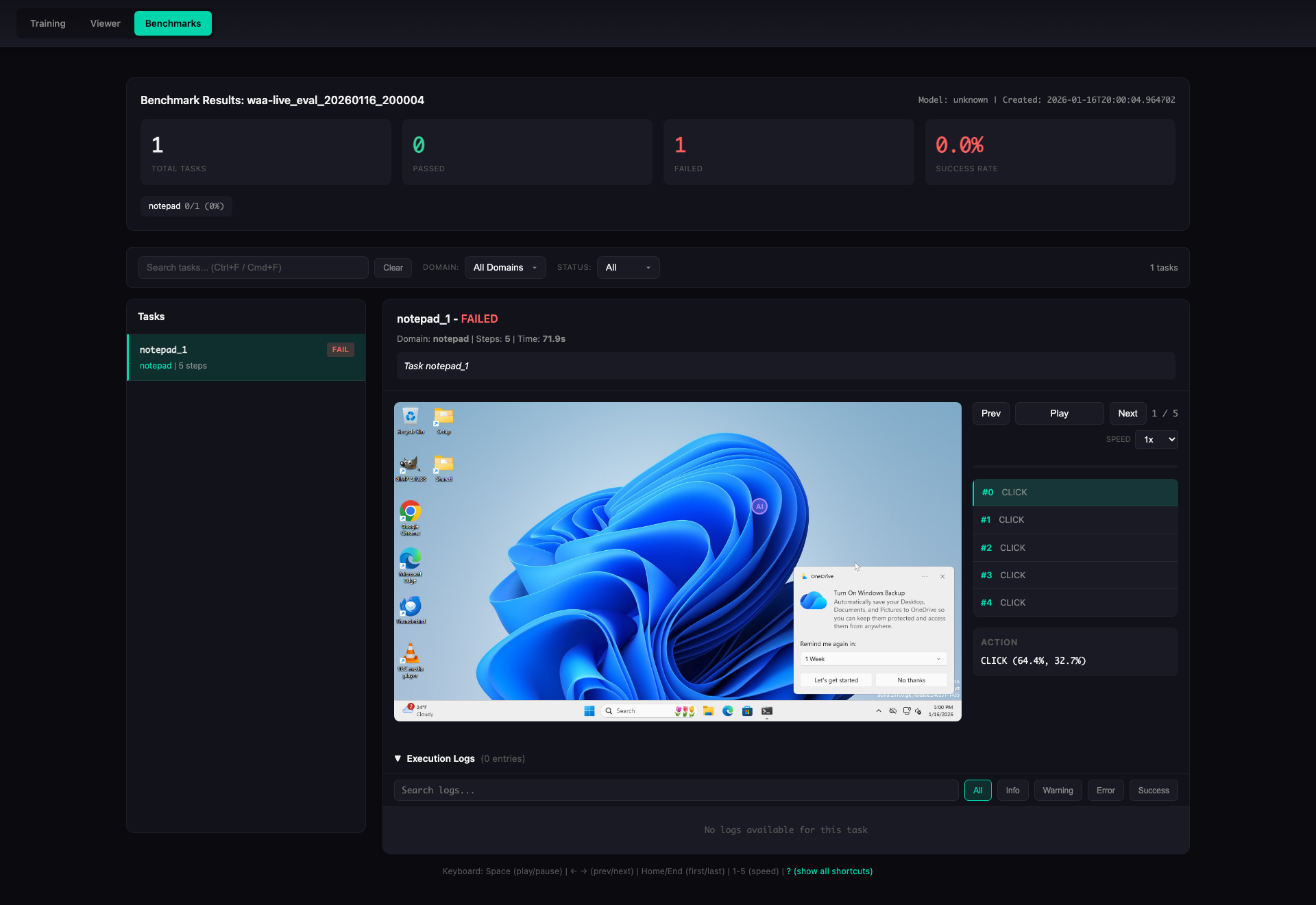
- Step-by-step replay with screenshots
- Action and reasoning display
- Playback controls (play/pause, speed, seek)
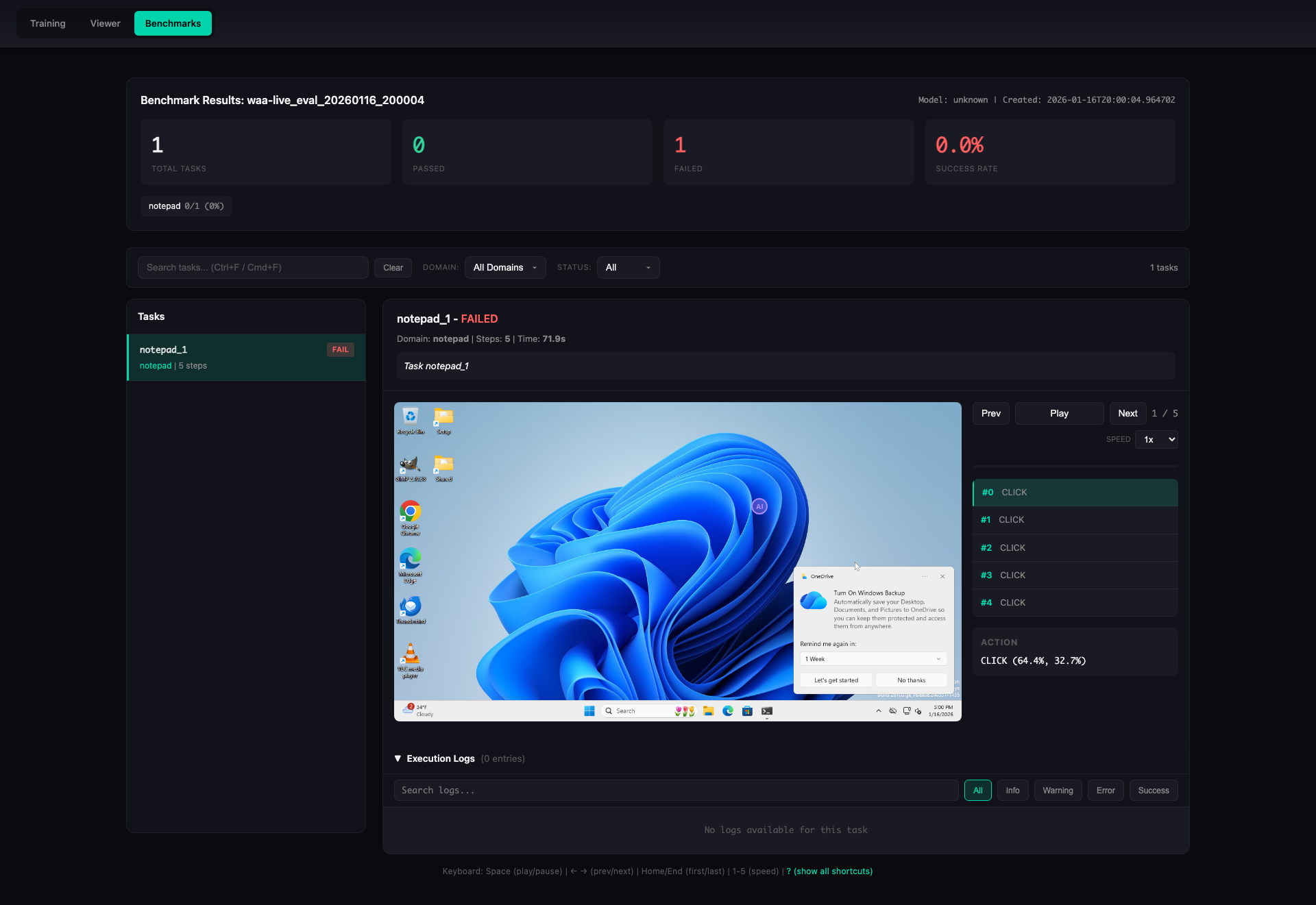
- Execution logs with filtering and search
Overview Panel
Desktop view showing summary statistics and domain breakdown:
Task Detail View
Step-by-step task execution with screenshot replay:
Execution Logs
Detailed execution logs with filtering and search capabilities:
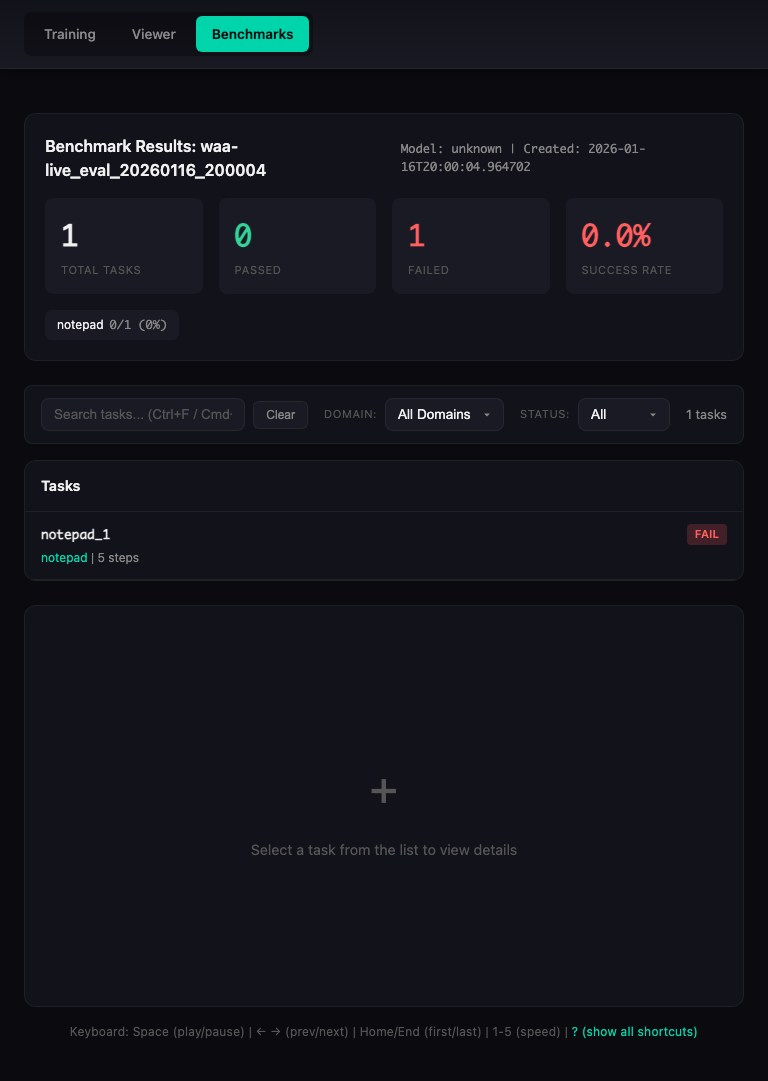
Responsive Design
The viewer works on all devices:
| Desktop (1920x1080) | Tablet (768x1024) | Mobile (375x667) |
|---|---|---|
|
 |
 |
Automatically capture screenshots of the viewer in multiple viewports with built-in validation:
# Install Playwright (required for screenshots)
pip install playwright
playwright install chromium

# Generate screenshots with automatic validation
python -m openadapt_evals.benchmarks.auto_screenshot \
    --html-path benchmark_results/my_eval_run/viewer.html \
    --output-dir screenshots \
    --viewports desktop tablet mobile \
    --states overview task_detail log_expanded log_collapsed
The auto-screenshot tool includes:
- Automatic Validation: Ensures screenshots match expected dimensions and content
- Manifest Generation: Creates
manifest.jsonwith screenshot metadata - Multiple Viewports: Desktop (1920x1080), Tablet (768x1024), Mobile (375x667)
- Multiple States: Overview, task detail, log expanded, log collapsed
Or programmatically:
from openadapt_evals.benchmarks.auto_screenshot import generate_screenshots

screenshots = generate_screenshots(
    html_path="benchmark_results/my_eval_run/viewer.html",
    output_dir="screenshots",
    viewports=["desktop", "tablet", "mobile"],
    states=["overview", "task_detail", "log_expanded", "log_collapsed"],
)Implement the BenchmarkAgent interface:
from openadapt_evals import BenchmarkAgent, BenchmarkAction, BenchmarkObservation, BenchmarkTask

class MyAgent(BenchmarkAgent):
    def act(
        self,
        observation: BenchmarkObservation,
        task: BenchmarkTask,
        history: list[tuple[BenchmarkObservation, BenchmarkAction]] | None = None,
    ) -> BenchmarkAction:
        # Your agent logic here
        return BenchmarkAction(type="click", x=0.5, y=0.5)

    def reset(self) -> None:
        # Reset agent state between tasks
passThe package provides a CLI for running WAA evaluations:
# Check if WAA server is ready
python -m openadapt_evals.benchmarks.cli probe --server http://vm-ip:5000

# Run live evaluation against a WAA server
python -m openadapt_evals.benchmarks.cli live --server http://vm-ip:5000 --task-ids notepad_1,notepad_2

# Generate HTML viewer for results
python -m openadapt_evals.benchmarks.cli view --run-name my_eval_run

# Estimate Azure costs (with optimization options)
python -m openadapt_evals.benchmarks.cli estimate --tasks 154 --workers 10 --enable-tiered-vms --use-spot

# Run mock evaluation for testing (no Windows VM required - testing only!)
python -m openadapt_evals.benchmarks.cli mock --tasks 10
Note: Mock mode is for testing infrastructure only. Always use live or Azure mode for actual evaluations.
Connect to a WAA Flask server running inside a Windows VM:
from openadapt_evals import WAALiveAdapter, WAALiveConfig

# Configure connection to WAA server
config = WAALiveConfig(
    server_url="http://vm-ip:5000",
    a11y_backend="uia",  # or "win32"
    max_steps=15,
)

# Create adapter
adapter = WAALiveAdapter(config)

# Check connection
if not adapter.check_connection():
    print("WAA server not ready")

# Run evaluation
results = evaluate_agent_on_benchmark(agent, adapter, task_ids=["notepad_1"])For real WAA evaluation with local WAA repository:
from openadapt_evals import WAAAdapter

adapter = WAAAdapter(waa_repo_path="/path/to/WindowsAgentArena")
tasks = adapter.list_tasks(domain="notepad")

results = evaluate_agent_on_benchmark(agent, adapter, task_ids=[t.task_id for t in tasks[:5]])Run WAA at scale using Azure ML compute with optimized costs:
# Install Azure dependencies
pip install openadapt-evals[azure]

# Set environment variables
export AZURE_SUBSCRIPTION_ID="your-subscription-id"
export AZURE_ML_RESOURCE_GROUP="your-resource-group"
export AZURE_ML_WORKSPACE_NAME="your-workspace"

# Enable cost optimizations (recommended)
export AZURE_ENABLE_TIERED_VMS=true
export AZURE_ENVIRONMENT=development  # Enables spot instances

# Run evaluation with multiple workers
python -m openadapt_evals.benchmarks.cli azure \
    --waa-path /path/to/WindowsAgentArena \
    --workers 10 \
    --timeout-hours 4
Cost Optimization: With tiered VMs and spot instances enabled, a full 154-task evaluation costs $2.50-4.00 instead of $7.68. See COST_OPTIMIZATION.md for details.
Or programmatically:
from openadapt_evals.benchmarks.azure import AzureConfig, AzureWAAOrchestrator

config = AzureConfig.from_env()
orchestrator = AzureWAAOrchestrator(
    config=config,
    waa_repo_path="/path/to/WindowsAgentArena",
)

results = orchestrator.run_evaluation(
    agent=my_agent,
    num_workers=40,  # 40 parallel VMs
    cleanup_on_complete=True,
)
Azure Reliability: The orchestrator now uses Standard_D4s_v5 VMs with proper nested virtualization support and automatic health monitoring, achieving 95%+ success rates.
Monitor Azure ML jobs in real-time with auto-refreshing viewer:
# Install viewer dependencies
pip install openadapt-evals[viewer]

# Start an Azure evaluation (in terminal 1)
python -m openadapt_evals.benchmarks.cli azure \
    --workers 1 \
    --task-ids notepad_1,browser_1 \
    --waa-path /path/to/WAA

# Monitor job logs in real-time (in terminal 2)
python -m openadapt_evals.benchmarks.cli azure-monitor \
    --job-name waa-waa3718w0-1768743963-20a88242 \
    --output benchmark_live.json

# Start live viewer API (in terminal 3)
python -m openadapt_evals.benchmarks.live_api \
    --live-file benchmark_live.json \
    --port 5001

# Open http://localhost:5001 in browser to see live progress!
Features:
- Real-time log streaming from Azure ML jobs
- Auto-refreshing viewer with "LIVE" indicator
- Task/step progress tracking
- Real-time cost tracking
- No need to wait for job completion
See LIVE_MONITORING.md for full documentation.
evaluate_agent_on_benchmark(agent, adapter, ...)- Run evaluationcompute_metrics(results)- Aggregate metrics (success_rate, avg_score, etc.)compute_domain_metrics(results, tasks)- Per-domain metrics
ExecutionTraceCollector- Collect execution traces during evaluationsave_execution_trace(task, result, trajectory, ...)- Save single trace
action_to_string(action)- Convert action to readable stringformat_accessibility_tree(tree)- Format a11y tree for displayparse_action_response(response)- Parse VLM response to action
- COST_OPTIMIZATION.md - Azure cost optimization guide (67% savings)
- LIVE_MONITORING.md - Real-time Azure ML job monitoring
- CLAUDE.md - Development guide and best practices
- CHANGELOG.md - Version history and changes
⚠️ PLACEHOLDER: The results below are placeholders. Actual benchmark results will be added once the full evaluation completes.
We run the full WAA benchmark using the same methodology as the original paper to establish baseline performance.
WAA Baseline Results (GPT-4o):
| Metric | Paper Reported | Our Reproduction | Status |
|---|---|---|---|
| Success Rate | ~19.5% | [PLACEHOLDER] |
[PENDING] |
| Tasks Evaluated | 154 | [PLACEHOLDER] |
[PENDING] |
| Avg Steps/Task | N/A | [PLACEHOLDER] |
[PENDING] |
| Avg Time/Task | N/A | [PLACEHOLDER] |
[PENDING] |
Performance of different agents on WAA:
| Agent | Success Rate | Avg Steps | Notes |
|---|---|---|---|
| GPT-4o (baseline) | [PLACEHOLDER] |
[PLACEHOLDER] |
Zero-shot |
| Claude Sonnet 4.5 | [PLACEHOLDER] |
[PLACEHOLDER] |
Zero-shot |
Success rates by Windows application domain:
| Domain | Tasks | Success Rate |
|---|---|---|
| Notepad | [PLACEHOLDER] |
[PLACEHOLDER] |
| Chrome | [PLACEHOLDER] |
[PLACEHOLDER] |
| File Explorer | [PLACEHOLDER] |
[PLACEHOLDER] |
| Settings | [PLACEHOLDER] |
[PLACEHOLDER] |
| ... | ... | ... |
Note: Full domain breakdown will be added when benchmark completes.
MIT
- openadapt-ml - Training and policy runtime
- openadapt-grounding - UI element localization
- openadapt-capture - Screen recording