





OpenBotAuth is a way for agents to browse the internet on their owners' behalf. Written as an extension to Web Bot Auth, it hosts OpenBotRegistry to curate human <> agent identities and offers origin server plugins for websites to identity and monetize agentic movements. There's no CDN lock-in and the directory can be used by other origin server implementations to identify agents.
This monorepo contains:
- Github Auth Flow - for SSO auth
- Registry Verification - that generates Signature Agent Cards
- Origin Verifier — Node.js verifier service with nonce replay protection
- WordPress Plugin — for custom content policy, block/unblock and x402 payments
This repo also explores integrations with local MCP server (Claude Desktop integration) + A2A agent cards. However, these are exploratory features.
OpenBotAuth works with any origin behind NGINX/Caddy/Envoy, eliminating CDN dependency.
# Clone repository
git clone https://github.com/OpenBotAuth/openbotauth.git
cd openbotauth

# Install dependencies
pnpm install

# Copy environment file and configure
cp .env.example .env
# Edit .env with your credentials (Neon DB, GitHub OAuth, Redis)

# Build all packages
pnpm build

# Start development services
pnpm dev:service    # Registry service (port 8080)
pnpm dev:portal # Portal UI (port 5173)openbotauth/
├─ packages/
│ ├─ registry-service/ ✅ JWKS hosting, agent management (Neon-backed)
│ ├─ registry-signer/ ✅ Shared Ed25519 keygen & JWKS utilities
│ ├─ github-connector/ ✅ GitHub OAuth flow for registry
│ ├─ registry-cli/ ✅ CLI for agent/key management
│ ├─ verifier-service/ ✅ RFC 9421 signature verification, nonce cache
│ ├─ bot-cli/ ✅ Demo crawler: signs requests, handles 402
│ ├─ mcp-server/ ✅ MCP server (policy/meter/payments tools)
│ └─ a2a-card/ ✅ Static agent card + A2A stub endpoints
├─ apps/
│ ├─ registry-portal/ ✅ Marketing website + Portal UI
│ └─ test-server/ ✅ Test server for signature verification
├─ plugins/
│ └─ wordpress-openbotauth/ ✅ WP plugin for policy, pricing, analytics
├─ infra/
│ ├─ docker/ 🚧 Dockerfiles, docker-compose.yaml
│ └─ neon/ ✅ Neon migrations
└─ docs/
├─ ARCHITECTURE.md ✅ System architecture
└─ A2A_CARD.md ✅ A2A discovery documentation
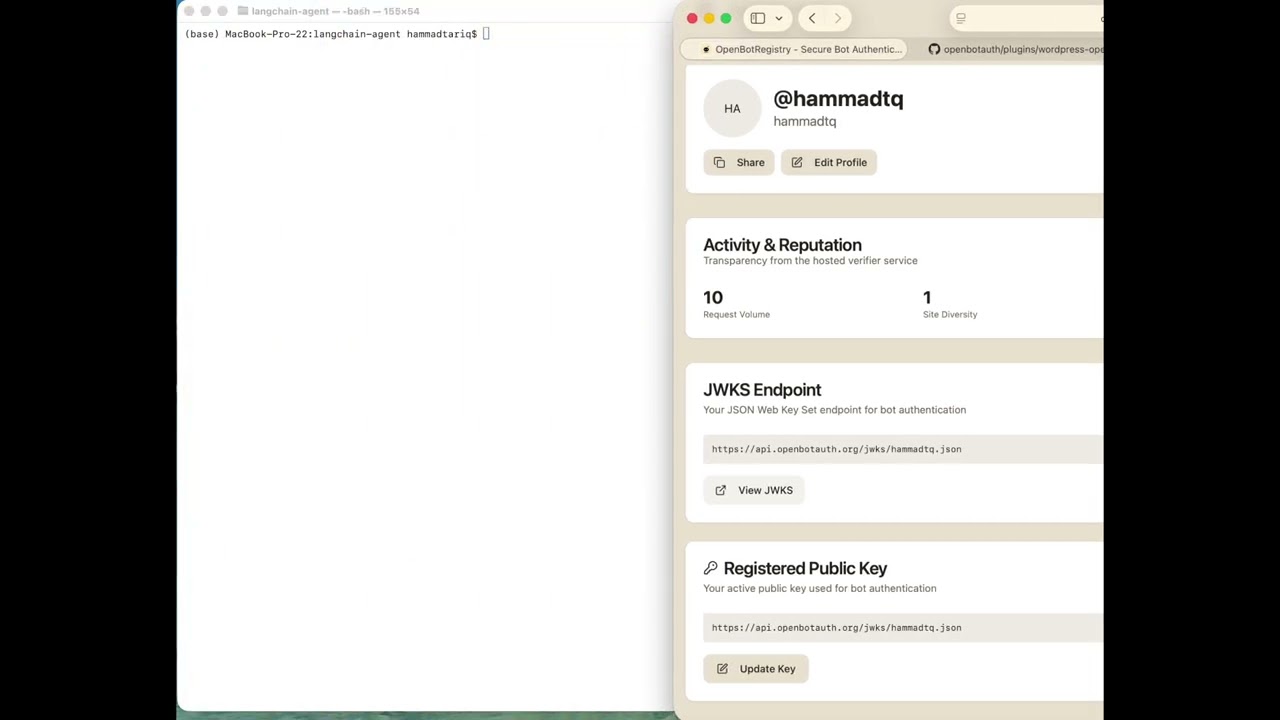
When publishers use the hosted verifier at verifier.openbotauth.org, every verification request provides observability from the origin side:
Every verification includes:
- Agent ID (JWKS URL)
- Target origin (e.g., blog.attach.dev)
- Request method and path
From this we derive:
- Last seen timestamps per agent
- Request volume per agent (rough metric)
- Site diversity - which origins an agent is visiting
- Karma score - "popular with publishers" reputation
This gives publishers:
- Real-time transparency on agent behavior
- Bad behavior signals (high traffic but often rejected)
- Agent reputation without centralized authority
If you self-host the verifier, you can:
- Keep all metrics local
- Opt-in to send anonymized stats back to OpenBotAuth (analytics "ping")
- Maintain full control over your data
Karma scores are displayed publicly on agent profile pages as a transparency feature.
See docs/TELEMETRY.md for detailed documentation.
JWKS hosting and agent identity management.
Features:
- User-level and agent-level JWKS endpoints
- GitHub OAuth authentication
- Ed25519 key management
- Activity logging
- Session management
Endpoints:
GET /jwks/{username}.json— User JWKSGET /agent-jwks/{agent_id}— Agent JWKSPOST /auth/github— GitHub OAuth loginGET /agents— List user agentsPOST /keys— Register public key
Tech: Node.js, Express, Neon Postgres
RFC 9421 HTTP Message Signature verification.
Features:
- Ed25519 signature verification
- JWKS resolution and caching (Redis)
- Nonce replay protection
- Clock skew validation
- Directory trust validation
Endpoints:
POST /verify— Verify signed requestPOST /authorize— Check signature + policyGET /health— Health check
Tech: Node.js, Express, Redis, node-jose
Demo crawler that signs HTTP requests per RFC 9421.
Features:
- Ed25519 keypair generation
- RFC 9421 request signing
- 402 Payment Required handling
- JWKS reference
- Local key storage
Usage:
# Generate keypair
oba-bot keygen

# Fetch signed request
oba-bot fetch https://example.com/protected -v
Tech: Node.js, Commander.js
Policy engine and content gating for WordPress.
Features:
- ✅ RFC 9421 signature verification
- ✅ Granular policy engine (allow/deny/teaser)
- ✅ 402 payment flow
- ✅ Content teaser/gating
- ✅ Rate limiting per agent
- ✅ Whitelist/blacklist support
- ✅ Per-post policy overrides
- ✅ Admin UI for policy management
- ✅ Bot analytics ready
Installation:
cp -r plugins/wordpress-openbotauth /path/to/wordpress/wp-content/plugins/
# Activate in WordPress Admin → Plugins
# Configure in Settings → OpenBotAuth
Configuration:
- Verifier URL (Production):
https://verifier.openbotauth.org/verify - Verifier URL (Local):
http://localhost:8081/verify
Tech: PHP, WordPress API
Model Context Protocol server for AI agent integration.
Tools:
policy_apply— Evaluate access policiespayments_create_intent— Create payment intentsmeter_ingest— Track usage events
Integration:
cd packages/mcp-server
pnpm install && pnpm build

# Add to Claude Desktop config
# See packages/mcp-server/README.md for details
Features:
- ✅ Policy evaluation (whitelist/blacklist/rate limits)
- ✅ Payment intent creation
- ✅ Usage metering and analytics
- ✅ Claude Desktop integration
- ✅ Real-time counters (Redis)
- ✅ Historical data (PostgreSQL)
Tech: Node.js, Express, MCP SDK
📖 Full Documentation → | A2A Overview →
Discovery layer for agent-to-agent interoperability.
Status: Discovery-only, experimental
Features:
- 🔍 Static agent card at
/.well-known/agent-card.json - 🚫 Stubbed A2A endpoints (501 by default)
- 🔄 CORS-aware (card: allow, stubs: deny)
- ⚡ Cached with ETag support
- 🛡️ Rate-limited endpoints
- 📦 Portable (mount or serve standalone)
Setup:
# A2A is disabled by default
# Agent card is served automatically by registry

# To enable experimental A2A endpoints:
export ENABLE_A2A=true
Why experimental? The A2A protocol is still evolving. This package reserves URLs and provides discovery without over-promising protocol semantics. Use MCP for real interop today.
Tech: Node.js, Express
Location: apps/registry-portal/
Unified application serving:
- Marketing website (openbotauth.org) - Public pages for publishers and crawlers
- Portal UI - Authenticated agent and key management
Runs on http://localhost:5173 in development.
Marketing Pages:
/- Home page with hero section/publishers- Intent-based pricing for publishers/crawlers- Open registration for crawlers/contact- Contact information
Portal Features:
- GitHub OAuth login
- Ed25519 keypair generation
- Public key registration
- Agent management
- Profile viewing
- Key history
Tech: React, Vite, TypeScript, shadcn/ui, react-helmet-async
Interactive demos proving the OpenBotAuth concept: unsigned agents get teaser/402 content, while signed agents get full access.
1. Python LangChain Agent (examples/langchain-agent/)
Command-line demo comparing unsigned vs signed HTTP requests:
# Unsigned request → teaser or 402
python demo_agent.py --mode unsigned

# Signed request → full content with X-OBA-Decision: allow
python demo_agent.py --mode signed
Features:
- RFC 9421 HTTP Message Signatures in Python
- Ed25519 signing with cryptography library
- Clear terminal output showing header and content differences
- Optional LangChain integration
2. Web Widget (apps/widget-backend/ + apps/widget-frontend/)
Interactive browser-based demo with visual signature diff:
pnpm install
pnpm dev:widget-backend  # Terminal 1
pnpm dev:widget-frontend # Terminal 2
Features:
- Toggle between unsigned/signed modes
- Visual diff of signature headers
- Real-time fetch with status and response preview
- Built with React + TypeScript
3. TAP Voice Agents — Full Documentation → | Demo Video →
Autonomous agent-to-merchant payments using cryptographic identity and consent proofs:
pnpm install
pnpm dev:tap-voice-backend  # Terminal 1
pnpm dev:tap-voice-frontend # Terminal 2
Features:
- User-owned AI agents (Pete for shopping, Penny for payments)
- Triple-layer signing: RFC 9421 + consent proof + payment request
- Live 15-step sequence diagram showing cryptographic handshake
- ElevenLabs voice integration with manual fallback controls
- Origin-first verification (no CDN/proxy required)
What it demonstrates: How commerce works when users have their own AI agents that shop and pay on their behalf using cryptographic signatures to prove identity and consent to merchants.
# Clone the demos repository
git clone https://github.com/OpenBotAuth/openbotauth-demos.git
cd openbotauth-demos

# Get your keys from the registry portal
# Visit https://registry.openbotauth.org and generate keys

# Auto-configure with key parser (recommended)
node scripts/parse-keys.js ~/Downloads/openbotauth-keys-username.txt

# Run Python agent
cd examples/langchain-agent
python3 -m venv .venv && source .venv/bin/activate
pip install -r requirements.txt
python demo_agent.py --mode signed

# Or run web widget
pnpm install
pnpm dev:widget-backend  # Terminal 1
pnpm dev:widget-frontend # Terminal 2
Test URL: https://blog.attach.dev/?p=6 (WordPress with OpenBotAuth plugin)
What you'll see:
- Unsigned: Teaser content or 402 response
- Signed: Full content with
X-OBA-Decision: allowheader
- Python: httpx, cryptography, python-dotenv
- TypeScript: Node.js Web Crypto API, Express, React
- Standards: RFC 9421, Ed25519, JWKS
# Install dependencies
pnpm install

# Build all packages
pnpm build

# Run linter
pnpm lint

# Clean build artifacts
pnpm clean

# Start development servers
pnpm dev:service    # Registry service (port 8080)
pnpm dev:portal # Portal UI (port 5173)Registry Service:
cd packages/registry-service
pnpm dev
# Runs on http://localhost:8080
Verifier Service:
cd packages/verifier-service
pnpm dev
# Runs on http://localhost:8081
Portal UI:
cd apps/registry-portal
pnpm dev
# Runs on http://localhost:5173
MCP Server:
cd packages/mcp-server
pnpm dev
# Runs on http://localhost:8082-
Start services:
# Terminal 1: Registry
cd packages/registry-service && pnpm dev

# Terminal 2: Verifier
cd packages/verifier-service && pnpm dev

# Terminal 3: Test server
cd apps/test-server && pnpm dev
-
Register keys via portal:
# Terminal 4: Portal
cd apps/registry-portal && pnpm dev
# Open http://localhost:5173
# Login with GitHub
# Generate and register keys
-
Test with Bot CLI:
# Configure bot with your keys
cd packages/bot-cli
pnpm dev fetch http://localhost:3000/protected -v
- docs/ARCHITECTURE.md — System architecture
- docs/A2A_CARD.md — A2A discovery documentation
- packages/mcp-server/README.md — MCP server guide
- plugins/wordpress-openbotauth/README.md — WordPress plugin guide
- packages/a2a-card/README.md — A2A card documentation
- RFC 9421 — HTTP Message Signatures
- RFC 7517 — JSON Web Key (JWK)
- RFC 7515 — JSON Web Signature (JWS)
- MCP — Model Context Protocol
- Ed25519 — EdDSA signature scheme
- Runtime: Node.js 20+
- Language: TypeScript 5.7
- Database: Neon Postgres (serverless)
- Cache: Redis 7
- Frontend: React 18 + Vite 5
- UI: shadcn/ui + Tailwind CSS
- Package Manager: pnpm 8+
- Cryptography: Ed25519 (via Web Crypto API)
Contributions are welcome! Please:
- Fork the repository
- Create a feature branch (
git checkout -b feature/amazing-feature) - Commit your changes (
git commit -m 'Add amazing feature') - Push to the branch (
git push origin feature/amazing-feature) - Open a Pull Request
Apache-2.0 - see LICENSE for details.
- Built with RFC 9421 HTTP Message Signatures
- Inspired by Web-Bot-Auth
- Uses Neon for serverless Postgres
- MCP integration via @modelcontextprotocol/sdk
Made with ❤️ for the agent economy