
Mobile DevTools for Browser & WebView — Eruda Alternative
On-device Mobile DevTools with Live HTML, CSS Editing & Advanced JavaScript Debugging


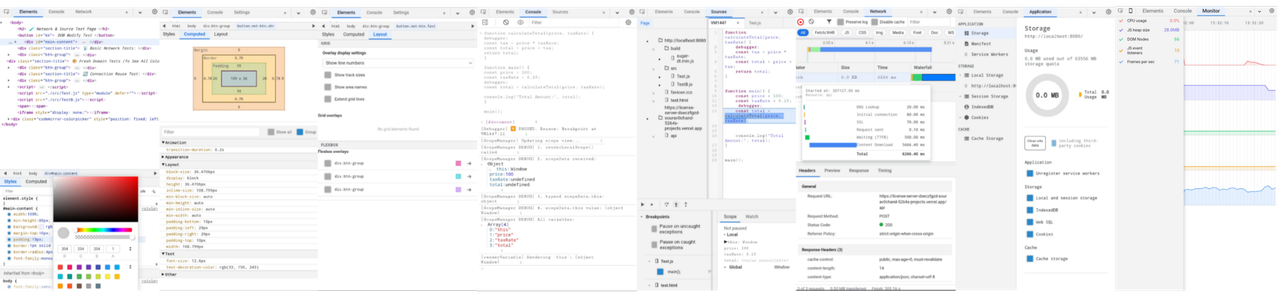
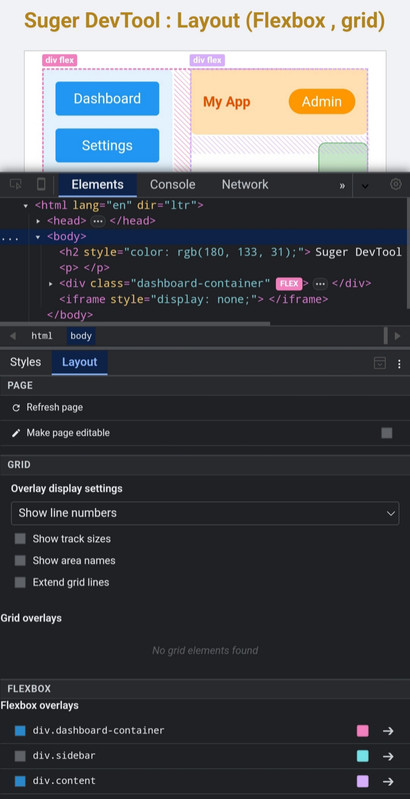
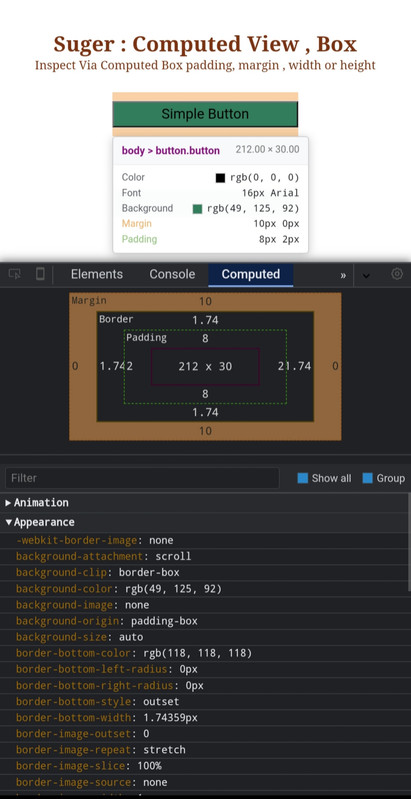
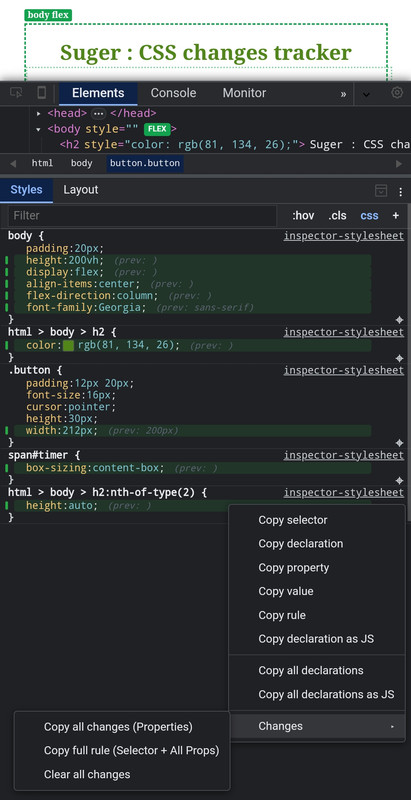
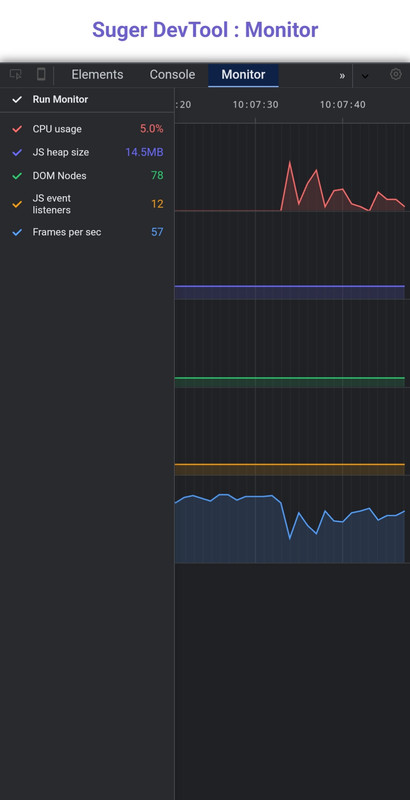
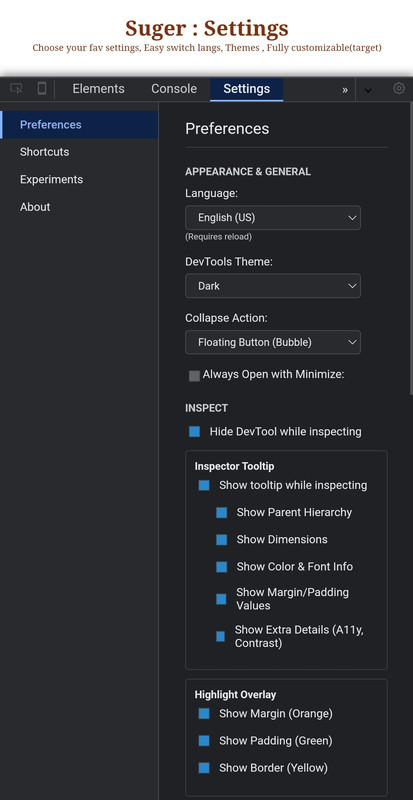
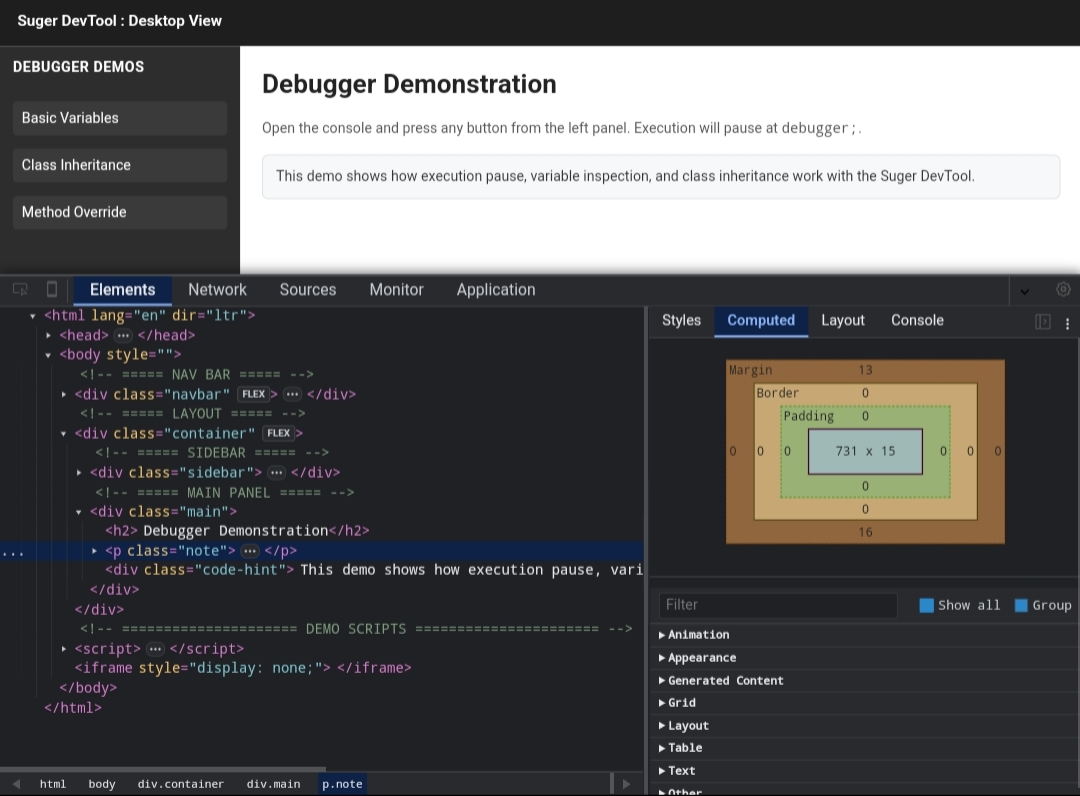
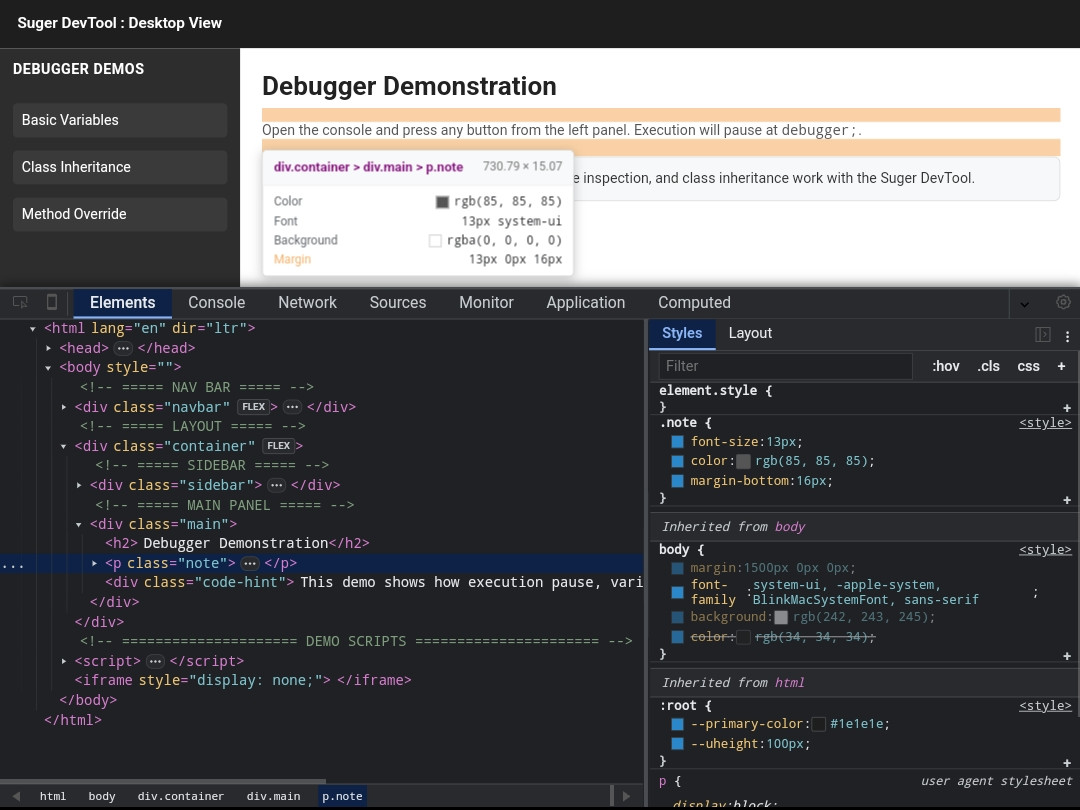
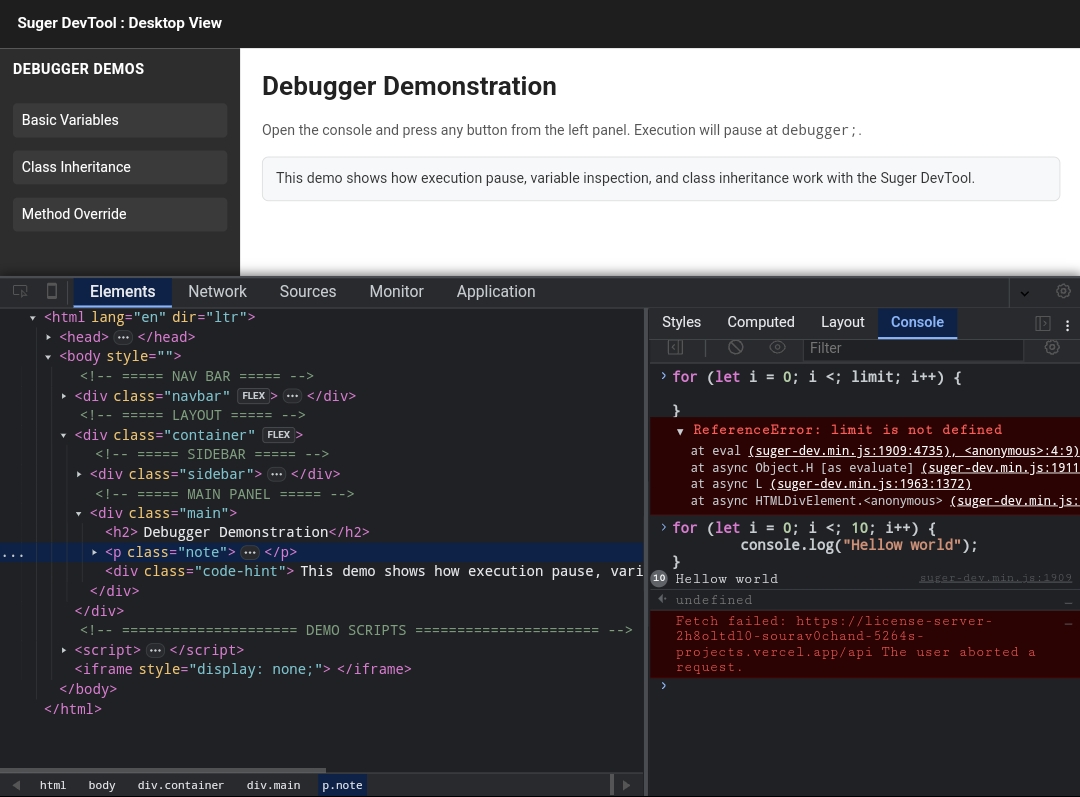
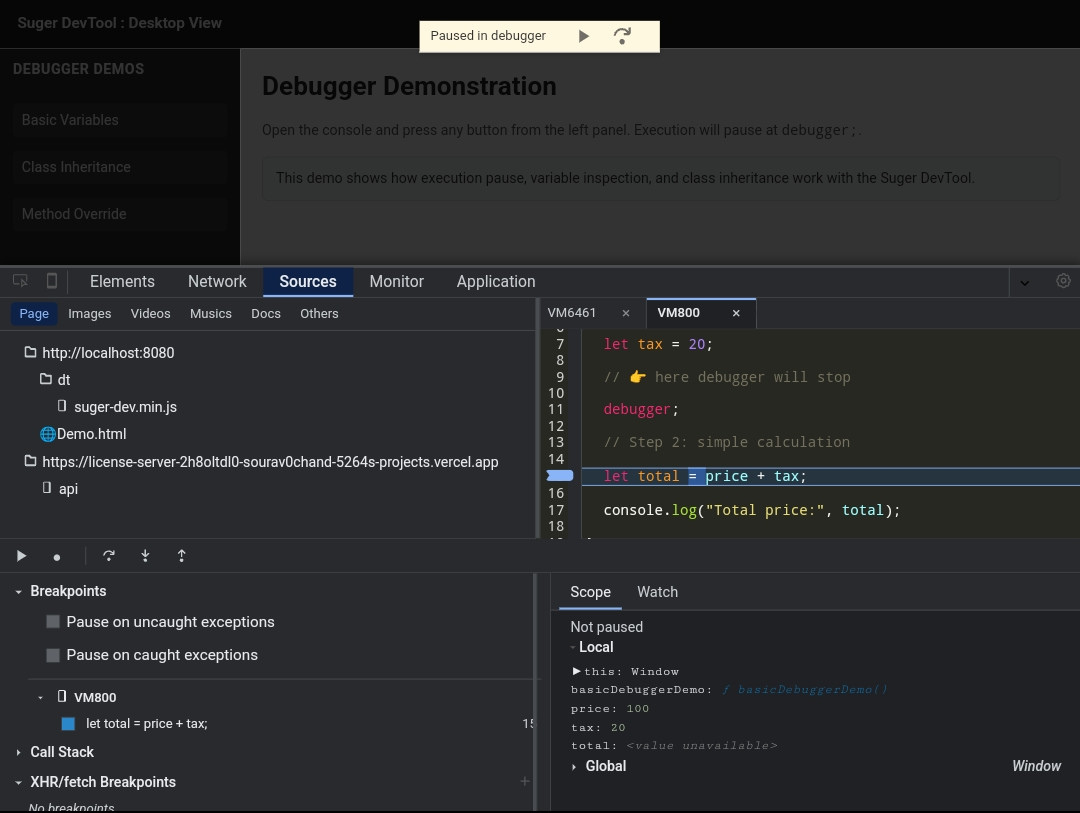
Suger DevTool is a standalone, high-performance mobile-first DevTools designed to bring a desktop-like debugging experience directly to mobile devices.
It focuses on deep inspection and live editing, not just console logging.
Suger DevTool works entirely on-device, without requiring a desktop computer, USB connection, or remote DevTools setup.
It is optimized for:
- Mobile Browsers
- Acode
- WebView-based applications
- Shadow Dom
Most mobile debugging tools focus on basic logging and network inspection.
Suger DevTool is built for developers who need real control and visibility on mobile devices.
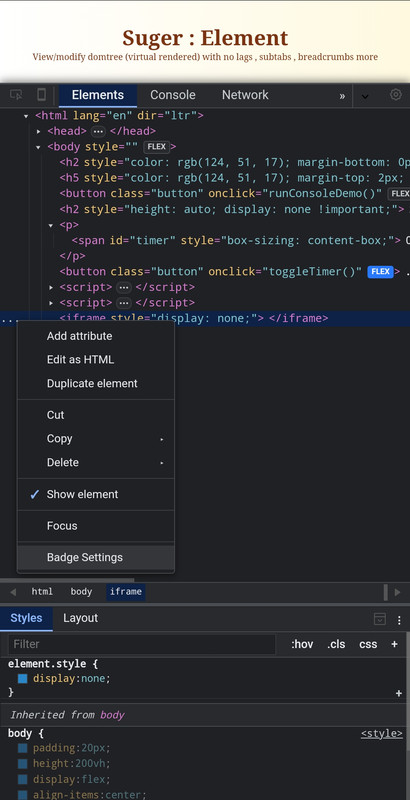
- Live HTML tree editing with instant visual feedback
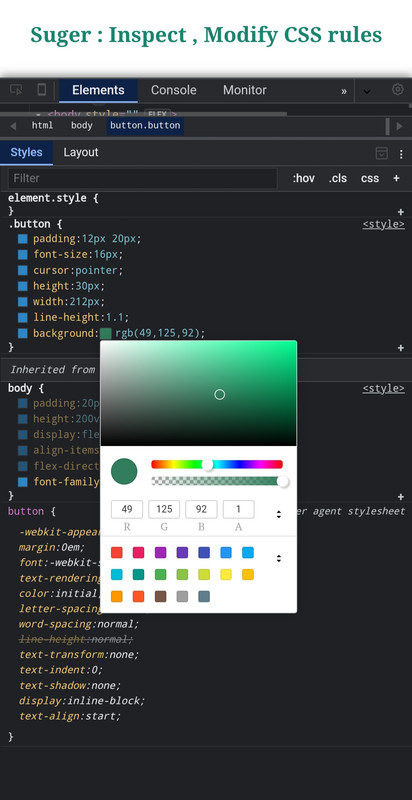
- Full CSS rule editing with integrated color picker
- Computed style inspection and box model view
- Advanced JavaScript debugging with async/await stepping
- Pause JavaScript execution and DOM updates to inspect state
- No desktop, no USB, no remote debugging required
- Mobile-first web developers
- WebView / Hybrid app developers
- Acode users
- QA testers debugging on real devices
- Developers without reliable access to desktop DevTools


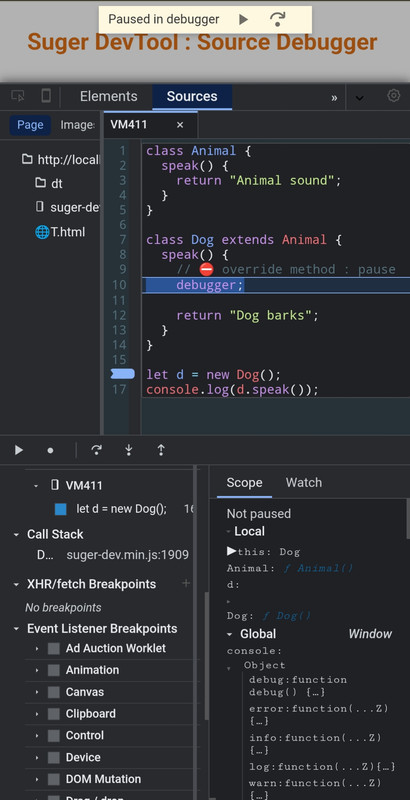
A fully interactive JavaScript debugger designed for mobile environments.
- Async Support — Step through asynchronous code, Promises, event listeners, and timers
- Breakpoints — Set breakpoints in inline scripts and external JavaScript files
- Scope Analysis — Inspect local, closure, block, and global variables in real time
- Watch Expressions — Track expressions and variables as execution progresses
- Execution Control — Pause and resume JavaScript execution safely

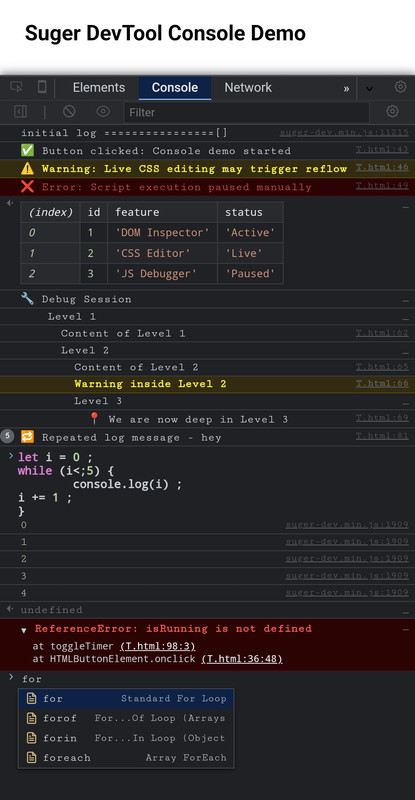
A pro-level, fully interactive JavaScript console tailored for deep inspection and rapid execution.
- Intelligent Autocomplete — Context-aware suggestions for object properties, global variables, JS keywords, and custom snippets.
- Eager Evaluation — Real-time "ghost" preview of expression results before pressing enter.
- Advanced Object Inspector — Chrome-style object evaluation with
[[Prototype]]chain,Symbolsupport, and clickable Getters/Setters(...). - Interactive Stack Traces — Detailed error logs with clickable source links (
file:line:col) that directly route to the exact line in the Source Debugger. - Smart Snippets — Inject pre-built code blocks with interactive tab-stops for quick and repetitive debugging.
- Rich Formatting — Full support for horizontal
console.table, collapsibleconsole.group()with indentation lines, and%cCSS-styled logs. - Early Log Ingestion — Captures all logs, native errors, and unhandled rejections that occur even before the DevTool is fully initialized.
- Smart Context Menu — Advanced copy options including "Copy Object (JSON)", "Copy This Session", and "Copy Input + Outputs" via long-press/right-click.
- Filter & Sidebar — Categorized log filtering (User, Errors, Warnings, Info) with real-time badge counters.


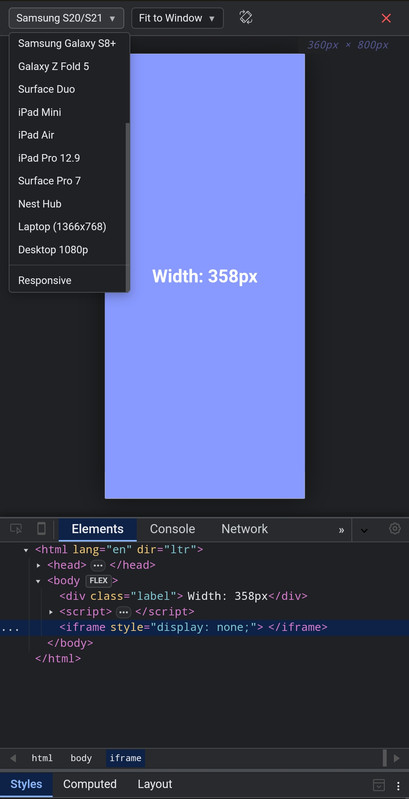
View Responsiveness through device view
- Device View — Device view with many pre exist device & custom

Inspect and modify the DOM directly on your mobile device.
- DOM Tree — Fully interactive DOM tree with expand/collapse
- Live Edit — Edit tags, attributes, and text content in real time
- Computed Styles — Inspect resolved CSS values and box model
- Layout Tools — Grid and Flexbox visualization overlays
- Style Change Tracker — Track, preview, diff, and copy CSS modifications in real time


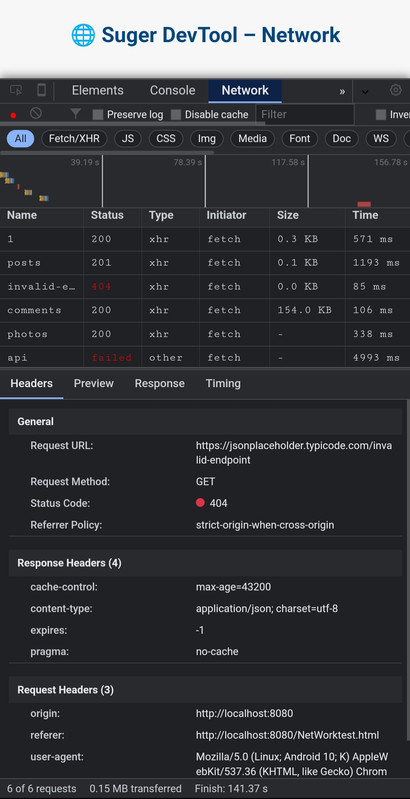
Granular analysis of network traffic and API calls.
- Waterfall Chart — Visual request timing (DNS, SSL, TTFB, Download)
- Interception — Inspect request headers, payloads, and responses
- XHR Breakpoints — Pause execution on specific network requests


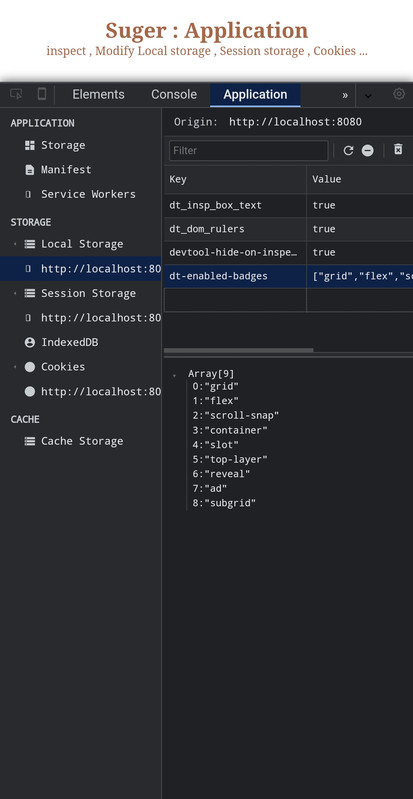
Inspect application-level storage and resources.
- Storage — LocalStorage, SessionStorage, and Cookies viewer
- Deep Inspect — IndexedDB and Cache Storage explorer
- Service Workers — Inspect and unregister service workers

Real-time tracking of system resources and rendering performance.
- Resource Graphs — Visual timeline for CPU usage, JS Heap, and FPS
- DOM Stats — Monitor DOM node counts and active event listeners

Different tools are built for different needs.
| Feature | Suger DevTool | Eruda | vConsole |
|---|---|---|---|
| Tablet/Mobile Support | ✅ | ✅ | ✅ |
| Chrome Bookmarklet Support | ✅ | ✅ | ✅ |
| Inspect Html | ✅ | ✅ | ❌ |
| Box model preview | ✅ | ✅ | ❌ |
| Performance Monitor | ✅ | ✅ | ❌ |
| Console with Snippet/Eager View | ✅ | ❌ | ❌ |
| Live HTML editing | ✅ | ❌ | ❌ |
| CSS rule editing | ✅ | ❌ | ❌ |
| Color picker | ✅ | ❌ | ❌ |
| Devices Preview | ✅ | ❌ | ❌ |
| Advanced JS debugging | ✅ | ❌ | ❌ |
| Network waterfall (DNS, SSL, TTFB) | ✅ | ❌ | ❌ |
| Computed styles depth | ✅ Detailed | Basic | ❌ |
| UI language support | ✅ Structured/Extensible | Limited | Limited |
| Extension? | Upcoming | ✅ | Limited |
| Desktop required | No | No | No |
| Min Size | ~2.7MB | ~480KB | ~280KB |
| Lag? | No | No | No |
| Target use case | Deep inspection | Lightweight debug | Logging & network |
You can use Suger DevTool in any HTML/JavaScript project.
Required for advanced debugging features such as network interception and source debugging.
- File name:
devtool-sw.js - Location: Project root (same directory as
index.html)
⚠️ Make sure the service worker file is accessible from the root scope.
Download or serve the engine locally:
- File:
suger-dev.js
Add before </body>:
<script src="dt/suger-dev.js"></script>File structure:
Your_Project/
├── dt/
│   └── suger-dev.js
├── devtool-sw.js
└── index.html          <- add <script> here
Inject Suger Dev Tool via CDN:
suger CDN link - 1.x.xv
<script src="https://suger-cdn.vercel.app/suger-dev.js"></script>File structure:
Your_Project/
├── devtool-sw.js
└── index.html           <- add <script> here
You can use Suger DevTool on almost any website without modifying its source code. Save the following as a bookmark URL:

javascript:(function(){
  var script = document.createElement('script');
  script.src = 'https://suger-cdn.vercel.app/suger-dev.min.js?key=SUGER-ACCESS-KEY';
  document.body.appendChild(script);
})();
Only No required Gmail
access keysupports
javascript:(function(){
  var script = document.createElement('script');
  script.src = 'https://suger-cdn.vercel.app/suger-dev.min.js';
  document.body.appendChild(script);
})();javascript:(function(){
var script = document.createElement('script');
script.src = 'http://localhost:8080/build/suger-dev.min.js';
document.body.appendChild(script);
})();Suger DevTool is currently in Public Beta. We are providing free access to the community to gather feedback and stress-test the engine.
NYAR-FREE-GIFT-SUGR
SUGER-ACCESS-KEY
This tool was originally built for personal mobile development workflow. As it opens to public beta, the key system helps to:
- Track Usage – Monitor concurrent users testing the tool
- Resource Management – Prevent CDN and Playground overload
- Feedback Loop – Connect with active testers to improve the debugger
-
Usage The beta key grants full access to all features for testing and development purposes.
-
Privacy No browsing data or inspected code is tracked. The key only validates your session.
-
Liability This is beta software. Avoid using it in critical production environments.
-
Fair Use Do not bypass the activation system or redistribute the minified engine without proper credit.
- Current Status: Public Beta (Minified Engine)
- Final Goal: Fully open-source release after stabilization and proper documentation
-
Telegram Support @cosmodec
-
Feedback Found a bug or have a feature request? Open an issue on GitHub or contact via Telegram