AI Website Builder is a full-stack project built using FastAPI and OpenAI API, allowing users to generate complete multi-page websites (HTML, CSS, JS) automatically from text descriptions. It also includes user authentication (signup/login), task management, and automatic project zipping and previewing.
| Main Project Genarator Page |
|---|
 |
| Home | About | Login | Signup |
|---|---|---|---|
 |
 |
 |
 |
| Tasks Page |
|---|
 |
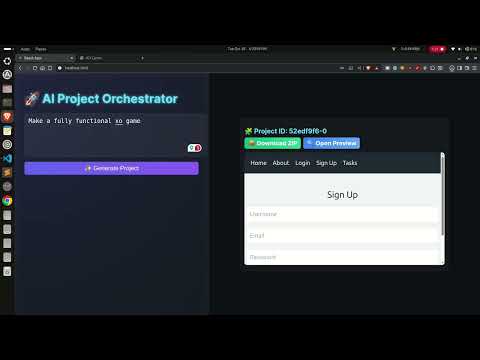
🎥 Click the thumbnail above to watch the full walkthrough on YouTube.
- 🔥 Generate full multi-page websites using AI (OpenAI GPT models)
- 📁 Automatic project folder creation with unique IDs
- 🧾 Each project includes:
index.htmllogin.htmlsignup.htmlabout.htmltasks.html
- ⚡ Built-in base
<base>tag injection for relative link handling - 📦 Automatic ZIP download for each generated project
- 👤 User authentication system (SQLite + FastAPI)
- 📝 Task management for logged-in users
- 🌍 Frontend served via local folder preview
- 🔒 Secure JSON parsing for generated output
Backend:
- FastAPI
- SQLAlchemy
- SQLite
- OpenAI API
- Python 3.10+
Frontend:
- HTML + CSS + JavaScript (AI-generated)
- TailwindCSS (via CDN)
git clone https://github.com/Subrata0Ghosh/ai-website-builder.git
cd ai-website-builderpython3 -m venv venv
source venv/bin/activatepip install -r requirements.txtCreate a file named .env in the project root:
OPENAI_API_KEY=sk-your-key-here
uvicorn main:app --reloadServer will start at:
http://127.0.0.1:8000
| Endpoint | Method | Description |
|---|---|---|
/generate/ |
POST | Generate a new AI website project |
/download/{project_id}.zip |
GET | Download the generated project ZIP |
/api/signup |
POST | Create a new user |
/api/login |
POST | Login user |
/api/tasks/{username} |
GET | Fetch user tasks |
/api/tasks |
POST | Add new task |
/api/tasks/{task_id} |
DELETE | Delete a task |
/generated_projects/{project_id}/{filename} |
GET | Serve generated HTML/CSS/JS |
Send a request:
curl -X POST http://127.0.0.1:8000/generate/ \
  -H "Content-Type: application/json" \
  -d '{"description": "a portfolio website with about, login, and contact pages"}'
Response:
{
  "project_id": "a1b2c3d4e5",
  "message": "Project generated successfully"
}
Visit in browser:
http://127.0.0.1:8000/generated_projects/a1b2c3d4e5/index.html
AI-WEBSITE-BUILDER/
├── backend/ # FastAPI backend (app.py, database, AI logic)
├── frontend/ # React frontend (UI, components, pages)
├── images/ # App screenshots and assets
├── old-versions/ # Previous archived versions (zip files)
├── .env # Environment variables
├── requirements.txt # Python dependencies
└── README.md # Project documentation
OPENAI_API_KEY=sk-your-openai-key
Initialize git:
git init
git add .
git commit -m "Initial commit"
git branch -M main
git remote add origin https://github.com/Subrata0Ghosh/ai-website-builder.git
git push -u origin main| Issue | Possible Fix |
|---|---|
500 Internal Server Error |
Check your .envkey, increase max_output_tokens, or view terminal logs |
| JSON parsing error | The AI output may contain markdown or invalid escape characters |
| Links not working | Ensure <base>tag injection logic is present |
.zipfile missing |
Check generated_projects/folder permissions |
- Add frontend React interface
- Integrate preview in a live iframe
- Support for exporting to GitHub Pages
- Optional themes (dark/light)
- Database-based project history
This project is released under the MIT License .
You can freely use, modify, and distribute this software.