Personal Cloud Server Platform for Self-Hosting and Data Privacy
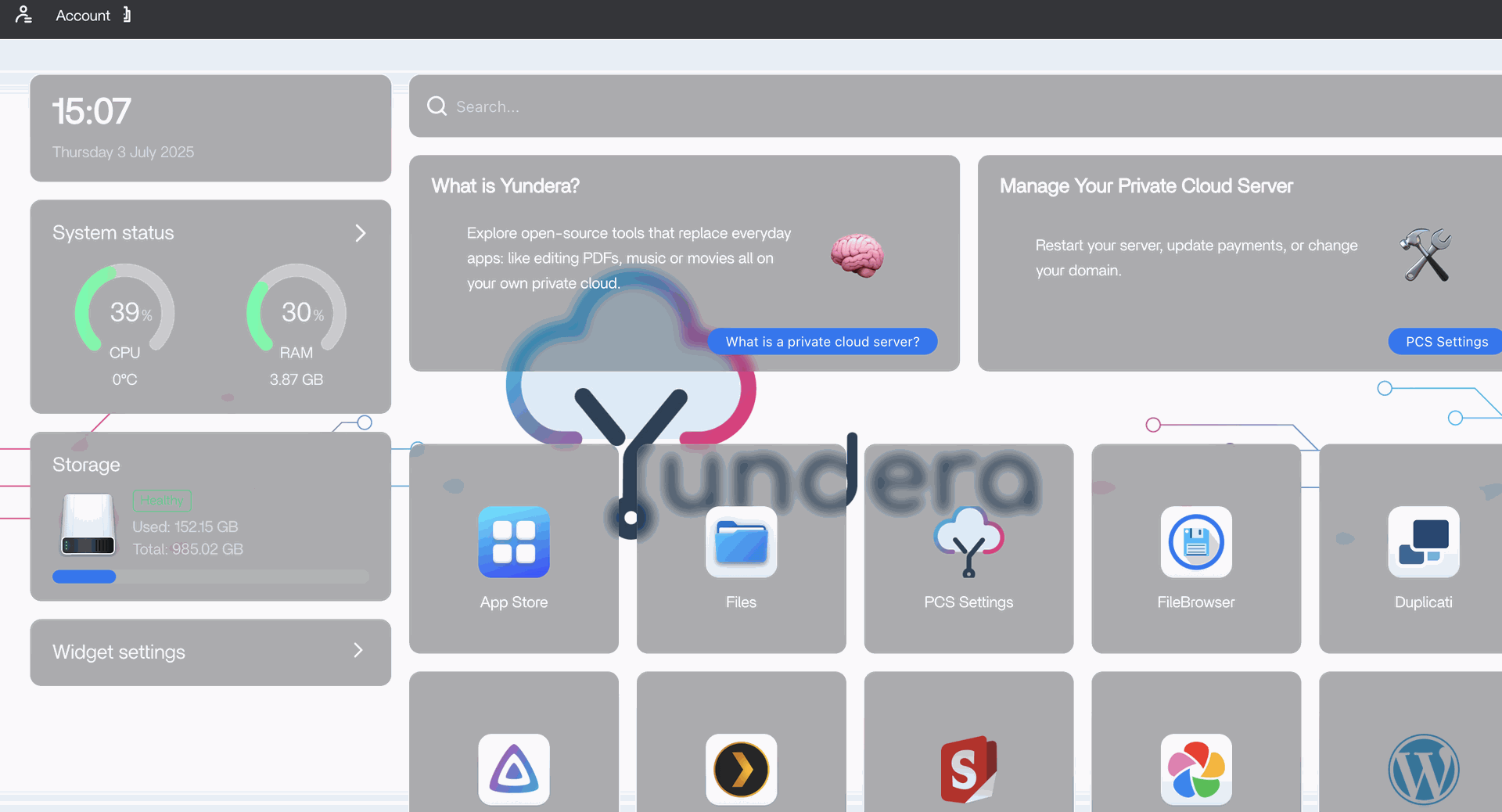
Own your server. Own your data. Run open source apps without the complexity on a pre-configured CasaOS interface. Connect your apps, keep control of your data, reduce SaaS costs, and build AI workflows on your own private cloud server, ready to use.
This repository is the monorepo for the Yundera project, it contains the core components and applications that make up the Yundera ecosystem.


Yundera helps you set up your Personal Cloud Server (PCS), own your data, and easily setup open source apps. From websites like WordPress or Odoo, photos like Immich, or just data like NextCloud, own your data. We take care of everything in one click: from your domain to security. Perfect for self-hosting and data privacy.
Key Features:
- 🔐 Data Ownership - Your data stays private and protected (Your files, apps, and AI models run on your server. No data mining. No vendor lock-in.
- 🚀 One-Click Setup - Pre-configured domain, security, routing, and applications (Install curated open-source apps like Immich, Nextcloud, Jellyfin, Navidrome, Mealie, Vaultwarden, and AI services.)
- 🛠️ Built on Docker - Run thousands of open-source applications from the Docker ecosystem.
- 🌍 Self-Hosting Made Easy with Open Source Applications - No technical expertise required - WordPress, Odoo, Plex, AI models, file sharing, and more available directly through a nice CasaOS interface, all open source
- 💰 Cost Control - Pay for what you use
- And.. Your own domain ! Every server runs on a personal domain like
yourname.nsl.sh.
It removes the hardest parts of self-hosting:
- Server setup
- Security configuration
- App deployment
- Domain routing
- Maintenance overhead
So you can focus on using your tools, not maintaining them.
Over the last few years, three major shifts became impossible to ignore:
- Cloud services became fragmented and expensive
- Data ownership quietly disappeared behind SaaS platforms
- Running open-source tools still required server expertise
Today, your files live on one service, your website on another, your emails somewhere else, and your AI tools train on data you do not control. Costs grow. Control shrinks.
Yundera started with a simple question:
What if anyone could own a server as easily as using a cloud service, but without giving up their data?
Yundera provides a Private Cloud Server, preconfigured and ready to use, that lets individuals and businesses host their own storage, websites, collaboration tools, and AI services on their own domain.
Your server is not a service.
It is infrastructure you own.
We strongly believe that:
- Open-source tools should be accessible to everyone
- Data sovereignty matters more in the age of AI
- Simplicity beats complexity
Yundera operates on a distributed architecture with two main deployment targets:
Components deployed on the Yundera infrastructure
| Component | Description |
|---|---|
| landing-page | Public-facing website and marketing portal |
| user-panel | Web-based user management interface |
| user-panel-backend | API backend for user management operations |
| v-PCS-orchestrator | Virtual Personal Cloud Server orchestration engine |
| mesh-router | Network routing and domain management for server infrastructure |
Components deployed on user's personal cloud servers
| Component | Description |
|---|---|
| casa-img | CasaOS containerized environment for application management with automatic subdomain assignment |
| mesh-router | Local network routing and container domain management |
| settings-center-app | Yundera management application for PCS configuration |
Learn More:
Each component is containerized and automatically built through GitHub Actions. The system uses Docker for deployment and includes comprehensive CI/CD pipelines.
Technology Stack:
- Docker & Docker Compose
- Mesh networking for distributed routing
- Container orchestration
- Automated domain and SSL management

📚 Roadmap
- Personal cloud storage
- Photo and media libraries
- Private websites and portfolios
- Team collaboration tools
- Self-hosted AI assistants
- Freelancers and small businesses
- Education and learning environments
Yundera servers are fully preconfigured and delivered ready to use.
No installation required.
No command line needed.
- Create your server
- Access your dashboard
- Install apps with one click
If you believe data ownership and open source matter, support the project:
- ⭐ Star the repository
- 🍴 Fork it
- 💬 Join the community discussions
Yundera is built for people who want control without complexity.