SwiftUI is a modern way to declare user interfaces for any Apple platform.
This tutorial guides you through building Landmarks — an app for discovering and sharing the places you love.
(Used Swift 5.8, Xcode 14.3)
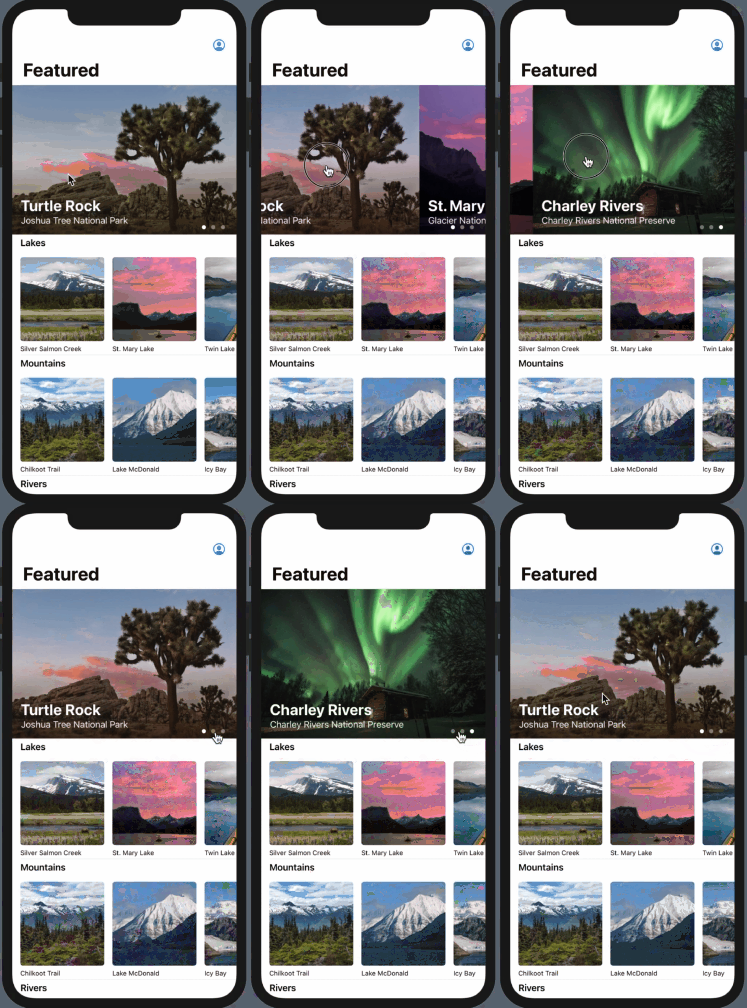


Learn how to use SwiftUI to compose rich views out of simple ones, set up data flow, and build the navigation while watching it unfold in Xcode’s preview.
Browse Code: https://github.com/bytedriver/Landmarks/tree/f8c2bb84e4ce1f535d894fb827e68a7c74421928
Discover how to draw shapes and paths to create a badge that you’ll animate, while also creating seamless transitions between views.
Browse Code: https://github.com/bytedriver/Landmarks/tree/032f0e43b6f36b57fe6cdedebcee7183e9d4be78
Explore the structure and layout of more complex interfaces built with SwiftUI.
Browse Code: https://github.com/bytedriver/Landmarks/tree/890857c950ae2e3e2a689cf3183b33d98cf1acc9
Use SwiftUI views together with the views and view controllers from platform-specific UI frameworks.
Browse Code: https://github.com/bytedriver/Landmarks/tree/0556ebe5b19889e5e69d70c1e87eef8aec522526