A web tool that visualizes GitHub and GitLab repositories with clean ASCII trees. Supports both public and private repositories via OAuth authentication.
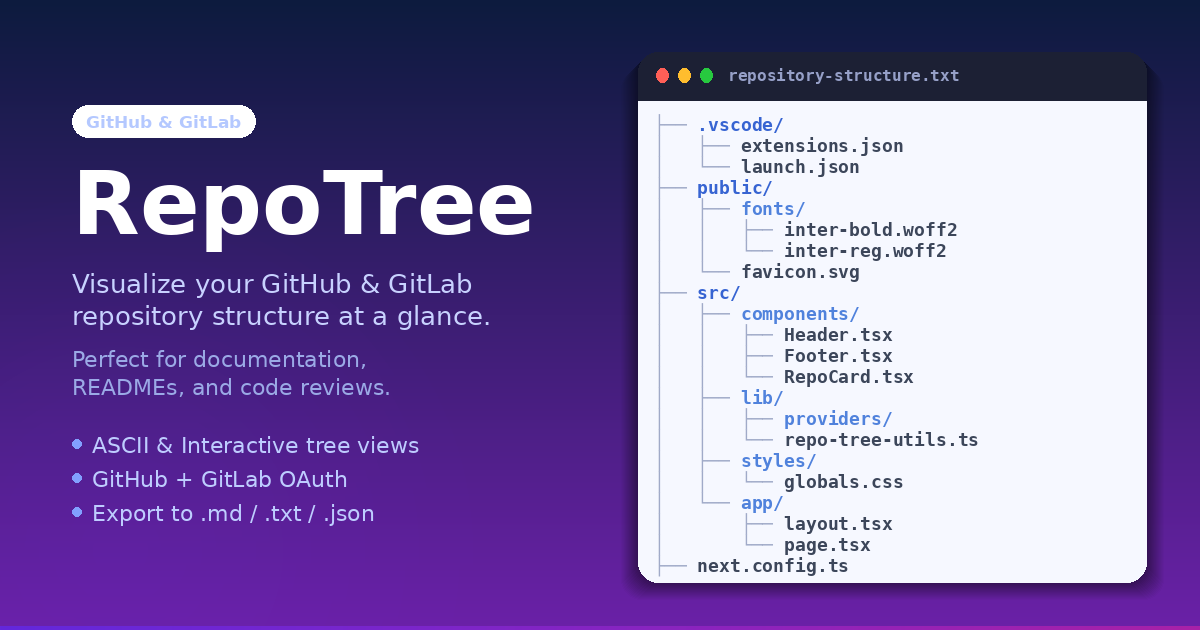





- ASCII tree visualization — clean, copy-ready directory structure output
- Interactive tree view — collapsible folder explorer with VS Code-style file icons
- Repository analysis — file type distribution and language breakdown charts
- Multiple export formats — download as .md, .txt, .json, or .html
- Real-time search — filter files and folders as you type
- Customizable output — icons, line numbers, descriptions, trailing slashes
- Dark & light themes — automatic system preference detection
- OAuth authentication — secure GitHub and GitLab sign-in for private repo access
# Clone the repository
git clone https://github.com/coder-ralph/RepoTree.git
cd RepoTree

# Install dependencies
npm install

# Copy environment template
cp .env.example .env.local

# Fill in your environment variables (see setup below)
# Then start the dev server
npm run dev
Open http://localhost:3000.
NEXTAUTH_URL=http://localhost:3000
NEXTAUTH_SECRET=          # openssl rand -base64 32

GITHUB_CLIENT_ID=
GITHUB_CLIENT_SECRET=

GITLAB_CLIENT_ID=
GITLAB_CLIENT_SECRET=- Go to GitHub Settings → Developer settings → OAuth Apps → New OAuth App
- Callback URL:
http://localhost:3000/api/auth/callback/github - Copy Client ID and Secret to your
.env.local
- Go to GitLab → Edit Profile → Applications → Add new application
- Scopes:
read_user,read_repository - Redirect URI:
http://localhost:3000/api/auth/callback/gitlab - Copy Application ID and Secret to your
.env.local
| Technology | Purpose |
|---|---|
| Next.js 15 | React framework, App Router, server-side API routes |
| NextAuth v4 | OAuth authentication (GitHub, GitLab) |
| TypeScript | Type-safe development |
| Tailwind CSS | Utility-first styling |
| Shadcn UI | Accessible component primitives |
| Octokit | GitHub REST API client |
| Recharts | Repository analysis charts |
| Framer Motion | Landing page animations |
RepoTree uses OAuth-only authentication. No personal access tokens are accepted.
- Sign in with GitHub or GitLab to access private repositories
- Session tokens are stored in encrypted httpOnly cookies — never in localStorage
- Sessions expire after 24 hours
- Public repositories work without any sign-in
See MIGRATION.md for full details on the auth architecture.
Issues and pull requests are welcome at github.com/coder-ralph/RepoTree.
MIT — see LICENSE.
Made with ❤️ and ☕ by Ralph Rosael