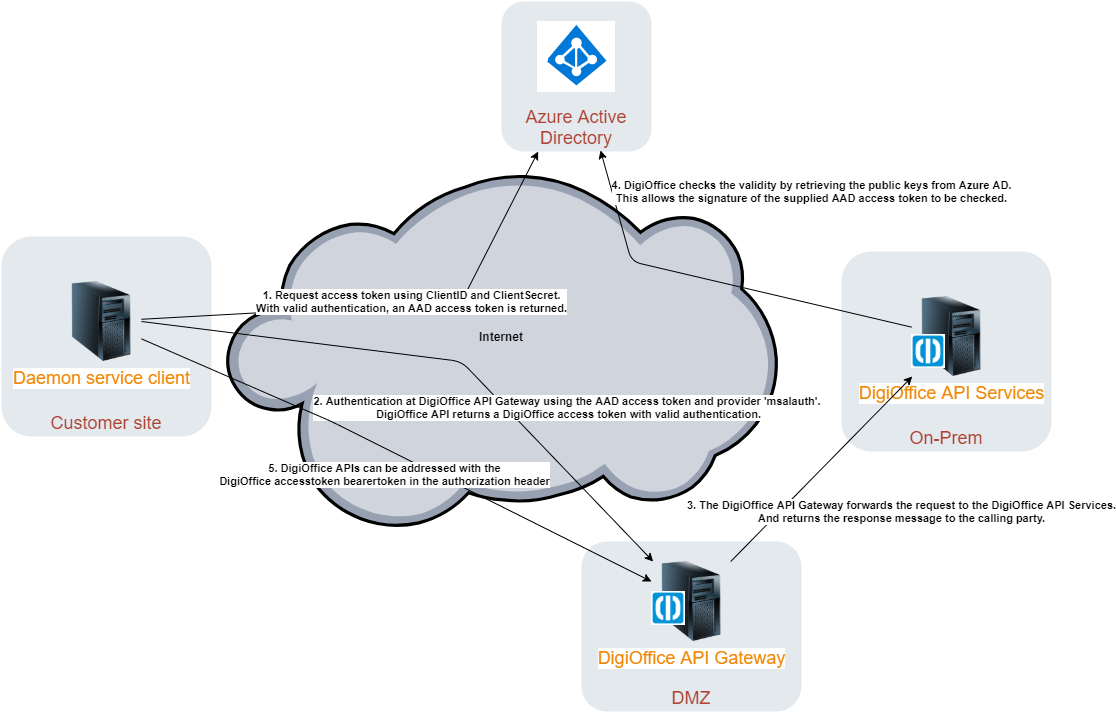
There are two examples for which a daemon (agent/job) service can get data from the DigiOffice API.
- DaemonWithClientCredentialsFlowExample
- DeamonWithROPCFlowExample
Example 1: DaemonWithClientCredentialsFlowExample
The client credentials flow is the preferred authentication method for daemon services, such as background agent jobs.
The following configuration information is required before you can use this example:
// Client Credentials Configuration
var config = new AuthenticationConfig()
{
	ClientID = "<guid>",
	ClientSecret = "<secretstring>",
	TenantID = "<guid>",
	DigiOfficeAPIGatewayUrl = @"<digiofficeapigatewayurl>",
	ApiUri = "<appuri>"
};
This configuration information should be requested by a consultant of DigiOffice. The consultant contacts with the system and application department of the customer site to register the application in their DigiOffice and Azure Active Directory environment.
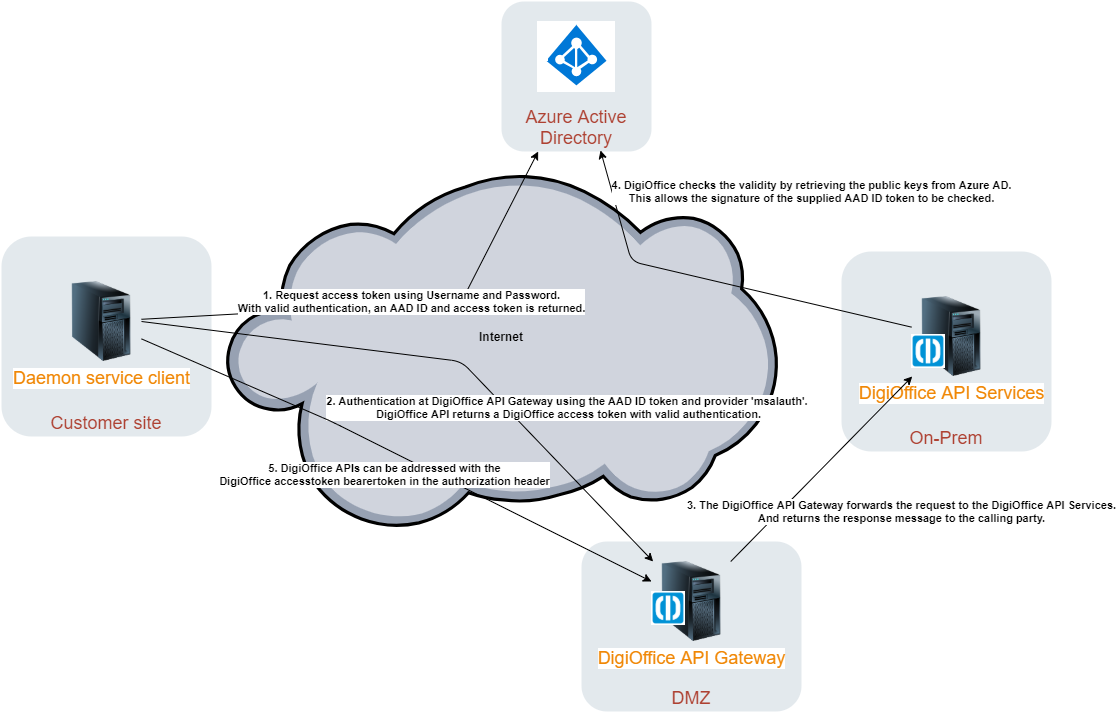
Example 2: DeamonWithROPCFlowExample
The ROPC flow is an alternative flow which is comparable to the old 'idbauth' provider flow in DigiOffice. A benefit of this flow compared with the client-credentials flow is that you'll only need one app registration in Azure Active Directory if you want to login with different accounts.
Remark: The daemon service client can only authenticate with ID tokens and not with Access tokens at DigiOffice API. The access token that is aquired from Azure Active Directory can only be used to send request to graph.microsoft.com.
The following configuration information is required before you can use this example:
// ROPC flow Configuration
var config = new AuthenticationConfig()
{
	ClientID = "<guid>",
	Username = "<usernamne>",
	Password = "<password>",
	TenantID = "<tenantid>",
	DigiOfficeAPIGatewayUrl = @"<digiofficeapigatewayurl>",
	Scopes = new string[]{ $"user.read" }
};