
This repository contains scripts and instructions to enhance your Star Citizen gaming experience. CIG LAUNCHER BACKEND SERVER THAT OVERWRITES AND FIXES FILES TO STABILIZE GAMELAY WITH SIMPLE HOTFIX ALREADY WORKING STABLE & WILL ALLOW LAN AND WLAN PLAY PLAY VIA RADMIN OR P2P IP-REMOTE CONNECTION
Follow these steps to set up your game:
If you haven't already, download the RSI Launcher and Star Citizen base game using the launcher.
Run the ciglauncher.bat file and wait for the game to load.
In the game, navigate to the hotfix section as shown in the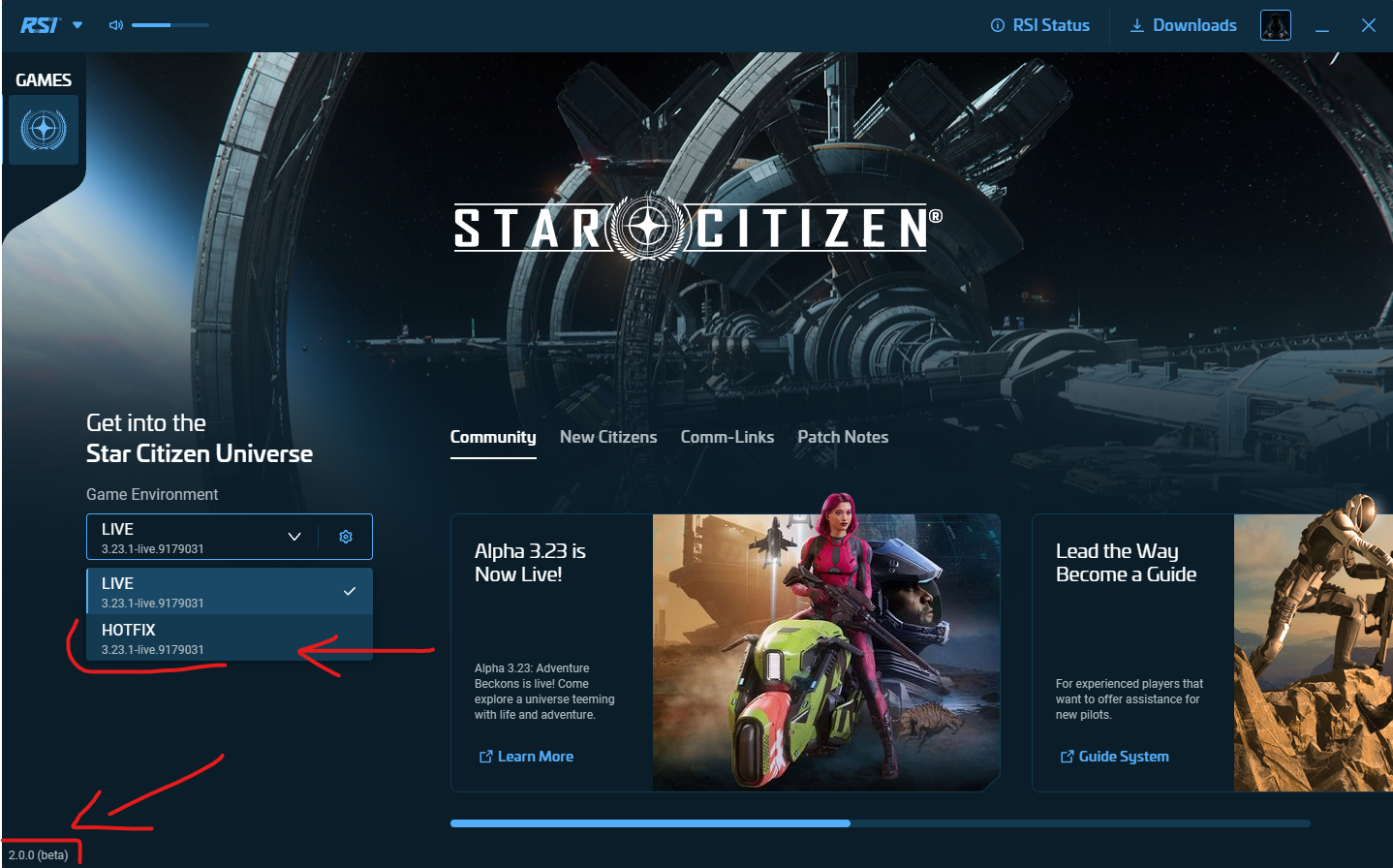 and download the hotfix. Wait for the download to finish.
The hotfix files will be located by default within C:\Program Files\Roberts Space Industries. Inside this folder, you should see a new folder called StarCitizen. Within the StarCitizen folder, there is another folder named HOTFIX containing two launchers:
StarCitizen_Launcher.exe(Normal Launcher)StarCitizen.exe(Base Game in Bin64 folder)
- Drag and drop
StarCitizen_Launcher.exeinto theeac_Boot_Unstrapper.ps1file. - Navigate to the
Bin64folder and drag and dropStarCitizen.exeinto theEZ-CrashFix.ps1file.
Once finished, re-run the launcher and Do Not Verify Files, as it will overwrite the hotfix mod and break the game.
Press play and enjoy your enhanced Star Citizen gaming experience!
Join my Discord today for more awesome tools, games, movies, and more!