Releases: garyblu71mods/KerbNoteLite
KerbNote Lite v1.3.1

Changelog
All notable changes to KerbNoteLite will be documented in this file.
The format is based on Keep a Changelog,
and this project adheres to Semantic Versioning.
[1.3.1] - 2026-01-15
Added
- Stall Warning System Improvements
- Added UI for minimum and maximum altitude settings in GlobalAlarmPanel
- Stall warning now only triggers within configurable altitude range (default: 100m-25000m)
- New tooltips for altitude settings explaining their purpose
Fixed
- KerbVision Compatibility: Changed InputLock from
ControlTypes.Allto selective locking (UI | CAMERACONTROLS | KEYBOARDINPUT)- Prevents interference with post-processing effects in other mods (e.g., KerbVision grain noise)
- Applied to: AlarmSelector, GlobalAlarmPanel, SettingWindow, SliderWindow
- Hide on Exit Alarm Fix: MiniNote no longer disappears immediately after landing
- Only hides when vessel actually exits alarm condition (different situation or body)
- Prevents premature hiding during physics settling after touchdown
Changed
- StallMaxAltitudeASL field added to TerrainAlarmConfig for better altitude filtering
[Unreleased]
Added
-
Stall Warning System (Loss of Airspeed Detection)
- Two detection modes:
- AUTO: Detects energy decay by monitoring descent-to-horizontal speed ratio (default 35%)
- MANUAL: Simple minimum horizontal speed threshold (user configurable)
- Configurable minimum altitude (default 100m) to prevent landing false alarms
- Pitch angle suppression (ignores high-angle maneuvers like cobra or loops)
- Smart filtering: only triggers when moving forward at reasonable speed
- Dedicated "STALL!" audio warning with custom sound file support
- Automatic fallback beep if sound file not present
- 2.5 second cooldown between warnings
- Independent enable/disable toggle
- Full configuration persistence
- Two detection modes:
-
?? Terrain Proximity Alarm System (GPWS)
- Pull-Up warning for low altitude + high descent rate
- Terrain Ahead prediction with look-ahead collision detection
- Altitude callouts (200m down to 10m, plus "Landed" confirmation)
- Gear warning system with roll angle suppression
- Sink Rate warning for safe landings
- Smart suppression during landing configuration
- Aircraft-only filter option
- Independent volume control (0-100%)
- 20-second load cooldown to prevent false alarms
- Physics settling protection
-
?? Resource Monitoring Alarm System
- Per-resource threshold configuration (0-100%)
- Individual enable/disable for each resource
- Depletion warnings (0% remaining)
- EVA jetpack MonoPropellant monitoring
- Communication signal strength monitoring
- Auto-detection of vessel resources
- 8-second throttle to prevent alarm spam
- 20-second load cooldown
- Global silence toggle
-
??? Global Alarm Panel
- Slide-out panel for centralized alarm control
- Menu-based navigation (Menu ? Resources/Terrain/Reminder)
- One-click enable/disable for alarm systems
- Visual tab-style buttons
- Persistent configuration storage
-
?? Alarm System Bootstrap
- Auto-initialization of alarms on flight scene load
- Respects saved configuration state
- Ensures alarms work even if panel never opened
-
?? Persistent Configuration
TerrainAlarmConfig.cfgfor terrain alarm settingsResourcesAlarmConfig.cfgfor resource alarm settings- Auto-save on disable/scene change
- Auto-load on enable/scene start
Performance Optimizations ?
-
AlarmRunner.cs optimizations:
- Cached
FindObjectsOfType<KerbNote>()with 1-second lifetime (95% reduction) - Replaced LINQ
.Where().ToArray()with reusableList<T>buffer - Replaced LINQ
.GroupBy()with manual dictionary grouping - Eliminated 3-8 allocations per alarm trigger
- 70-90% faster (5-15ms ? 0.5-2ms)
- Cached
-
TerrainAlarmRunner.cs optimizations:
- Cached
IsAircraftType()results with 2-second lifetime - Added early exit optimization (stops at 3 points)
- Replaced
foreachwithforloops - 85-95% faster (3-8ms ? 0.3-1ms)
- Reduced 3,000+ part checks per second to ~30
- Cached
-
SoundManager.cs optimizations:
- Cached
PropertyInfoforisPlaying(used every frame) - Cached
MethodInfoforPlayOneShotmethods - Cached
MethodInfoforGetAudioClip - 90% faster Update loop (0.5ms ? 0.05ms)
- Cached
-
ResourcesAlarmRunner.cs optimizations:
- Cached vessel resource names with 5-second lifetime
- Replaced manual part iteration with
GetConnectedResourceTotals() - Optimized part resource iteration (for loop instead of foreach)
- 85-95% faster (2-5ms ? 0.2-0.5ms)
Changed
- ?? Improved alarm trigger logic for better reliability
- ?? Enhanced mini-note blink animations (triple-fast vs fast)
- ?? Better EVA detection and handling across all systems
- ?? Standardized 20-second load cooldown across all alarms
Fixed
- ?? False terrain alarms during physics settling after scene load
- ?? False landing callouts when loading vessel already on ground
- ?? EVA Kerbals triggering landing sounds
- ?? Resource alarms triggering immediately after scene load
- ?? Aircraft detection running every frame causing performance issues
- ?? Memory leaks from uncached FindObjectsOfType calls
- ?? GC pressure from LINQ allocations in hot paths
- ?? Reflection overhead in SoundManager Update loop
[1.0.0] - Previous Stable Release
Added
- ?? Multi-tab note-taking system
- ?? Location-based alarm system
- ?? Floating mini-notes
- ?? Customizable UI skins
- ?? Settings panel (Notes/Skin/About)
- ?? Built-in calculator
- ?? Per-save data persistence
- ?? Undo support (Ctrl+Z)
- ?? 5-level zoom system
- ?? Tab key insertion (10 spaces)
- ?? Auto-scroll to cursor
Location-Based Alarms
- Celestial body triggers
- Vessel situation triggers (PRELAUNCH, FLYING, ORBITING, etc.)
- Editor scene triggers (VAB/SPH)
- Space Center triggers
- Mini-note popup action
- Kerbal vocal sound action
- Stop time warp action
- Auto-hide on exit action
UI Features
- Draggable and resizable windows
- Visual alarm indicators on tabs
- Blinking animations
- Application launcher integration
- Clean tab-based interface
Technical
- GUID-based tab system
- Automatic alarm cleanup
- Legacy data migration
- .NET Framework 4.8 compatibility
- C# 7.3 language features
Version History Summary
| Version | Release Date | Key Features |
|---|---|---|
| Latest | TBD | Terrain alarms, Resource monitoring, Major performance optimizations |
| 1.0.0 | TBD | Initial stable release with notes and location-based alarms |
Performance Metrics Comparison
| Component | Before Optimization | After Optimization | Improvement |
|---|---|---|---|
| AlarmRunner | 5-15ms | 0.5-2ms | 70-90% faster |
| TerrainAlarmRunner | 3-8ms | 0.3-1ms | 85-95% faster |
| ResourcesAlarmRunner | 2-5ms | 0.2-0.5ms | 85-95% faster |
| SoundManager | 0.5ms | 0.05ms | 90% faster |
| Total Frame Budget | 10-30ms | 1-4ms | 80-85% reduction |
Migration Guide
Upgrading from 1.0.0 to Latest
- Backup your saves (optional but recommended)
- Replace the mod folder in GameData
- First launch will auto-create configuration files
- Configure new alarms via Global Alarm Panel
- Existing notes and location-based alarms are preserved
Configuration Files Created
TerrainAlarmConfig.cfg- Terrain warning settingsResourcesAlarmConfig.cfg- Resource monitoring settings
These are created automatically with sensible defaults.
Known Issues
Current Release
- Alarm system requires scene changes to detect new situations (by design)
- Mini-notes may overlap if multiple alarms trigger simultaneously
- Terrain alarms have slight delay during physics settling (mitigated by cooldown)
Workarounds
- Overlapping mini-notes: Manually drag them apart
- Physics settling: 20-second cooldown prevents most false positives
- Performance: Disable unused alarm systems in Global Alarm Panel
Upcoming Features (Roadmap)
Planned
- ? Time Reminder Alarm UI completion
- ?? Multi-language support
- ?? Resource usage graphs
- ?? Custom sound pack support
- ?? Advanced filtering options
- ?? Compact mode for small screens
Under Consideration
- ?? Delta-V alarm integration
- ??? Maneuver node reminders
- ?? CommNet loss prediction
- ?? Biome detection alarms
- ?? Science experiment reminders
Contributing
We welcome contributions! See CONTRIBUTING.md for guidelines.
Areas for Contribution
- ?? Bug reports and fixes
- ? New features and enhancements
- ?? Documentation improvements
- ?? UI/UX improvements
- ?? Translations
- ?? Testing and QA
Support
- Bug Reports: GitHub Issues
- Feature Requests: GitHub Issues
- Documentation: README.md
v1.3.0
KerbNoteLite v1.3.0 - GPWS Update
This is the biggest update yet! Introducing terrain proximity warnings (GPWS), resource monitoring, and massive performance improvements (80-85% faster).
What's New
Terrain Proximity Alarm System (GPWS)
Aviation-inspired collision avoidance system to keep you safe:
- Pull-Up Warning - Alerts when descending too fast at low altitude (configurable: default 750m AGL, -30 m/s)
- Terrain Ahead Prediction - Look-ahead collision detection with 6-second prediction
- Altitude Callouts - Automated announcements: "200... 100... 50... 10... Landed"
- Gear Warning - "Too Low Gear" alert with roll angle suppression (ignores when banked >45°)
- Sink Rate Warning - Prevents hard landings (warns at -7 m/s below 70m AGL)
- Smart Suppression - Disables terrain warnings during landing configuration (gear out + slow + low)
- Volume Control - Independent slider (0-100%) for all terrain sounds
- Aircraft-Only Filter - Optional restriction to aircraft vessels only
Resource Monitoring Alarms
Never run out of critical resources again:
- Per-Resource Thresholds - Configure warning levels (0-100%, default 15%)
- Monitored Resources - ElectricCharge, LiquidFuel, Oxidizer, MonoPropellant, Ablator, Ore, XenonGas, and more
- Depletion Warnings - Extra alert when any resource reaches 0%
- EVA Jetpack Monitoring - MonoPropellant warnings during spacewalks
- Communication Alarm - Warns when signal strength drops below threshold (default 25%)
- Auto-Detection - Automatically finds all resources in your current vessel
- Global Silence Toggle - Temporarily mute all resource alarms without disabling
Global Alarm Panel
Centralized control for all alarm systems:
- Slide-Out Panel - Easy access from left side of KerbNote window
- Menu Navigation - Resources Alarms / Terrain Alarms / Time Reminder
- One-Click Toggle - Enable/disable entire alarm systems instantly
- Visual UI - Tab-style buttons with consistent design
- Persistent Settings - Configuration saved across game sessions automatically
Performance Optimizations
MASSIVE performance improvements across the entire mod:
What I Did
AlarmRunner.cs
- Cached
FindObjectsOfType<KerbNote>()with 1-second lifetime (95% reduction in searches) - Replaced LINQ
.Where().ToArray()with reusableList<T>buffer - Replaced LINQ
.GroupBy()with manual dictionary grouping - Eliminated 3-8 heap allocations per alarm trigger
TerrainAlarmRunner.cs
- Cached
IsAircraftType()results with 2-second lifetime - Added early exit optimization (stops iteration at 3 points)
- Replaced
foreachwithforloops (reduced allocations) - ?Reduced part checks from 3,000+/sec to ~30/sec
SoundManager.cs
- Cached all reflection lookups (
PropertyInfo,MethodInfo) - Eliminated per-frame reflection overhead in Update loop
- Cached
GetAudioClipmethod lookup
ResourcesAlarmRunner.cs
- Cached vessel resource names with 5-second lifetime
- Uses KSP's built-in
GetConnectedResourceTotals()(highly optimized) - Optimized part resource iteration (for loop instead of foreach)
Improvements
- 20-Second Load Cooldown - Prevents false alarms after scene load (all systems)
- Physics Settling Protection - No false landing callouts when loading vessel already on ground
- Better EVA Detection - Proper handling across all alarm systems (terrain alarms disabled, MonoPropellant monitoring works)
- Enhanced Animations - Mini-note blink patterns improved (triple-fast vs fast)
- Alarm Bootstrap - Auto-initialization from saved configuration (alarms work even if panel never opened)
- Improved Reliability - Better alarm trigger logic with state tracking
Bug Fixes
- Fixed false terrain alarms during physics settling after scene load
- Fixed false landing callouts when loading vessel already on ground
- Fixed EVA Kerbals triggering landing sounds inappropriately
- Fixed resource alarms triggering immediately after scene load
- Fixed aircraft detection running every frame (major performance issue)
- Fixed memory leaks from uncached
FindObjectsOfTypecalls - Fixed garbage collection pressure from LINQ allocations in hot paths
- Fixed reflection overhead in SoundManager Update loop
Installation
New Installation
- Download
KerbNoteLite_v1.3.0.zipfrom Assets below - Extract the archive
- Copy the
KerbNoteLitefolder to[KSP]/GameData/ - Launch KSP
- Look for the KerbNote icon in the application launcher (toolbar)
Upgrading from Previous Versions
- Your existing notes are preserved automatically
- Your existing location-based alarms are preserved automatically
- New configuration files created automatically on first launch:
GameData/KerbNoteLite/AlarmsAndNotes/TerrainAlarmConfig.cfgGameData/KerbNoteLite/AlarmsAndNotes/ResourcesAlarmConfig.cfg- Simply replace the old
KerbNoteLitefolder with the new one
Documentation
Full documentation included in this release:
- Quick Start Guide: QUICKSTART.md - Get started in 5 minutes
- Full Documentation: README.md - Complete feature reference
- Changelog: CHANGELOG.md - Detailed version history
- In-Game Help: Available in Settings About/Help
Quick Start
Enable Terrain Warnings (1 minute)
- Click the alarm icon (left side of KerbNote window)
- Click "Terrain Alarms"
- Toggle Enable/Disable switch to ON
- Enable desired warnings (Pull-Up, Gear, Altitude Callouts, Sink Rate)
- Adjust volume slider if needed (default 100%)
- Click "Back"
Enable Resource Monitoring (1 minute)
- Open Global Alarm Panel (alarm icon on left)
- Click "Resources Alarms"
- Toggle Enable/Disable switch to ON
- Check resources to monitor (ElectricCharge, LiquidFuel, Oxidizer, MonoPropellant)
- Adjust thresholds if needed (default 15% is recommended)
- Click "Back"
Your First Note (1 minute)
- Click KerbNote icon in toolbar
- Click "+" to create new tab
- Type your mission notes
- Click "AAA" to zoom in/out
- Notes save automatically!
System Requirements
- Kerbal Space Program (compatible versions)
- .NET Framework 4.8
- C# 7.3 language features
Compatibility:
- Career Mode
- Science Mode
- Sandbox Mode
- All vessel types (aircraft, rockets, rovers, etc.)
Known Issues
- Alarm system requires scene changes to detect new situations (by design - KSP limitation)
- Mini-notes may overlap if multiple alarms trigger simultaneously (manual repositioning required)
- Terrain alarms have slight delay during physics settling (mitigated by 20-second cooldown)
Workarounds:
- Overlapping mini-notes: Drag them apart manually
- Physics settling: 20-second cooldown prevents most false positives
- Performance: Disable unused alarm systems in Global Alarm Panel if needed
Support
Report Issues
- GitHub Issues: https://github.com/garyblu71mods/KerbNoteLite/issues
- Email: Garyblu71.mods@gmail.com
Get Help
- Read the Quick Start Guide (included)
- Check In-Game Help (Settings ? About/Help)
- Review FAQ in README.md
Support Development
- Donate: PayPal.me/GaryBlu71
- Star the repository on GitHub
- Share with other Kerbonauts!
Credits
Author: GaryBlu71
License: MIT (free and open source)
GitHub: https://github.com/garyblu71mods/KerbNoteLite
Special Thanks:
- KSP Modding Community
- All beta testers and contributors
- Everyone who reported bugs and suggested features
Coming Soon
Check out our roadmap for planned features:
- Time Reminder Alarm UI completion
- Delta-V alarm integration
Enjoy the massive performance boost and new safety features!
Safe flights and happy note-taking, Kerbonauts!
Links
- Download: See Assets below
- GitHub: https://github.com/garyblu71mods/KerbNoteLite
- Documentation: https://github.com/garyblu71mods/KerbNoteLite/blob/main/README.md
- Support: Garyblu71.mods@gmail.com
- Donate: https://paypal.me/GaryBlu71
Download KerbNoteLite_v1.3.0.zip from the Assets section below ??
KerbNote Lite v1.2.3 correct folder path
- Renamed project from
KerbCalcProjecttoKerbNoteLitefor better clarity and branding - Updated all internal paths to reflect new project structure
- Fixed all folder references in data storage and configuration files
KerbNote Lite v1.2.3 ckan release
ckan release
KerbNote Lite v1.2.2 – Alarms, Performance Fixes & “The Void” Skin
-
No repeated alarm after warp
-
Double‑click on the top bar (or resize icon) maximizes/minimizes the GUI window
-
Cursor focus automatically set in the notepad
-
Alarms can now trigger when entering VAB and Space Center
-
Alarms are assigned to tabs instead of fixed positions
-
Calculator remembers results after scene change
-
Performance improvement: FPS drop fixed, maximum performance ensured
-
New alarm option: keep on exit / hide on exit
-
New skin: “The Void” — added with permission from the YouTuber who created the design
- KerbNote v1.2.1 — Per-Save Notes, UI improvements & Alarm Fixes
KerbNote Lite v1.2.1 — Functional Update & UI Improvements
Version 1.2.1 introduces UI refinements, new MiniNote options, better tab and save management, and alarm system fixes.
KerbNote now supports per-save notes — it automatically detects the active game save and loads the corresponding note file.
A new slider in the Settings panel allows switching between notes across saves without restarting the game.
Skin switching is now seamless — MiniNote updates its appearance instantly when a new skin is selected.
MiniNote can now be set to permanent opacity, and users can choose whether it hides when alarm conditions are no longer met.
KerbNote Lite v1.2-alpha — Tactical Alarm Overlay
KerbNote Lite v1.2-alpha — Tactical Alarm Overlay
Status: Alpha release — early test version, may contain bugs
Focus: Alarm logic, mininote overlay, editor refinements
New Features
- Alarm Panel: monitor vessel states and trigger alerts
- Alarm Methods: mininote, Kerbal voice, time warp slowdown
- Mininote Overlay: translucent, click-through, editable
- Editor: Ctrl+Z undo, Enter to confirm tab names
Texture Status
- Green skin fully supported
- Vaos and Stock skins currently missing 2 textures — patch incoming shortly
Demo Video
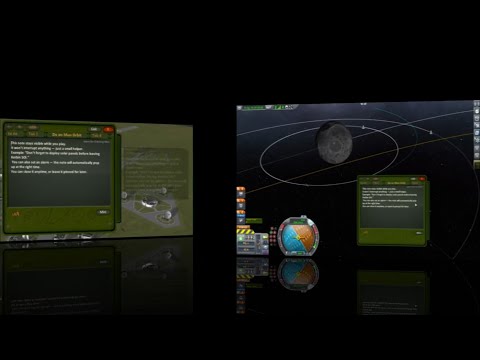
Watch the demo video for alarm panel, vessel triggers, mininote overlay, and editor upgrades.
Installation
Download the ZIP file from this release and extract it into your GameData/ directory: GameData/KerbCalcProjekt/
Do not use the green “Code → Download ZIP” button — it downloads the source code, not the installable version.
Screenshots
Orbiting Panel

Vessel Situation

Alarm Setup

KerbNote Lite v1.1 — Tabbed Notes & Rearranging GUI
Fixed folder name to KerbCalcProject
Textures now load correctly
Please delete any old KerbNoteLite-main folders from GameData
KerbNote Lite v1.1.1 — Tabbed Notes & Rearranging GUI
This release introduces the tabbed note system, allowing users to create and switch between multiple notes within the same GUI. Tabs can be rearranged via the “Edit” mode, and the interface remains lightweight, rollback-ready, and Unity-compatible.
What’s new:
- Tabbed note system (create, switch, rearrange)
- GUI layout improvements
Feedback welcome:
- Does note editing work as expected?
- Are buttons easy to access and logically placed?
- Did you notice tab rearrangement via “Edit”?
- Would you like a delta-v reference list in the calculator?
- Should I add other tab types (checklists, mission logs)?
- Which theme do you prefer — Vaos, Stock, Green?
Build is rollback-ready, no installer required
Screenshots welcome — show off your tab setups!
Branding: GaryBlu71 — modular, technical, clean
KerbNote Lite v1.0 — Initial Public Release
Lightweight notepad and calculator overlay for Kerbal Space Program.
Includes:
- Texture variants (Vaos, Green, Gray)
- Modular folder structure — users can swap GUI styles by replacing folders, no code changes required
Made by Blu71 — for players who prefer control over clutter.