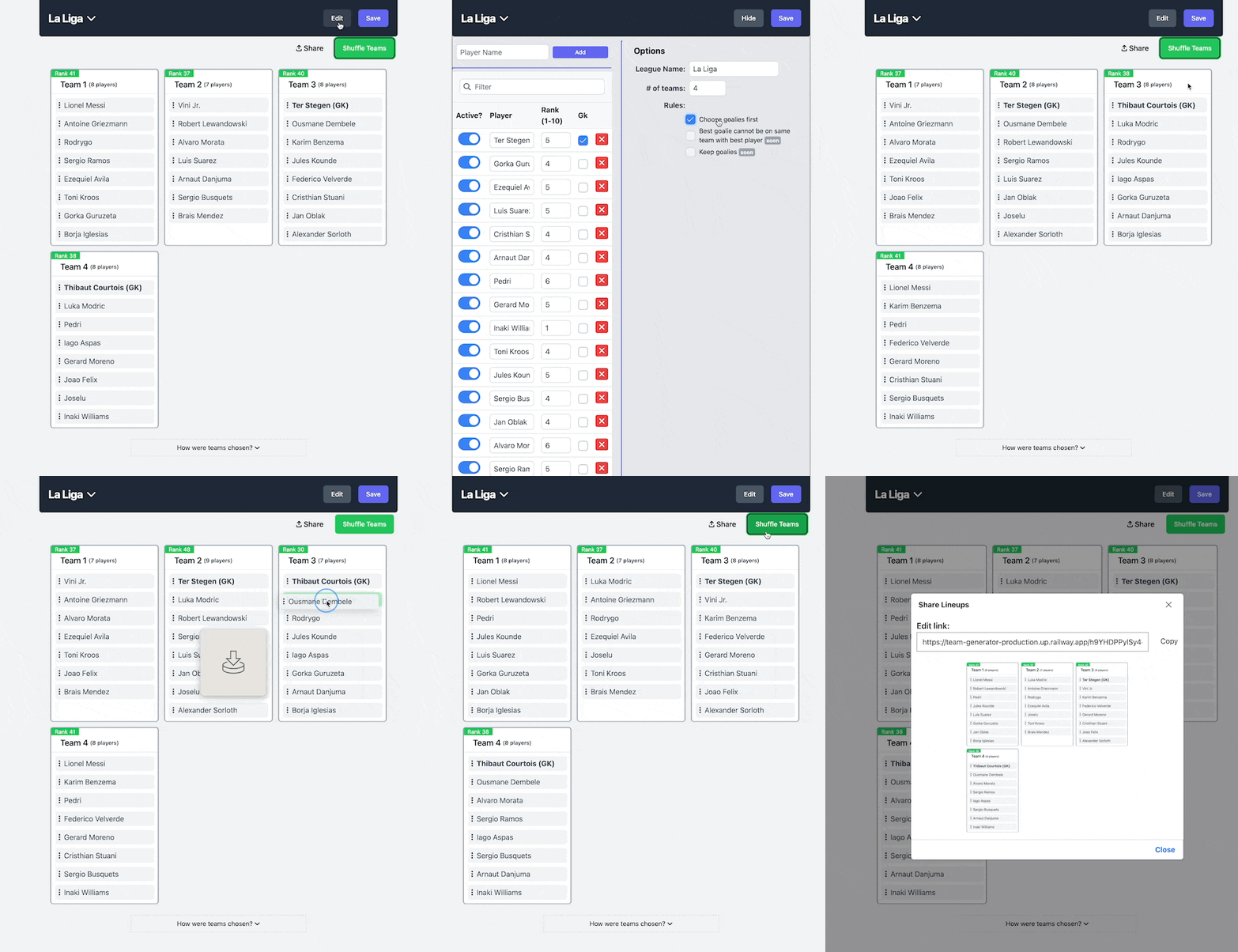
Generate teams randomly based on rank. This is useful if you want to create lineups of balanced teams. See it in action here
Make sure to install the dependencies:
pnpm installPostgreSQL is used for data storage. You can use Docker or a local PostgreSQL instance.
-
Copy
.env.exampleto.env:cp .env.example .env
-
Update
.envwith your PostgreSQL connection string:DATABASE_URL="postgresql://user:password@localhost:5432/team_generator" -
Install dependencies (this will also run Nuxt prepare and generate ZenStack schemas):
pnpm install
The
postinstallscript automatically runsnuxt:prepareanddb:generate. -
Run database migrations:
pnpm db:migrate
This uses
zen migrate devunder the hood.
Start the development server on http://localhost:3000
pnpm devThe project uses Playwright for end-to-end testing with a separate test database.
To run the full test suite (handles Docker container setup automatically):
pnpm testFor running tests manually, follow these steps in order:
-
Start the test database:
pnpm test:db
-
Reset database and start the dev server on port 3001:
pnpm test:dev
This command automatically resets the test database before starting the server.
-
Run tests (in VS Code Playwright extension or command line):
pnpm playwright test
# OR use the interactive UI
pnpm playwright:ui
pnpm test:db:reset- Reset the test databasepnpm test:server- Preview production build with test database