



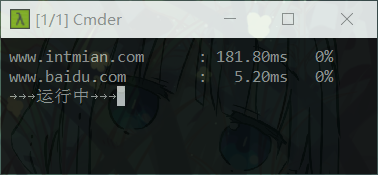
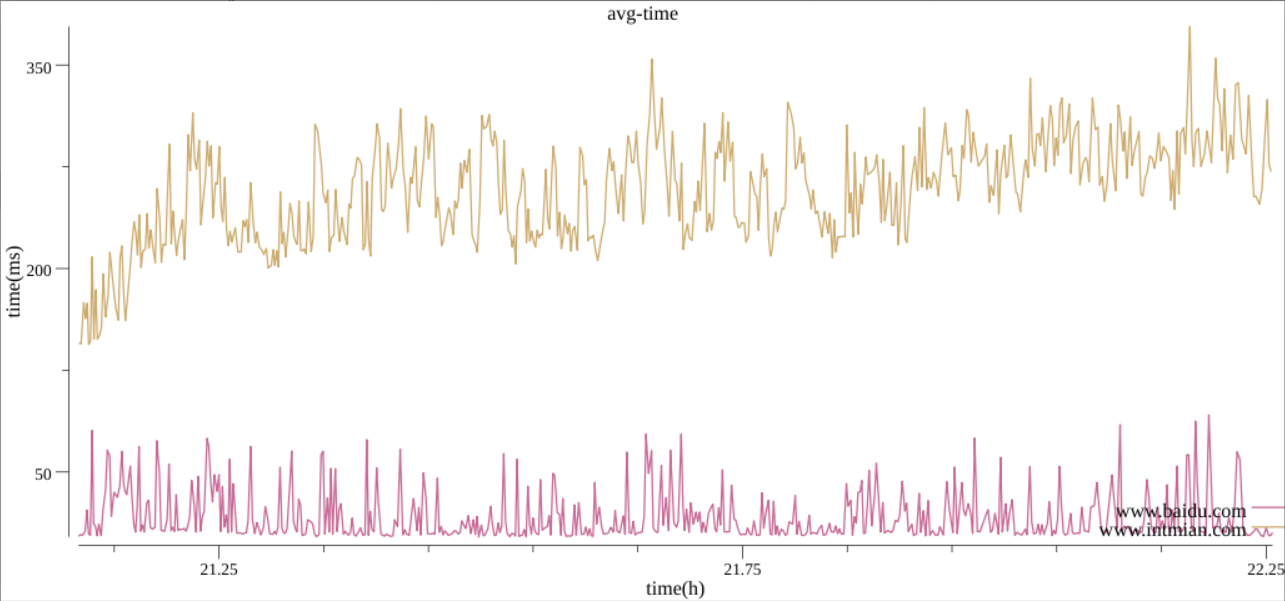
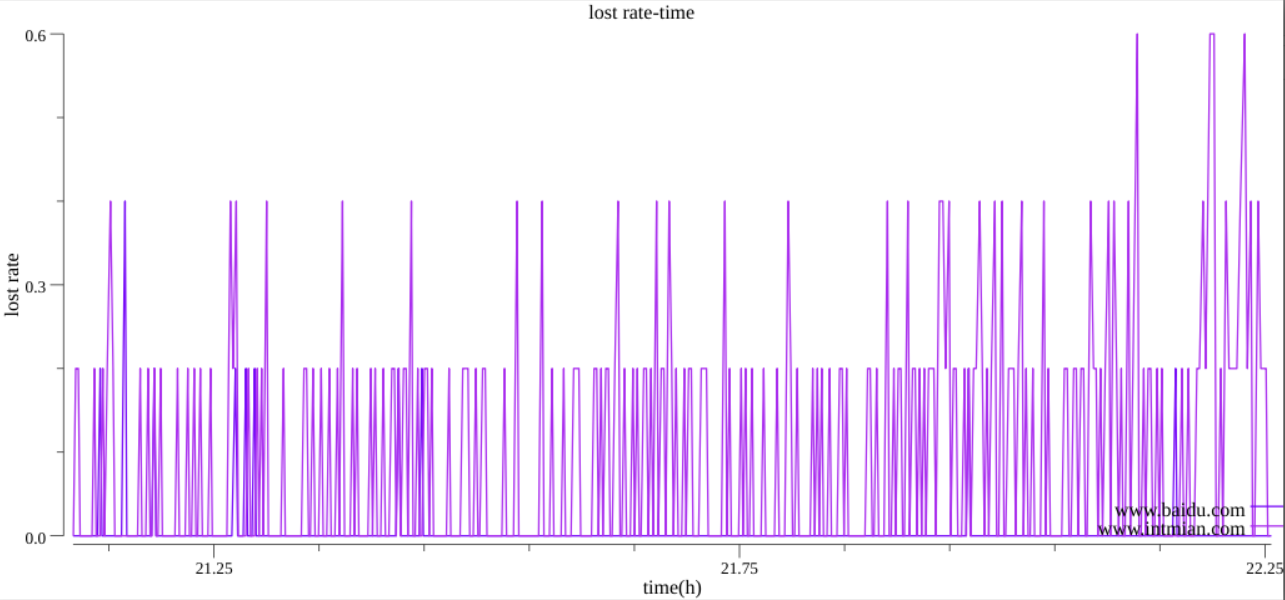
- 提供可视化的网络实时状况展示
- gui界面提供灵活的软件配置
- 可通过json配置测试主机列表
- 可通过json配置各项参数
- 提供一大堆go实现高效ping(支持多个ping并发)
-
需要调用ping接口或改造gui
使用
go get工具进行安装源码go get github.com/intmian/goping
-
只需gui工具的话,下载gui可执行文件go gui
请提出宝贵意见 issue
gui依赖于Gonum Plot
使用go get工具进行安装源码
go get gonum.org/v1/plot/...import "github.com/intmian/goping"-
Ping(host string, c chan int, count int, size int, timeout int64, neverStop bool)-
host主机号 -
count一次发送几个包 -
size包大小 -
timeout时间 -
neverStop是否为永久的ping(一直ping,直到ctrl + c终止) -
done chan bool
go Ping(host, done, count, timeout, neverStop)
<-done
-
会输出标准的ping信息(和系统自带的ping一样)
-
-
SimplePing(host string, c chan int)-
func SimplePing(host string, c chan int) {
	Ping(host, c, 4, 32, 1000, false)
}
-
-
PingInfo-
type PingInfo struct {
	Average  float32
	LostRate float32
}
-
-
PingInside(host string, c chan PingInfo, count int, size int, timeout int64, neverStop bool)-
和之前的ping一样,不过数据以PingInfo形式输出
-
data chan bool
go Ping_inside(host, data, count, timeout, neverStop)
temp := <-data
print(temp.Average)
print(temp.LostRate)
-
-
PingInsideSimple(host string, c chan PingInfo)-
func Ping_inside_simple(host string, c chan PingInfo) {
	Ping_inside(host, c, 4, 32, 1000, false)
}
-
-
Gui()-
以gui形式显示网络状况,从运行目录中读取
setting.json与hosts.json中的配置。ctrl + c 结束后保存图片到根目录的avg.png与lost_rate.png -
Gui() -
配置文件样本
-
setting.json{ "sleepTime" : 10, "repaintTime" : 0.5, "count" : 5 } -
hosts.json[ "www.baidu.com", "www.intmian.com" ]
-
-