Skip to content

koprodev/ohnagi2020

Folders and files

NameName
Last commit message
Last commit date

Latest commit


History

3 Commits


Repository files navigation

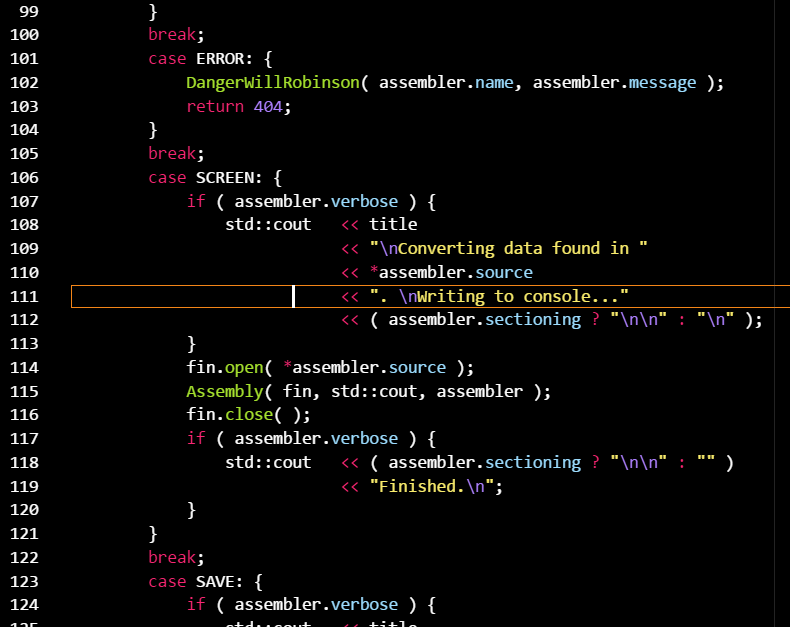
Ohnagi 2020

screenshot

Tested Languages

  • PHP
  • HTML
  • JSON
  • CSS
  • C

Installation

  1. Install Visual Studio Code
  2. Launch Visual Studio Code
  3. Choose Extensions from menu
  4. Search for ohnagi
  5. Click Install to install it
  6. Click Reload to reload the Code
  7. From the menu bar click: Code > Preferences > Color Theme > Ohnagi 2020

같이 사용하는 확장 프로그램

  • Bracket Pair Colorizer : 괄호 뎁스별로 색상 표현
  • PHP Intelephense : PHP 문법 지원

About

vscode theme

Resources

Stars

0 stars

Watchers

1 watching

Forks

Releases

No releases published

Packages


Contributors