

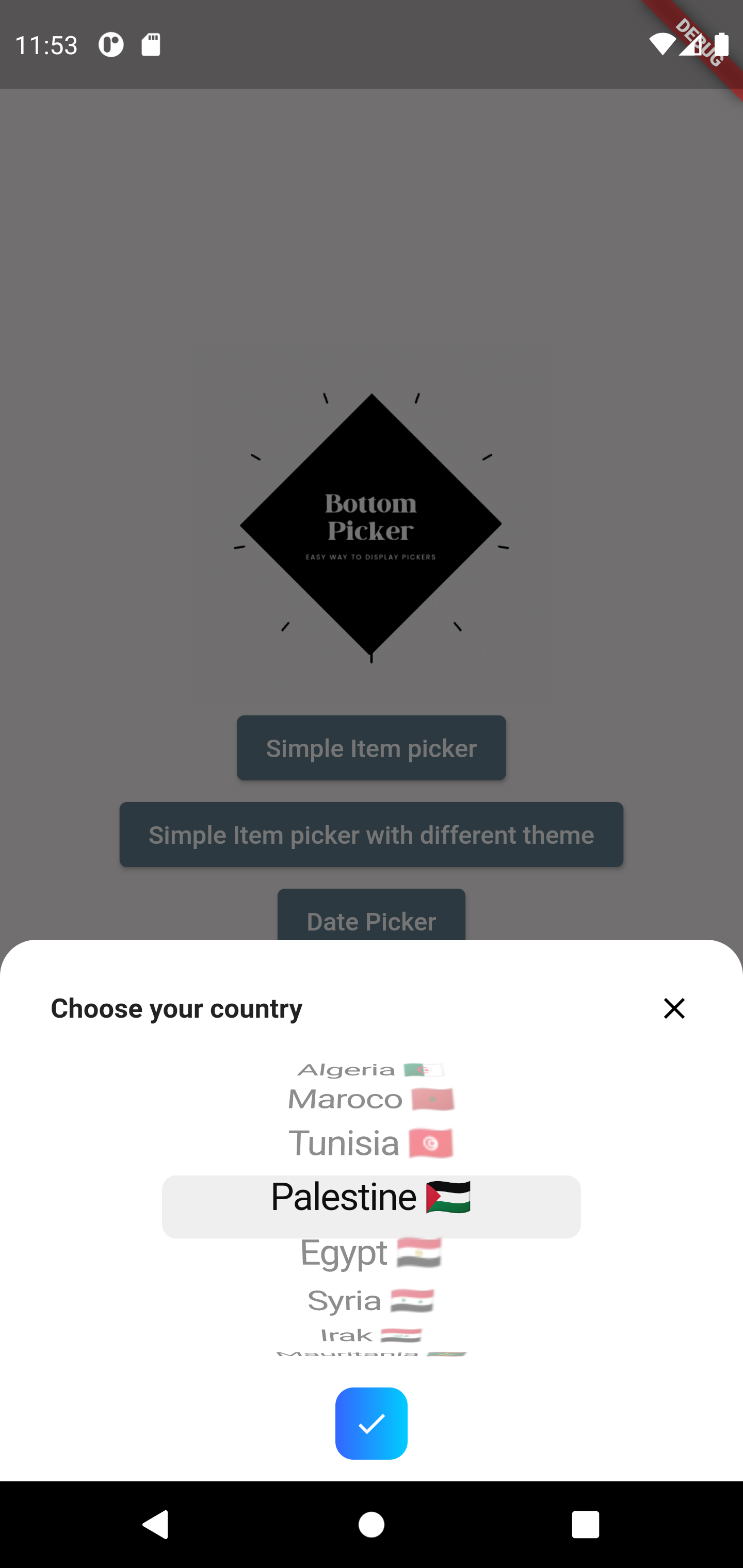
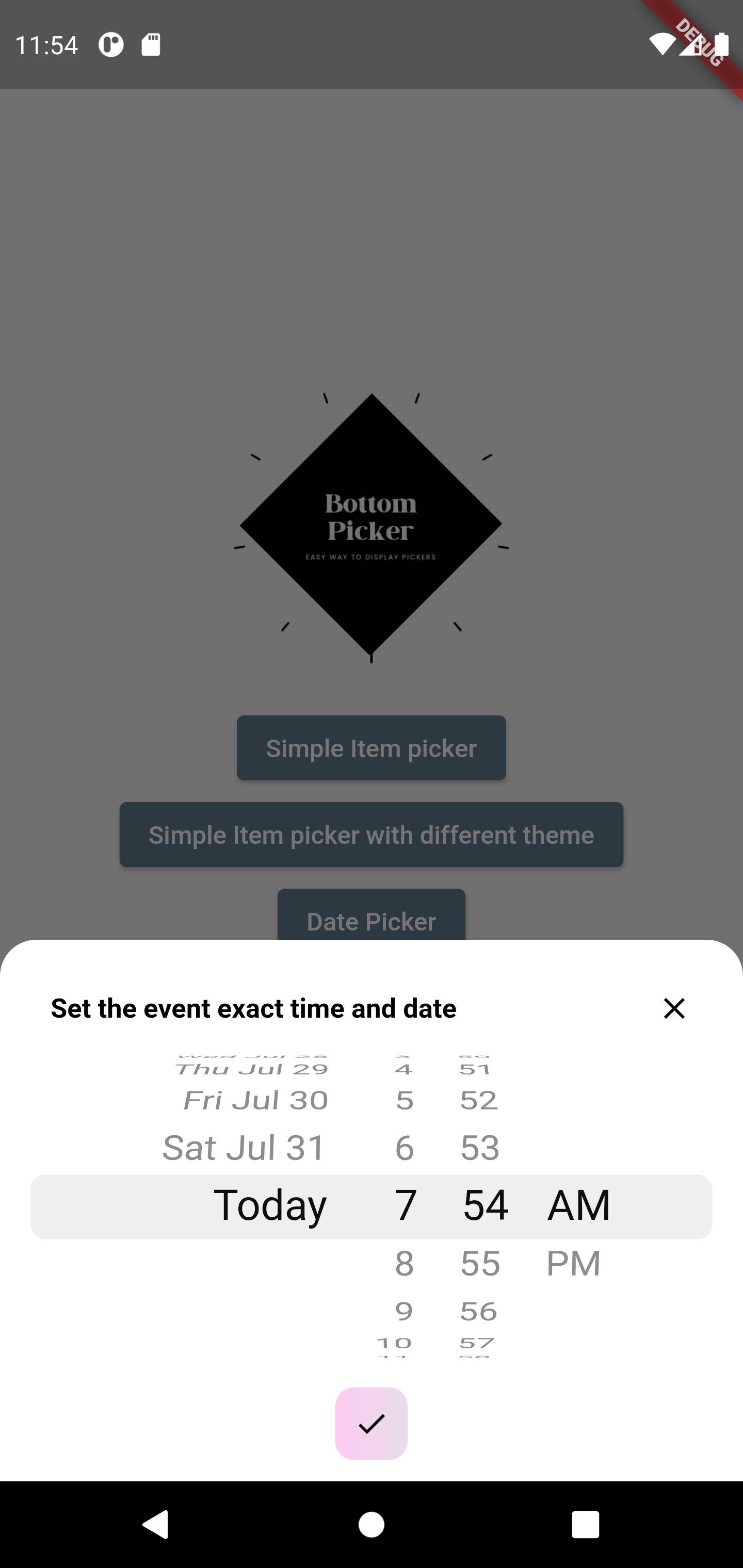
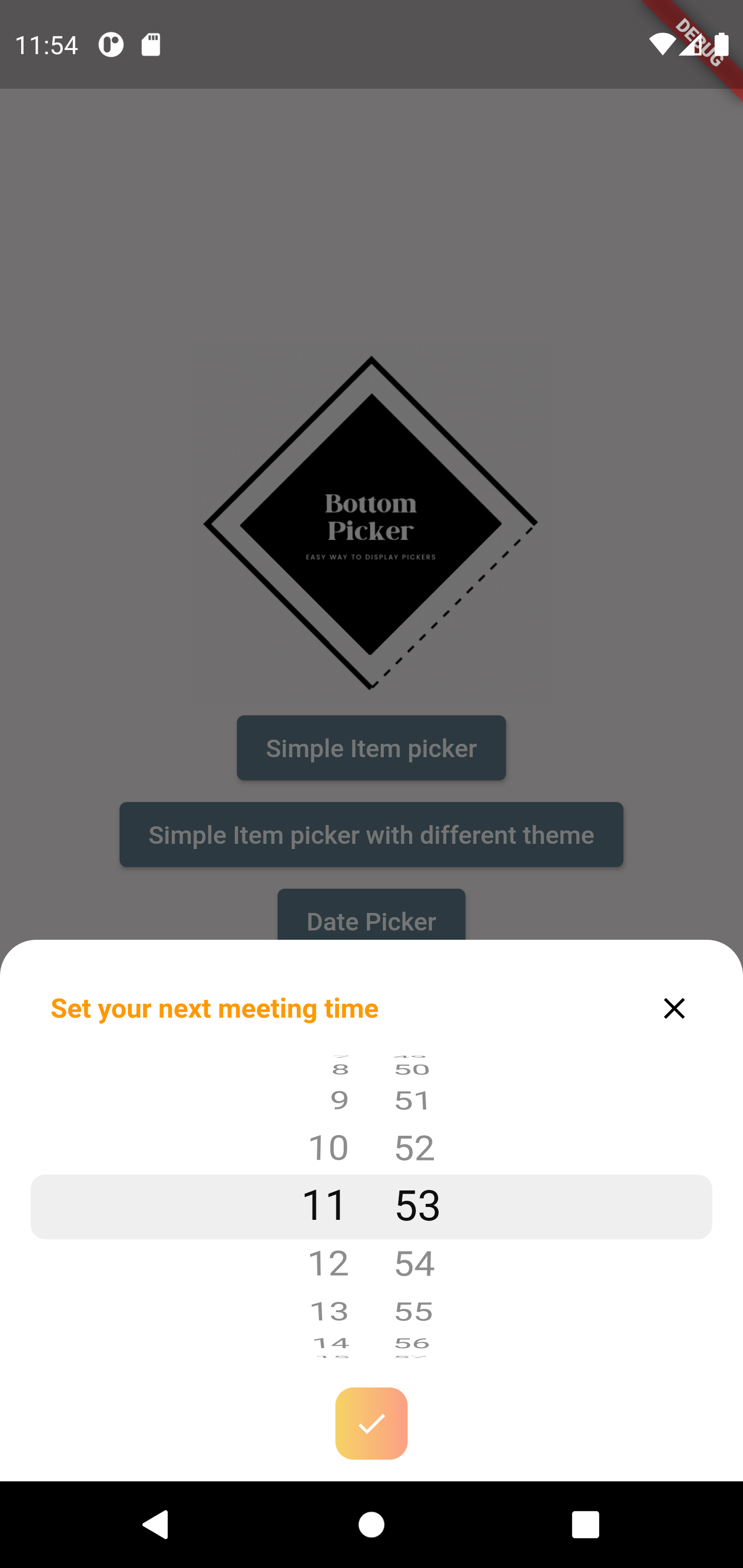
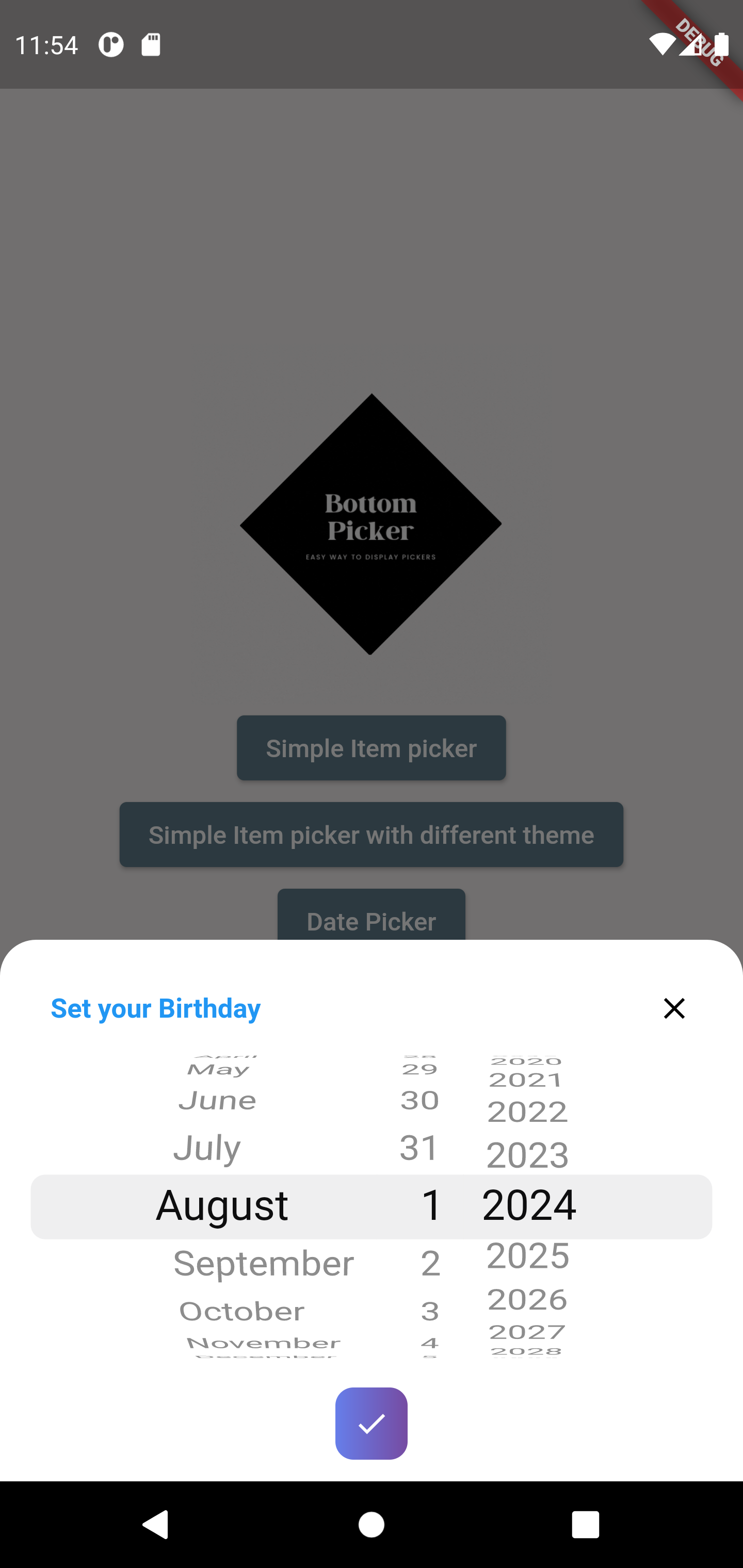
Bring beautiful bottom pickers to all your Flutter apps! Version 4.0.0 offer full customization alongside more advanced features for cupertino picker.
 |
 |
|---|---|
 |
 |
 |
 |
- Simple list picker wheel
- Date picker
- Dedicated Year picker
- Month and year picker
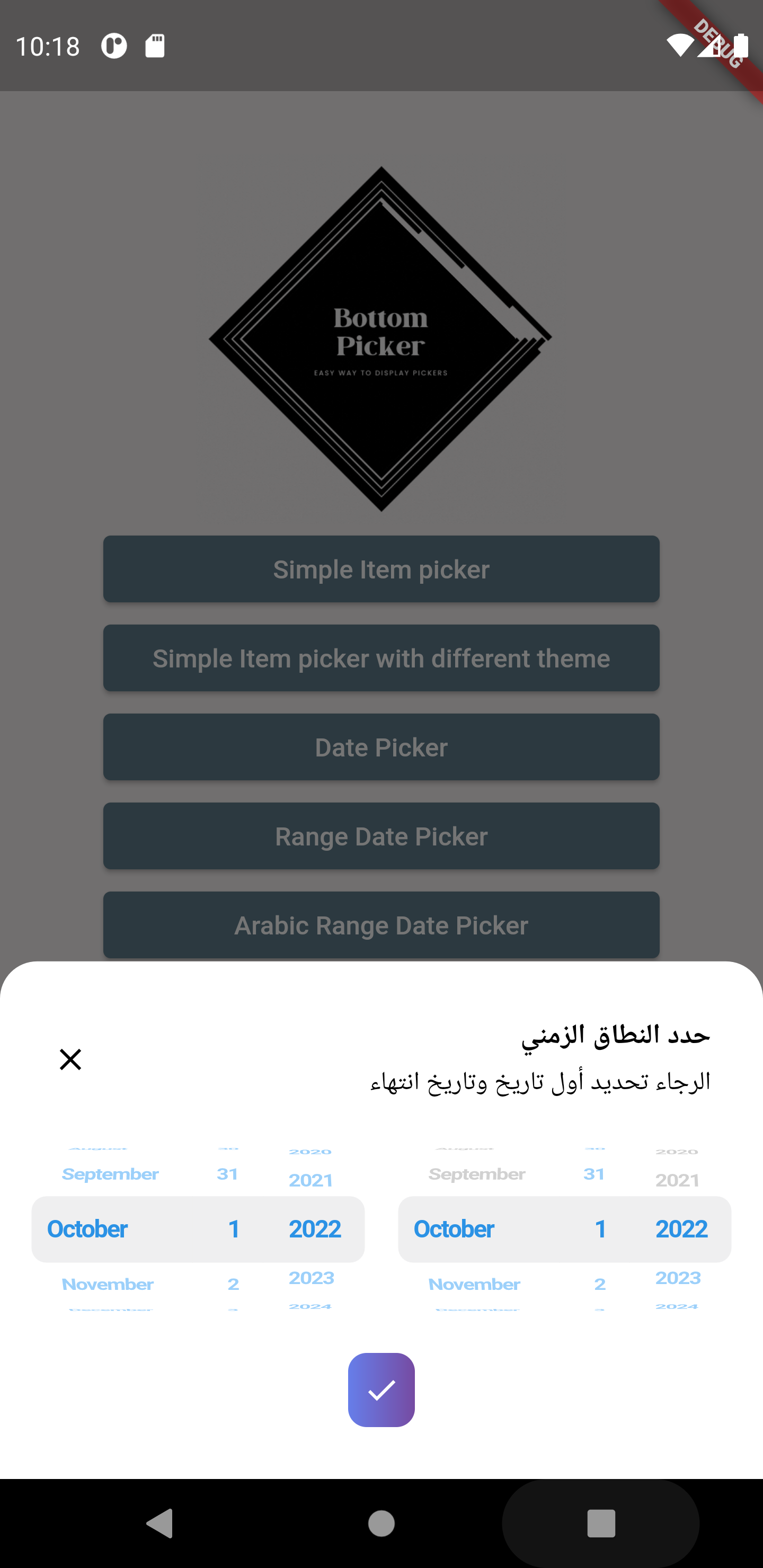
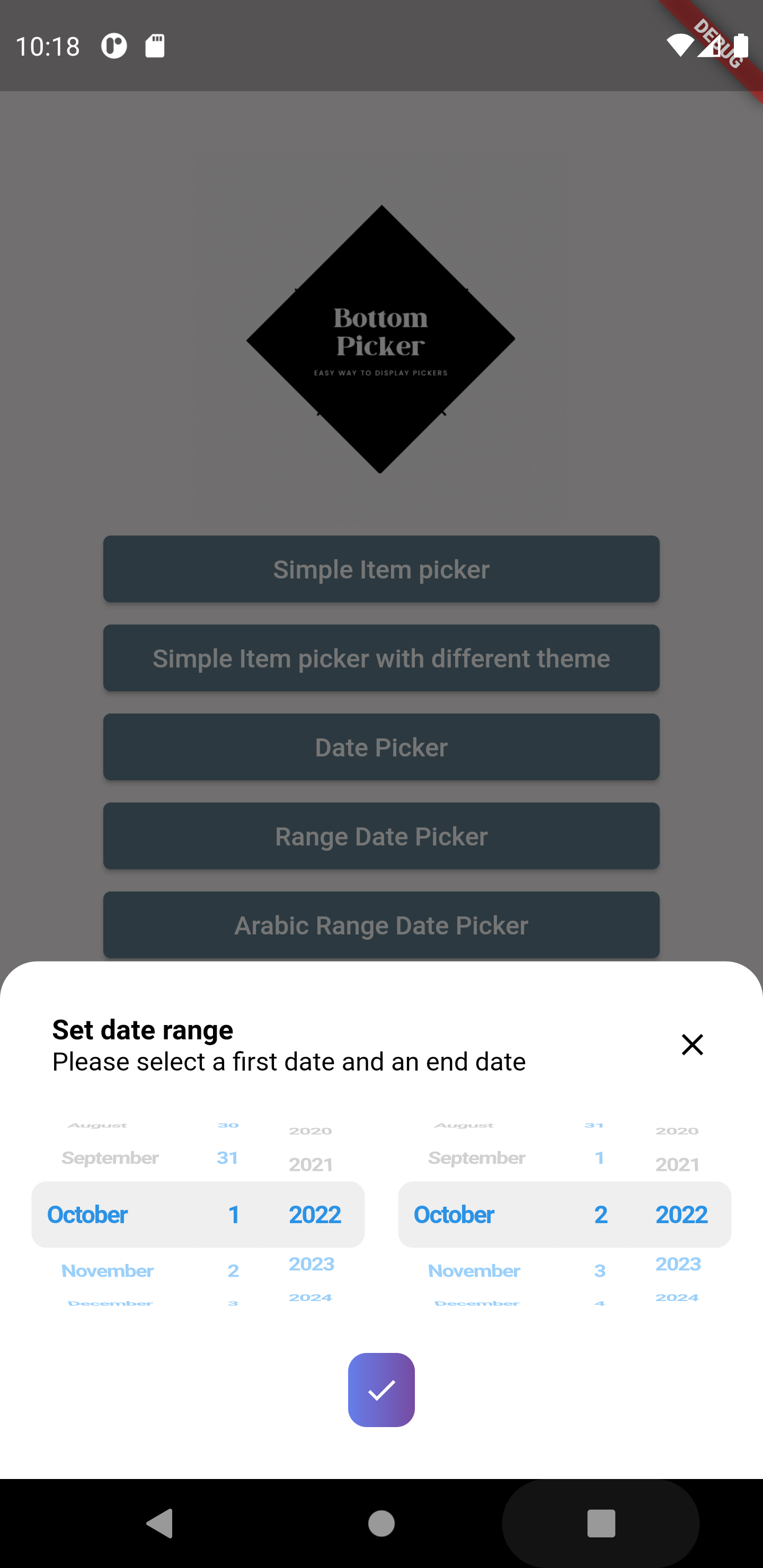
- Date range picker (RTL and LTR)
- Time picker
- Duration Timer picker
- Date and Time picker
- 24h / 12h time format support
- Filter options for unpickable or blocked dates
- Customizable header/title via an optional builder callback
- Control auto-closing of the picker on submit
- Customize confirm button
- Customize first selected item
- Customize background color
- Customize date format order
- Customize picker text style (color, font size, font weight, etc.)
- Customize close button style and display
- Customize layout orientation (LTR / RTL)
- Customizable bottom picker height
- Customizable
minuteIntervalattribute
- Fully support Web and Desktop platforms (using wheel views)
- Built-in themes
- Enhanced tablet view
To add bottom picker to your project add this line to your pubspec.yaml file
dependencies:
bottom_picker: ^4.1.0 /// Renders the header component of the bottom picker
final Widget Function(BuildContext context)? headerBuilder;
///defines whether the bottom picker is dismissable or not
///by default it's set to false
///
final bool dismissable;
///list of items (List of widgets) used to create simple item picker (required)
///and should not be empty or null
///
///for date/dateTime/time items parameter is not available
///
late List<Widget>? items;
///Nullable function, invoked when navigating between picker items
///whether it's date picker or simple item picker it will return a value DateTime or int(index)
///
late Function(dynamic)? onChange;
///Nullable function invoked when clicking on submit button
///if the picker type is date/time/dateTime it will return DateTime value
///else it will return the index of the selected item
///
late Function(dynamic)? onSubmit;
/// Nullable function invoked when the picker get dismissed
/// it will return the selected value
late Function(dynamic)? onDismiss;
///set the theme of the bottom picker (the button theme)
///possible values
///```
///{
///blue,
///orange,
///temptingAzure,
///heavyRain,
///plumPlate,
///morningSalad
///}
///```
final BottomPickerTheme bottomPickerTheme;
///used for simple bottom picker
///by default it's 0, needs to be in the range [0, this.items.length-1]
///otherwise an exception will be thrown
///for date and time picker type this parameter is not available
///
late int selectedItemIndex;
///The initial date time applied on the date and time picker
///by default it's null
///
DateTime? initialDateTime;
///The initial time set in the time picker widget
///required only when using the `time` constructor
Time? initialTime;
/// The initial duration set for the timer picker
/// By default it's set to null so it's `Duration.zero`
Duration? initialTimerDuration;
/// The time picker mode "hm", "hms" or "ms"
/// By default it's set to "hm"
CupertinoTimerPickerMode? timerPickerMode;
/// The timer seconds interval
/// Cannot be less then 1
///
/// Default value is 1.
int timerSecondsInterval = 1;
///The max time can be set in the time picker widget
Time? maxTime;
///The min time can be set in the time picker widget
Time? minTime;
///The gap between two minutes
///by default it's 1 minute
int minuteInterval = 1;
///the max date time on the date picker
///by default it's null
DateTime? maxDateTime;
///the minimum date & time applied on the date picker
///by default it's null
///
DateTime? minDateTime;
///define whether the time uses 24h or 12h format
///by default it's false (12h format)
///
late bool use24hFormat;
///the padding that will be applied to the button
///if the padding is null the button will be rendered null
final double? buttonPadding;
///the width that will be applied to the button
///if the buttonWidth is null the button will be rendered with null
final double? buttonWidth;
///the bottom picker background color,
///by default it's white
///
final Color backgroundColor;
///date order applied on date picker or date time picker
///by default it's YYYY/MM/DD
DatePickerDateOrder? dateOrder;
/// The picker theme data
final CupertinoTextThemeData? pickerThemeData;
///define the picker item extent available only for list items picker
///by default it's 35
late double itemExtent;
///the layout orientation of the bottom picker
///by default the orientation is set to LTR
///```
///LAYOUT_ORIENTATION.ltr,
///LAYOUT_ORIENTATION.rtl
///```
TextDirection? layoutOrientation;
///THe alignment of the bottom picker button
///by default it's `MainAxisAlignment.center`
final MainAxisAlignment buttonAlignment;
///bottom picker main widget height
///if it's null the bottom picker will get the height from
///[bottomPickerHeight] extension on context
final double? height;
///invoked when pressing on the submit button when using range picker
///it return two dates (first date, end date)
///required when using [BottomPicker.range]
late Function(DateTime, DateTime)? onRangeDateSubmitPressed;
///the minimum first date in the date range picker
///not required if null no minimum will be set in the date picker
DateTime? minFirstDate;
///the minimum second date in the date range picker
///not required if null no minimum will be set in the date picker
DateTime? minSecondDate;
///the maximum first date in the date range picker
///not required if null no minimum will be set in the date picker
DateTime? maxFirstDate;
///the maximum second date in the date range picker
///not required if null no minimum will be set in the date picker
DateTime? maxSecondDate;
///the initial first date in the date range picker
///not required if null no minimum will be set in the date picker
DateTime? initialFirstDate;
///the initial last date in the date range picker
///not required if null no minimum will be set in the date picker
DateTime? initialSecondDate;
/// A widget overlaid on the picker to highlight the currently selected entry.
/// The [selectionOverlay] widget drawn above the [CupertinoPicker]'s picker
/// wheel.
Widget? selectionOverlay;
///The button's widget that will be displayed
///if null the button will have a simple 'Select' text in the center
final Widget? buttonContent;
///indicates if the submit button will be displayed or not
///by default the submit button is shown
late bool displaySubmitButton;
///a single color will be applied to the button instead of the gradient
///themes
///
final Color? buttonSingleColor;
///to set a custom button theme color use this list
///when it's not null it will be applied
///
final List<Color>? gradientColors;
/// The style that will be applied on the button's widget
final BoxDecoration? buttonStyle;
/// Invoked when pressing on the submit button when using range picker
/// it return two dates (first time, end time)
/// required when using [BottomPicker.rangeTime]
late Function(DateTime, DateTime)? onRangeTimeSubmitPressed;
/// Function invoked when the picker is dismissed used with range picker
/// and time range picker.
late Function(DateTime, DateTime)? onRangePickerDismissed;
///the minimum first time in the time range picker
///not required if null no minimum will be set in the time picker
DateTime? minFirstTime;
///the minimum second time in the time range picker
///not required if null no minimum will be set in the time picker
DateTime? minSecondTime;
///the maximum first time in the time range picker
///not required if null no minimum will be set in the time picker
DateTime? maxFirstTime;
///the maximum second time in the time range picker
///not required if null no minimum will be set in the time picker
DateTime? maxSecondTime;
///the initial first time in the time range picker
///not required if null no minimum will be set in the time picker
DateTime? initialFirstTime;
///the initial last time in the time range picker
///not required if null no minimum will be set in the time picker
DateTime? initialSecondTime;
/// Indicates whether the time seperator (":") will be shown or not.
bool showTimeSeparator = false;
/// Indiacate whether the bottom picker will be closed (poped out of the Navigator)
/// when the submit button is pressed.
///
/// By default closeOnSubmit = true.
bool? closeOnSubmit;
/// The datepicker calendar type
List<int> calendarDays = CupertinoDatePickerWidget.fullWeek;
/// The bottom picker selector diameter ratio.
final double diameterRatio;
/// A predicate that can be used to select which hours are selectable.
SelectableHourPredicate? hourPredicate;
/// Indicates whether to use SafeArea to avoid content overflow.
final bool useSafeArea;BottomPicker(
items: items,
headerBuilder: (context) {
return Row(
children: [
Expanded(
child: Text(
'Choose your country',
style: TextStyle(
fontWeight: FontWeight.bold,
fontSize: 15,
),
),
),
InkWell(
onTap: () {
Navigator.pop(context);
},
child: Icon(Icons.close),
),
],
);
},
).show(context);BottomPicker.date(
headerBuilder: (context) {
return Row(
children: [
Text(
'Set your Birthday',
style: TextStyle(
fontWeight: FontWeight.bold,
fontSize: 15,
color: Colors.blue,
),
),
],
);
},
dateOrder: DatePickerDateOrder.dmy,
initialDateTime: DateTime(1996, 10, 22),
maxDateTime: DateTime(1998),
minDateTime: DateTime(1980),
onChange: (index) {
print(index);
},
onSubmit: (index) {
print(index);
},
onDismiss: (p0) {
print(p0);
},
bottomPickerTheme: BottomPickerTheme.plumPlate,
).show(context);BottomPicker.year(
headerBuilder: (context) {
return Row(
children: [
Text(
'Set your Birthday Year',
style: TextStyle(
fontWeight: FontWeight.bold,
fontSize: 15,
color: Colors.blue,
),
),
],
);
},
initialDateTime: DateTime(1996),
maxDateTime: DateTime(1998),
minDateTime: DateTime(1980),
onChange: (index) {
print(index);
},
onSubmit: (index) {
print(index);
Navigator.pop(context);
},
onDismiss: (p0) {
print(p0);
},
bottomPickerTheme: BottomPickerTheme.plumPlate,
).show(context);BottomPicker.dateTime(
headerBuilder: (context) {
return Row(
mainAxisAlignment: MainAxisAlignment.spaceBetween,
children: [
Text(
'Set the event exact time and date',
style: TextStyle(
fontWeight: FontWeight.bold,
fontSize: 15,
color: Colors.black,
),
),
InkWell(
onTap: () {
print('Picker closed');
Navigator.pop(context);
},
child: Text(
'close',
style: TextStyle(
decoration: TextDecoration.underline,
),
),
),
],
);
},
onSubmit: (date) {
print(date);
},
calendarDays: CupertinoDatePickerWidget.workDays,
).show(context);We warmly welcome contributions to the bottom_picker package! Your help in making it even better is highly appreciated.
How you can contribute:
- Found a bug? Please open a new issue with clear steps to reproduce the problem. The more detail you provide, the easier it will be to fix.
- Have a great idea for a new feature? We'd love to hear it! Please open a new issue to discuss your suggestion. Explain the use case and how it would benefit users.
- Want to get your hands dirty and contribute code? Fantastic! Here's how:
- Fork the repository.
- Create a new branch for your feature or bug fix.
- Make your changes, ensuring you follow the project's coding style and conventions.
- Write clear and concise commit messages.
- Submit a pull request with a detailed description of your changes and why they should be merged.
We'll review your contributions and provide feedback as soon as possible. Thank you for your interest in improving bottom_picker!