This plugin supports Sublime Text 3 for windows and OSX, not tested for Linux.
All of my motivation on this plugin come from your star, if you think this plugin is helpful in your daily work, please star this plugin.
Before install this plugin, you must install Sublime Text 3 and then Package Control.
After you have installed package control in your sublime, you can install this plugin by searching haoide in package control, if you don't know how to use package control, you can refer to usage of package control.
Or, You can follow the step-by-step instruction by Meighan Brodkey
After you have installed this plugin successfully, you can follow Project Configuration to configure your own project.
- Execute Anonymous
- Code AutoComplete
- Snippets
- Tooling Operation
- Debug and Test
- Retrieve
- Deploy
- Static Resource Bundle
- Export CSV
- Salesforce Utilities
- Convert JSON to Apex
- REST Test
- Data Loader
- Document Quick Reference
- Plugin Operation
- Lighting Development
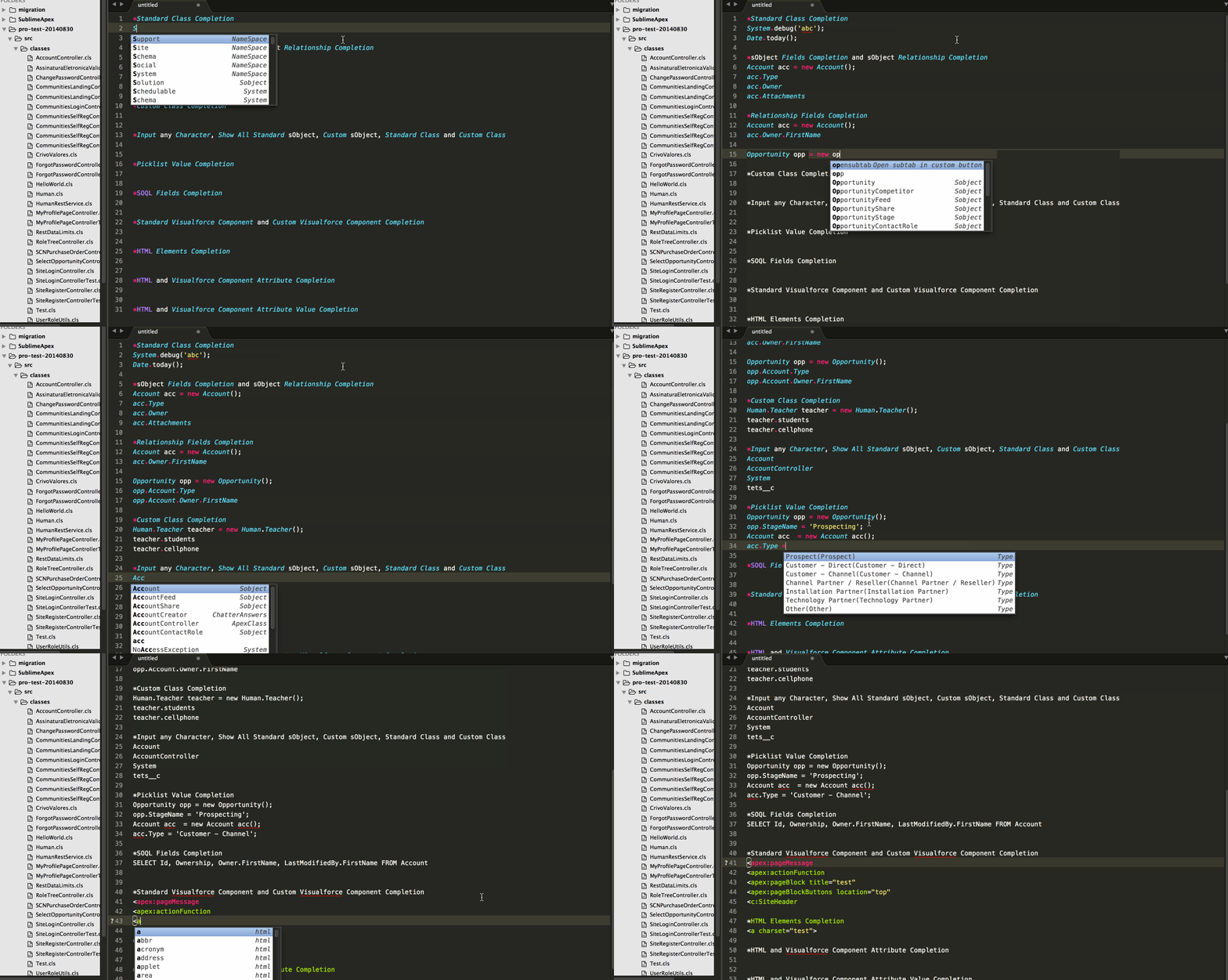
- Completions Demo
- Request Proxies

-
Refresh PackagevsUpdate ProjectRefresh Packagecan update the project by thepackage.xmlin the project folder orproject/srcfolderUpdate Projectwill update the project according tosubscribed metadata
-
Refresh FoldervsUpdate Project- Generally,
Refresh Foldercan be used to update the components in the chosen folders - However,
Update Projectis always used to refresh all folders or newly subscribed metadata
- Generally,
-
Save to ServervsDeploy to ServerSave to Serveris achieved byTooling APItech, which is usually used to develop apex code in sandboxDeploy to Serveris achieved byMetadata APItech, which is usually used to develop none-apex in sandbox, deploy any components into different org or production
-
What's the usage of
Update Project Patterncommand?- Everytime when you udpate the
file_exclude_patternsorfolder_exclude_patterns, you must executeUpdate Project Patterncommand to ensure it is working. - Everytime when the default project doesn't appeared in the sidebar panel, you an use this command to show the default project.
- Everytime when you udpate the
-
If you failed to deploy package after release 3.3.7
- you should remove
deploy_optionsfrom your user settings, see more detail at issue #101
- you should remove
-
If all menu items are all gray and disabled after you installed haoide
- You should check whether issue #112 can resolve your problem
-
Don't want to create new project with time stamp every day?
- You can set
keep_project_name_time_suffixtofalse
- You can set
-
What is the usage of mouesmap key bindings?
- Press
shift+ Dblclickleft mouse button: Quick open component by name - Press
alt+ Clickleft mouse button: Retrieve debug log detail by id - Press
alt+ DblClickleft mouse button: View code coverage by name - Press
alt+ Triple Clickleft mouse button: Cancel deployment by Id
- Press