Create a separate TclRAL domain database for each Domain in your System.
Let's say you have modeled an Elevator System with Elevator Management, Transport, and Signal IO domains.
You use the Blueprint Domain Populator to create three TclRAL databases, each populated with whatever initial instance populations you have defined in a supplied context.
% pip install mi-domain-populate
This creates an executable command named popdata
Type popdata -h to get the complete and most up to date list of supported options.
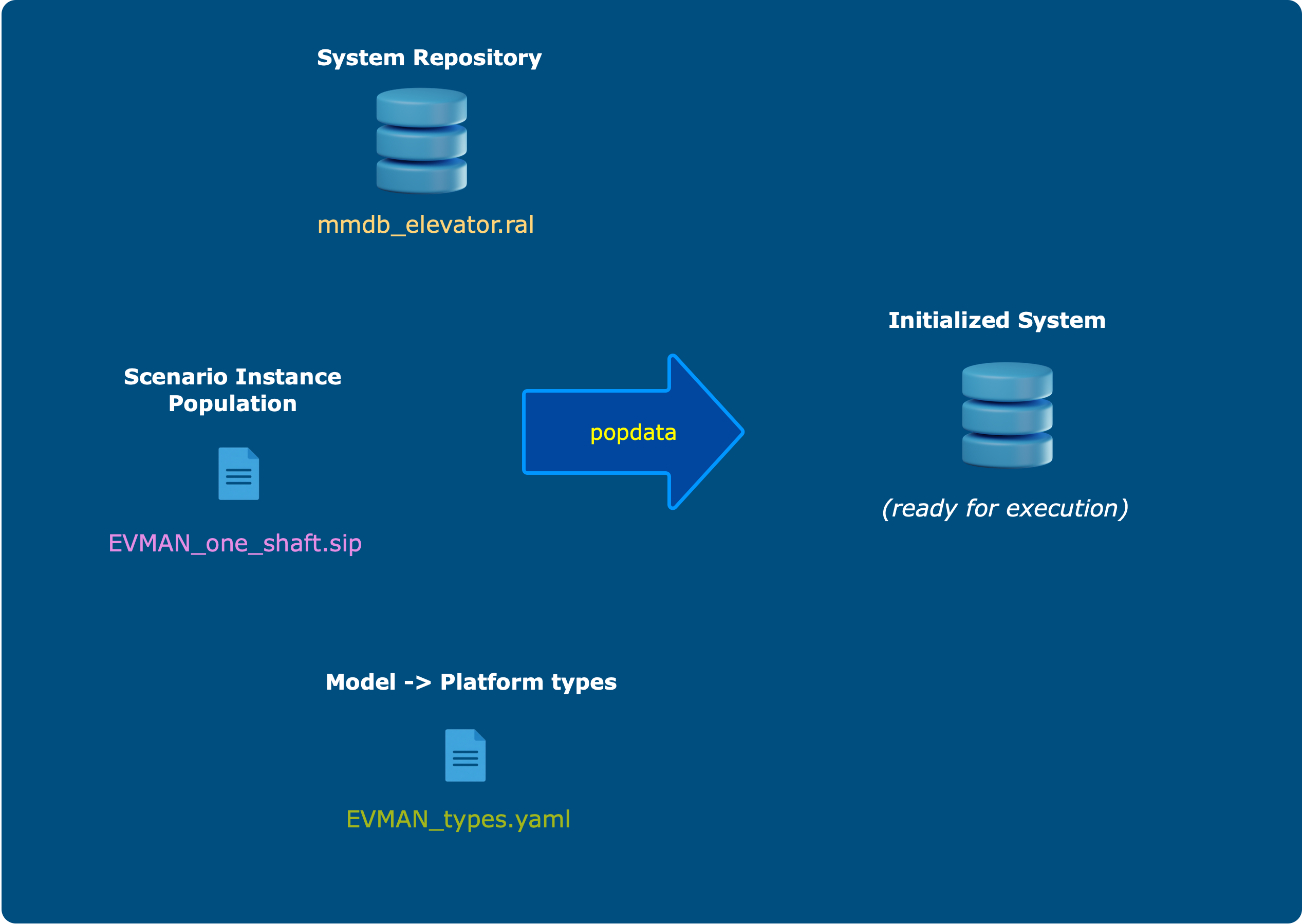
This package takes three inputs, a system populated into the metamodel database, a context specifying initial instance populates, and a map from domain to system data types.
First, get a copy of the bundled example with the -E (example) option:
% popdata -E
This creates an examples/ev1 directory in your current working directory containing the three input files
(mmdb_elevator.ral, EVMAN_one_bank1.sip, and EVMAN_types.yaml). Change into that directory and run:
% popdata -s mmdb_elevator.ral -c EVMAN_one_bank1.sip -t EVMAN_types.yaml -o
Here -s is the system, -c is the context, and -t specifies the mapping of domain types to available system
data types which currently are TclRAL types. If you use the optional -o option, a separate <domain alias>.txt file will be
generated for each domain database. For the above command you should see these files generated:
EVMAN.ral and evman.txt
These are both, in fact, text files. But the *.ral file is readable by TclRAL and fairly incomprehensible to a human. The *.txt file, on the other hand, is easy to read and is only intended for human consumption. (That's why the name is lowercase).
The EVMAN.ral domain database is always generated; the human-readable evman.txt is only produced when you
pass the -o option.
At this point we are only working with (and have only tested) a system with a single domain. That said,
a minor extension to the sip file format will make it possible to work with multiple domains. Will update this readme
file when it's ready.
This is a metamodel TclRAL database (*.ral) file populated with a user's domain model: the Elevator Management domain populated into the Shlaer-Mellor metamodel, for example.
This is the mmdb_elevator.ral file in our example. The naming convention has the database left of the underscore
and the content to the right. Thus, the metamodel database (mmdb) is populated with the elevator system.
This *.ral file is produced by the modeldb command if you have the xuml-populate package installed.
Context is expressed as a set of initial instances and states in a scenario instance population *.sip file.
The popdata command doesn't do anything with the initial states -- those are handled in a downstream command yet to be published.
Write the scenario instance population *.sip file yourself using the example EVMAN_one_bank1.sip file as a guide.
A *.yaml file that maps each domain type to a TclRAL system type. There's one in the supplied example to use as a guide.