A vanilla JavaScript/TypeScript chat application with modular architecture.
- Simple, clean interface with three stacked boxes
- Real-time message updates with streaming support
- Message history tracking and buffering
- Animated welcome message
- Responsive design
- Easy embedding capability
- Mock testing panel for development
- Intelligent message formatting
- Token management with secure storage
- Support for structured results and document references
src/
├── components/           # UI Components
│   ├── config-panel.ts   # Token configuration UI
│   ├── message-manager.ts # Message buffer and history management
│   ├── mock-manager.ts   # Mock message testing panel
│   └── token-storage.ts  # Token storage management
├── utils/               # Utility Functions
│   └── api.ts          # API communication with streaming support
├── chat.ts             # Main chat application
├── token.ts            # Token manager initialization
├── mock.ts             # Mock panel initialization
└── styles.css          # Global styles
MessageManager: Handles message buffering and history- Supports multiple message types (user, assistant, system)
- Real-time message status updates
- Message source tracking (glean, other, system)
- Event-based message updates
- Real-time streaming message support
- Intelligent fragment formatting based on content type
MockManager: Handles mock message testing- Shared message manager instance
- Support for testing different message types
- Easy integration with main chat interface
TokenStorage: Handles token persistence in localStorageConfigPanel: UI for token input and managementTokenManager: Initializes and coordinates token-related components
ChatApp: Main chat interface and message handlingApiService: Handles API communication with streaming support- Real-time message updates with status indicators
- Support for structured results and document references
npm installnpm run devnpm run build- Make sure you have committed all your changes
- Run:
npm run deploy- Your site will be available at:
https://<your-username>.github.io/glean-vanilla-chat/
- GitHub Pages is static-only: It cannot run server-side code
- If your chat app needs to call a backend API, you must deploy your proxy/middleware to a separate service (Vercel, Netlify, Cloudflare Workers, etc.)
- Update your frontend code to call the deployed proxy endpoint
- Do not put API keys or secrets in the frontend code
To embed the chat in your website, add the following to your HTML:
<div id="glean-chat-container"></div>
<script type="module" src="https://patrick-glean.github.io/glean-vanilla-chat/index.js"></script>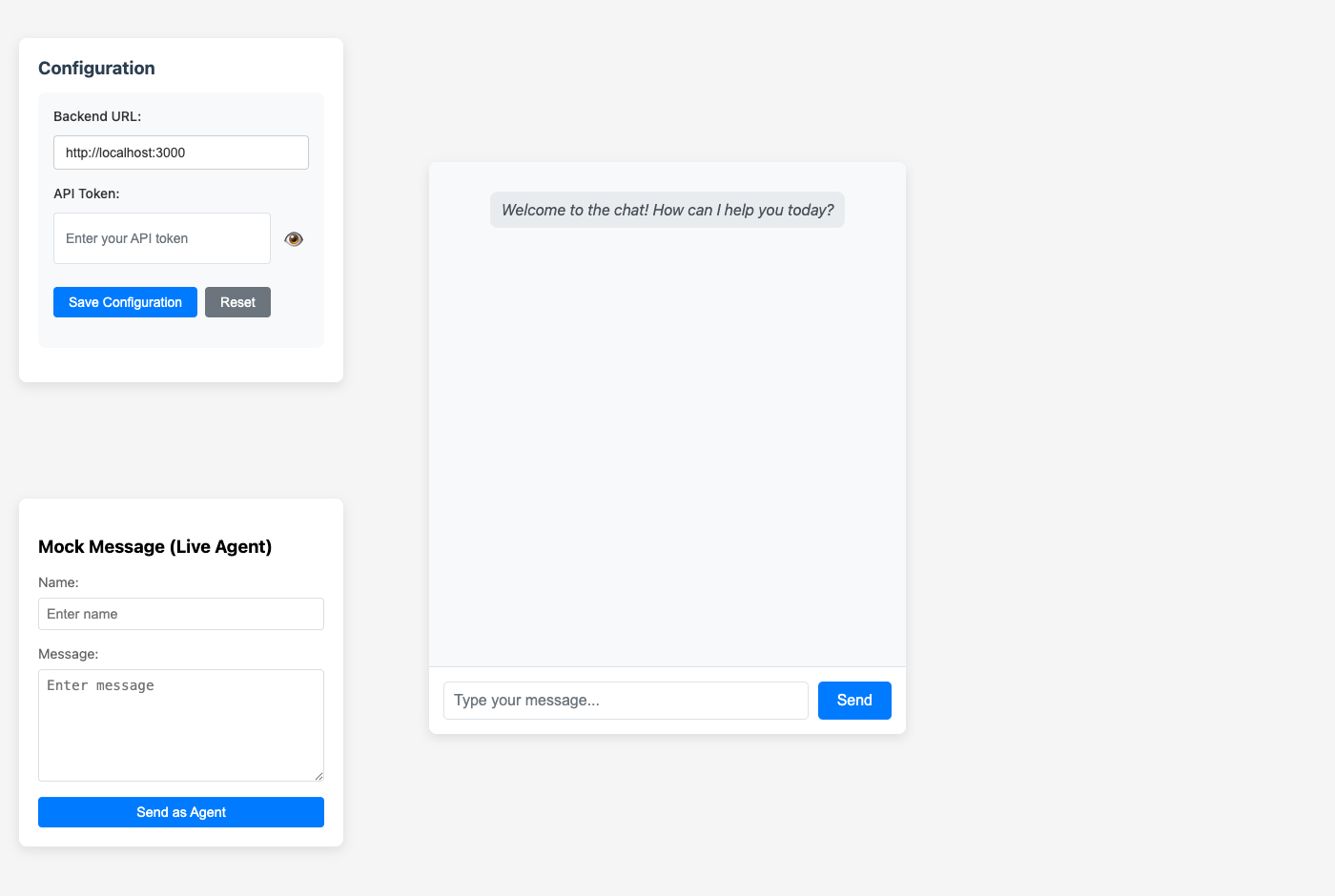
Click the image above to try the live demo!
- For detailed development, code style, and contribution rules, see RULES.md
This project is licensed under the terms of the LICENSE file in the root of this repository.