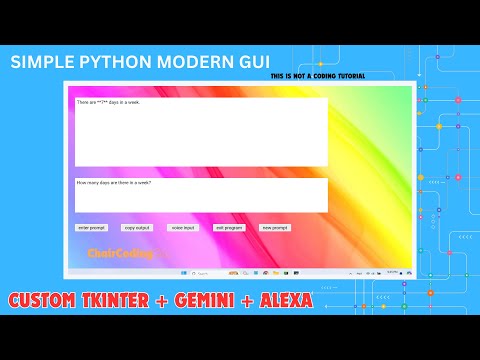
This application provides a Custom Tkinter GUI interface for interacting with the Gemini API using both text and voice inputs, with responses displayed in the UI. It demonstrates basic GUI setup, event handling, and integration with external APIs and utilities.
- Prompt Input
- Copy Output
- Voice Input
- Exit Program
- New Prompt
.png)
.png)
Clone the repository. Create and activate a virtual environment. Install the required libraries: pip install -r requirements.txt
Prerequisites needed to run the project:
- Python3
tkintercustomtkinterPillowspeech_recognitionpyttsx3pywhatkitwikipediapyjokesgoogle-generativeai
Detailed steps to install the project and its dependencies.
-
Clone the repository
git clone https://github.com/yourusername/yourproject.git cd yourproject -
Create and activate a virtual environment (optional but recommended)
python -m venv venv
source venv/bin/activate  # On Windows use `venv\Scripts\activate`
-
Install the required libraries
pip install tkinter customtkinter Pillow speechrecognition pyttsx3 pywhatkit wikipedia pyjokes google-generativeai
-
Install additional dependencies from the requirements file (if applicable)
pip install -r requirements.txt
python main.py
This project was created for educational purposes. Contributions are welcomed!
- Fork the repository
- Create your feature branch (git checkout -b feature/AmazingFeature)
- Commit your changes (git commit -m 'Add some AmazingFeature')
- Push to the branch (git push origin feature/AmazingFeature)
- Open a Pull Request
Thank you to the individuals whose code has been referenced and used to this project's development. I also appreciate the inspiration from various sources that guided me in shaping this project. Lastly, I acknowledge the assets and references that provided essential insights and knowledge throughout my work.