

This script will generate a graph jpeg where each node is a function file and each connection is it's call to another function. You can use this script to map out your datapack and figure out what's going on.
python mapper.py mydatapackpython mapper.py mydatapack myotherdatapackpython mapper.py mydatapack -o outputpython mapper.py mydatapack --label
your setup may require python3 instead of python
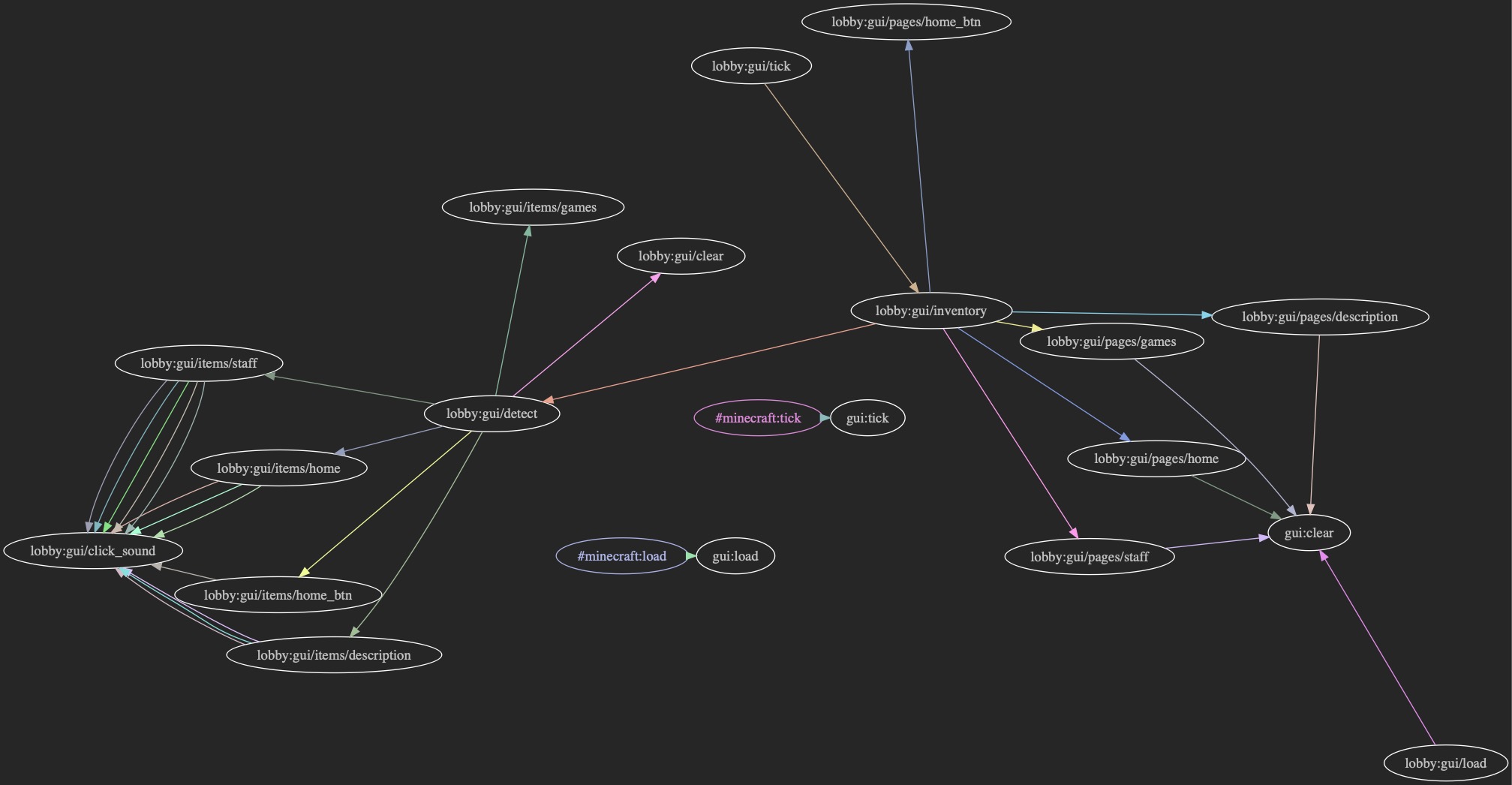
Default
With Labels
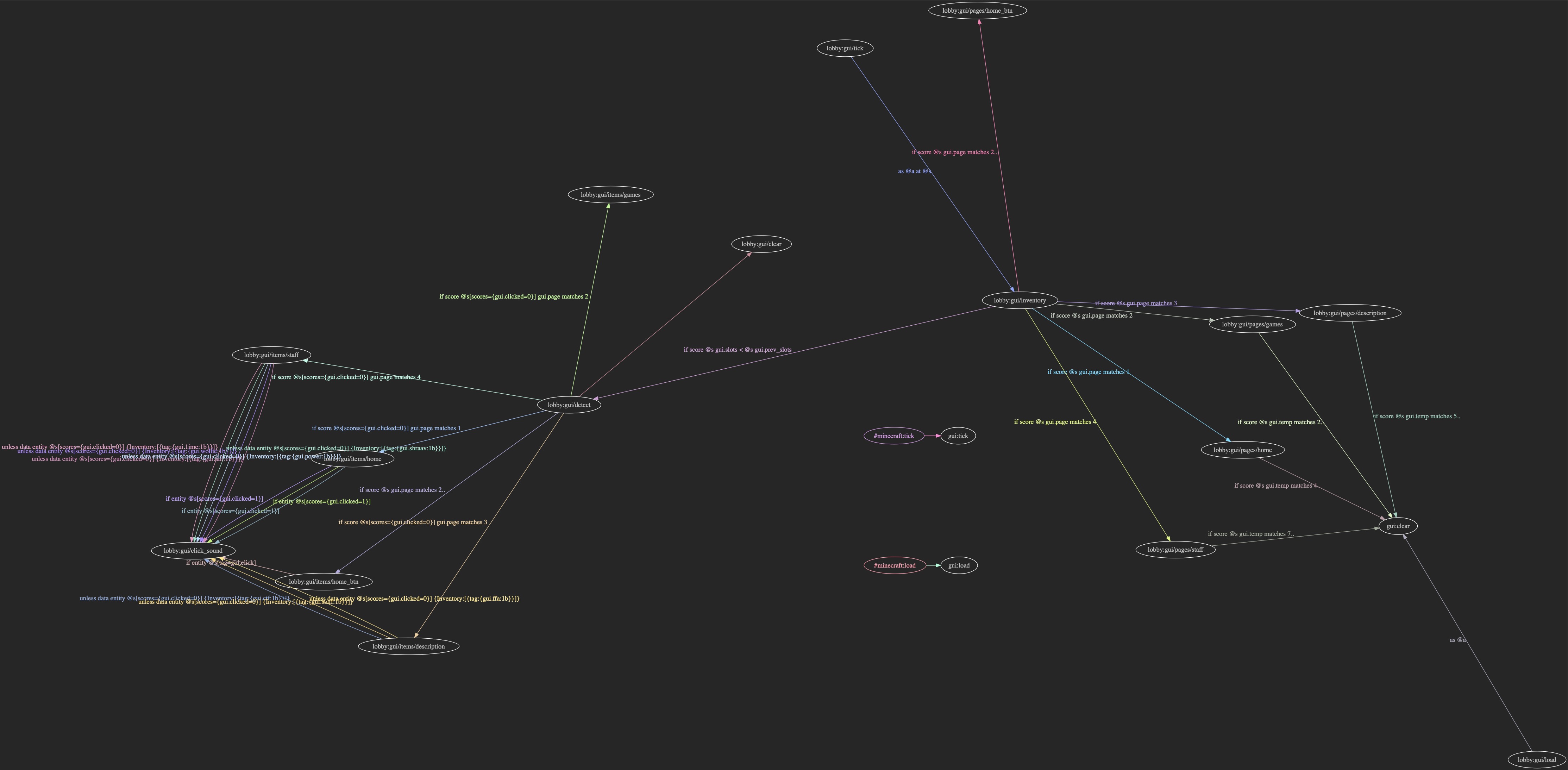
The purpose of this project was to understand medium to large datapacks and see where the components lie and how the different systems connect. The purpose is to also spot potential optimizations in rather large datapacks by enabling labeling.
This script relies on a dependancy called graphviz and the python hooks, pygraphviz. graphviz is a C++ library so it requires the C++ tools to be able to run it (Mac: XCode, Win: Microsoft C++ Distributables)
On Linux you can run these commands to set it all up:
!sudo apt-get install graphviz libgraphviz-dev pkg-config!pip install pygraphviz --install-option="--include-path=/usr/include/graphviz" --install-option="--library-path=/usr/lib/graphviz/"
On Mac, you can try these commands (if you have homebrew, the above may work as well, haven't tried it)
brew install graphvizpip install pygraphviz
again pip3 might be necessary
After setting up the dependencies, just download the mapper.py script and place it outside your datapacks (you can place it in your mc datapack folders if you like, just not inside them)
This script comes with minor tweaking options but the main usage is as follows:
python mapper.py <datapack> [anotherdatapack ...]
Running: python mapper.py -h will pull up a help menu describing the other options
datapack [datapack2 datapack 3 ...]include datapack(s) for the tool to be used on-m --mode MODEwill set the mode:-
- default is
onewhere all the datapacks will output to one graph
- default is
-
multipleis where the datapacks output to their own graphs
-
-l --labelwill enabling labeling. This includes what you called each function with on the line connecting nodes-o --outfile OUTFILEwill allow you to name your own output file. formultiplemode, this is ignored
Maybe in the future, hehe
This script is pretty fragile so only feed it valid datapacks. It also doesn't handle zip files yet, so watch the page if you are interested in that.
I have some more things planned, but for now, it's just this.
I'm on discord as @rx#1284
MIT