git-num annotates the output of git status with numbers, allowing you to run subsequent commands with numbers (e.g. git num add 5 6) and/or ranges (e.g. git num reset HEAD 1-3) in the place of full filenames.
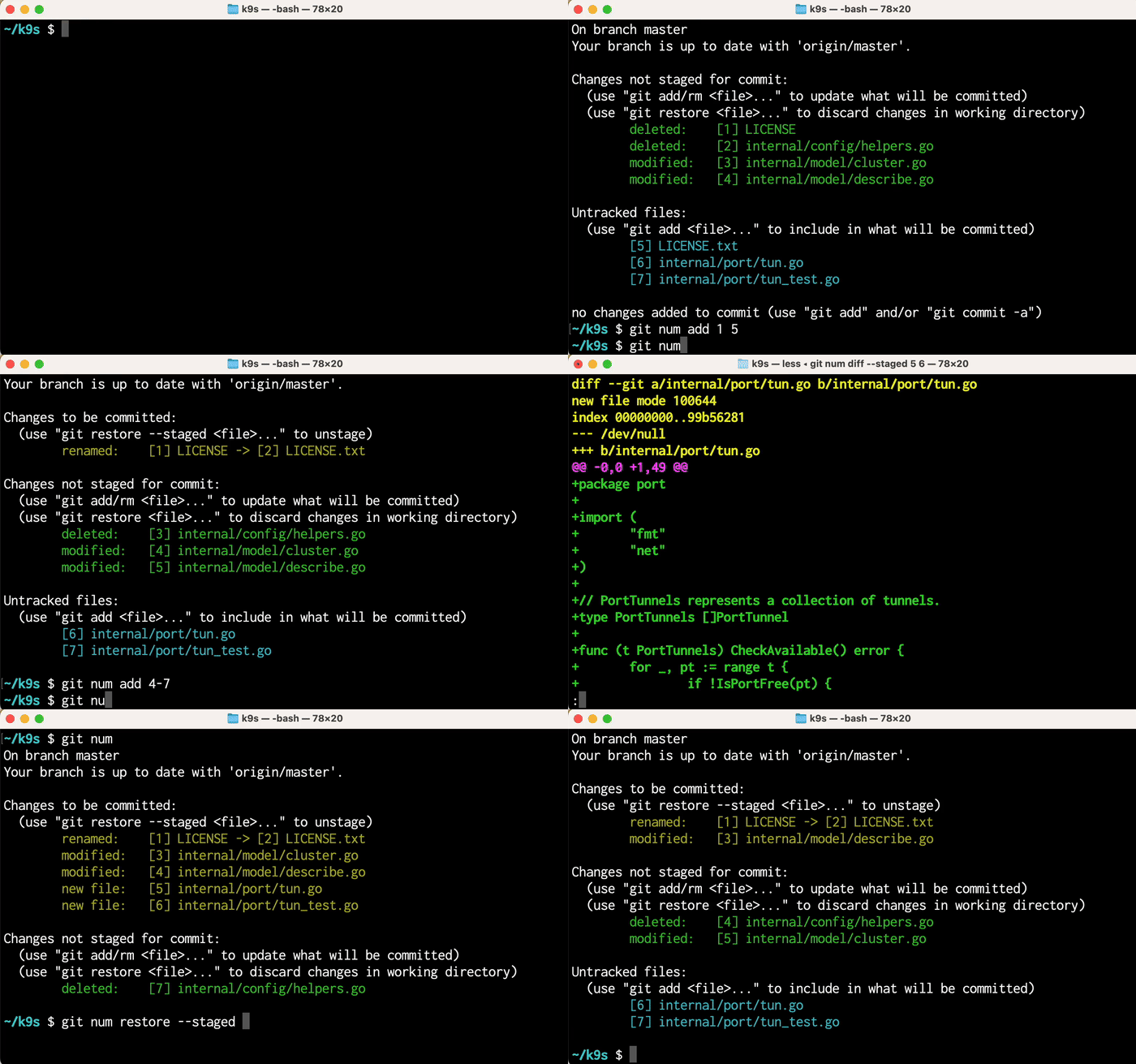
(git-num will maintain whatever color scheme you use.)
NAME:
  git-num - Quickly reference files in Git commands using numbers

USAGE:
  git num [git_cmd [index ...] | convert [index ...] | -h | -v]

EXAMPLES:
  git num                # show `git status` with git-num indexes
  git num add 1-3 5      # call `git add` with files at indexes 1, 2, 3, 5
  git num diff README 2  # call `git diff` with "README" and file at index 2
  git num reset HEAD 4   # call `git reset HEAD` with file at index 4
  git num checkout -- 4  # call `git checkout --` with file at index 4
  git num convert 1-3    # write filenames at indexes 1, 2, 3 to STDOUT
  git num -h             # show this help screen
  git num -v             # show version
To install on macOS, download the appropriate git-num executable and place it in a directory that is on your $PATH. Git will now automatically use this executable when you call git num.
If you'd like to build from source manually, install Go v1.19+ and run:
go install github.com/schreifels/git-num/v4@latestThen make sure your Go bin directory is in your $PATH in your shell initialization file:
export PATH="$PATH:$HOME/go/bin"You can also clone the repo and run make build. As with the prior option, you'll need Go v1.19+. The resulting binary can be found in the build/ directory.
It's handy to create an alias for git num:
alias gn="git num"so you can easily run commands like gn (to show git status with annotations) and gn add 1-3.
You can take this a step further by creating aliases for other Git commands, e.g.
alias gs="git num"
alias gco="git num checkout"
alias ga="git num add"
alias gr="git num restore"
alias grs="git num restore --staged"
alias gd="git num diff"
alias gds="git num diff --staged"
You can also use git-num in conjunction with non-Git commands, e.g.
# `ber 2` => execute `bundle exec rspec [file at index 2]`
function ber() { git num convert "$@" | xargs bundle exec rspec; }

# `gnc 2` => copy file at index 2 to Mac clipboard
function gnc() { git num convert "$@" | pbcopy; }The goal of this project was to create a lightweight, well-tested command line utility for referencing files in Git. Unlike other similar projects, git-num supports renamed files, filenames with spaces, and other corner cases. Also, it's written in Go (rather than a dynamic language) for optimal performance and ease of installation.
~/sample-git-project $ git num
git: 'num' is not a git command. See 'git --help'.
This means the git-num executable is not on your PATH. Verify that the file is located inside one of the directories listed in echo $PATH.
Note that Git does not expand paths in the PATH variable, so /Users/mike/bin is fine but ~/bin would not work.
To run the test suite:
make test
Parts of the test suite rely on fixtures in src/fixtures/. These fixtures are programmatically generated by executing actual Git commands; see src/fixtures/generate_fixture.sh for more details.