A Jira-like project management app built with React and TailwindCSS, featuring drag-and-drop boards, undo/redo, keyboard shortcuts, dark/light mode, and full data export.
🗓️ Started: January 8, 2026 | ✅ Completed: January 21, 2026 | 👨💻 Type: Beginner Frontend Project | 🚀 Deployed on: Vercel
- Overview
- Screenshots
- Tech Stack
- Features
- Libraries Used
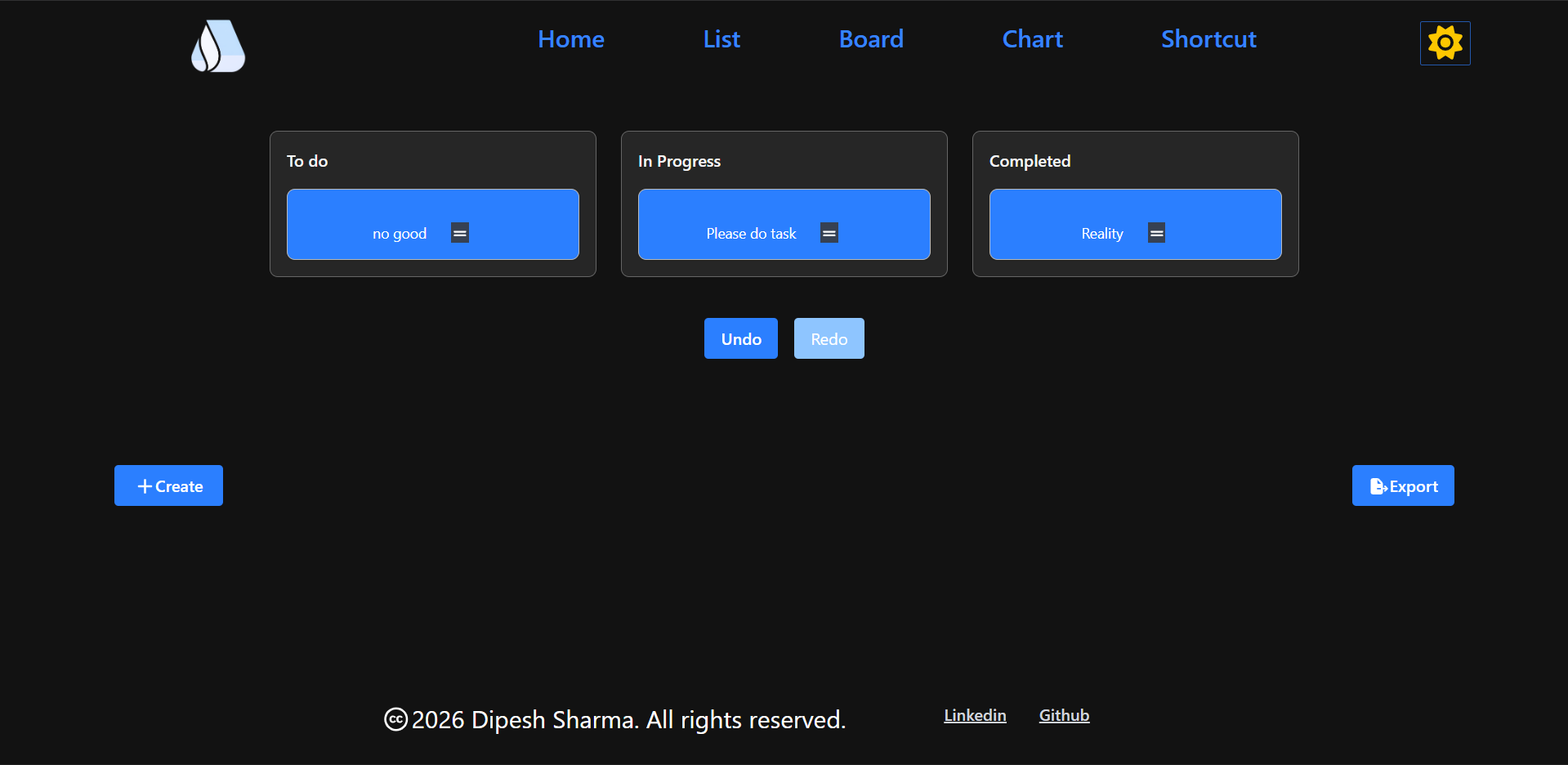
- Drag and Drop
- Context API
- Undo / Redo Logic
- Portal
- Things Learned
- Issues Fixed
- Responsive Design
- Post Maintenance
- My Reusable Styles
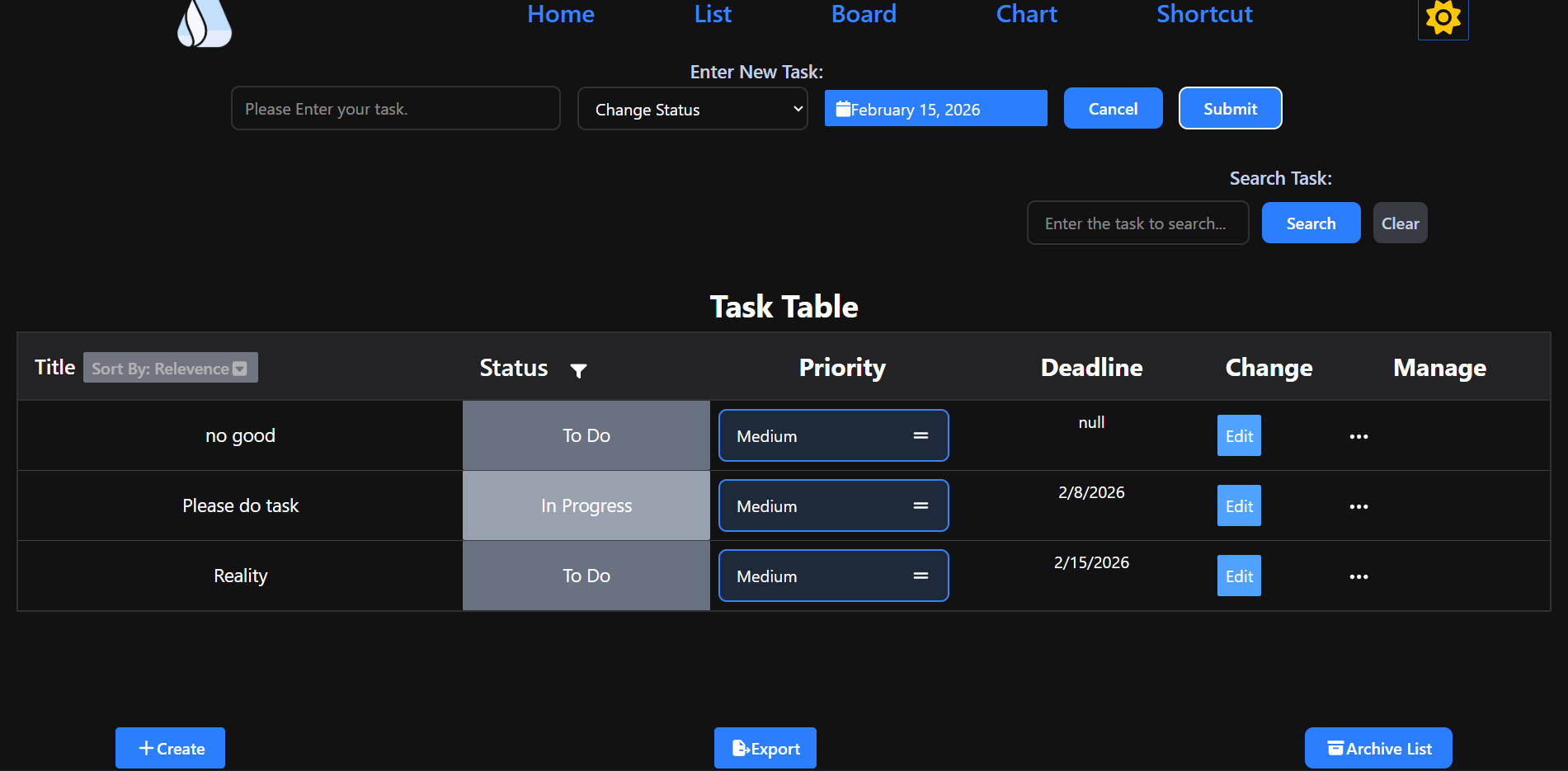
StateFlow is a beginner-level frontend project that mimics core Jira functionality. It supports task creation, editing, filtering, sorting, drag-and-drop board view, list view, undo/redo history, keyboard shortcuts, dark/light mode toggling, data export (JSON/CSV), archive management, and pinned tasks — all persisted via localStorage.


| Layer | Technology |
|---|---|
| UI Framework | React |
| Styling | TailwindCSS |
| Routing | React Router |
| State Management | Context API |
- Create, edit, and cancel tasks via user input
- Show tasks on a table/grid layout
- Change task priority: Easy, Medium, Hard
- Add deadline date and time (optional)
- Add labels/tags using
react-select - Pin any task — shown on homepage with data persistence
- Write custom messages for new task inputs
- Archive tasks and manage them from the archive list
- Drag-and-drop board view with live
localStorageupdates - List view with sorting: Ascending, Descending, Default, Deadline, Priority, Status
- Empty state styling with centered
colspan - Ellipsis menu with delete option
- Full undo/redo with a custom hook
- Based on three states:
past,present,future
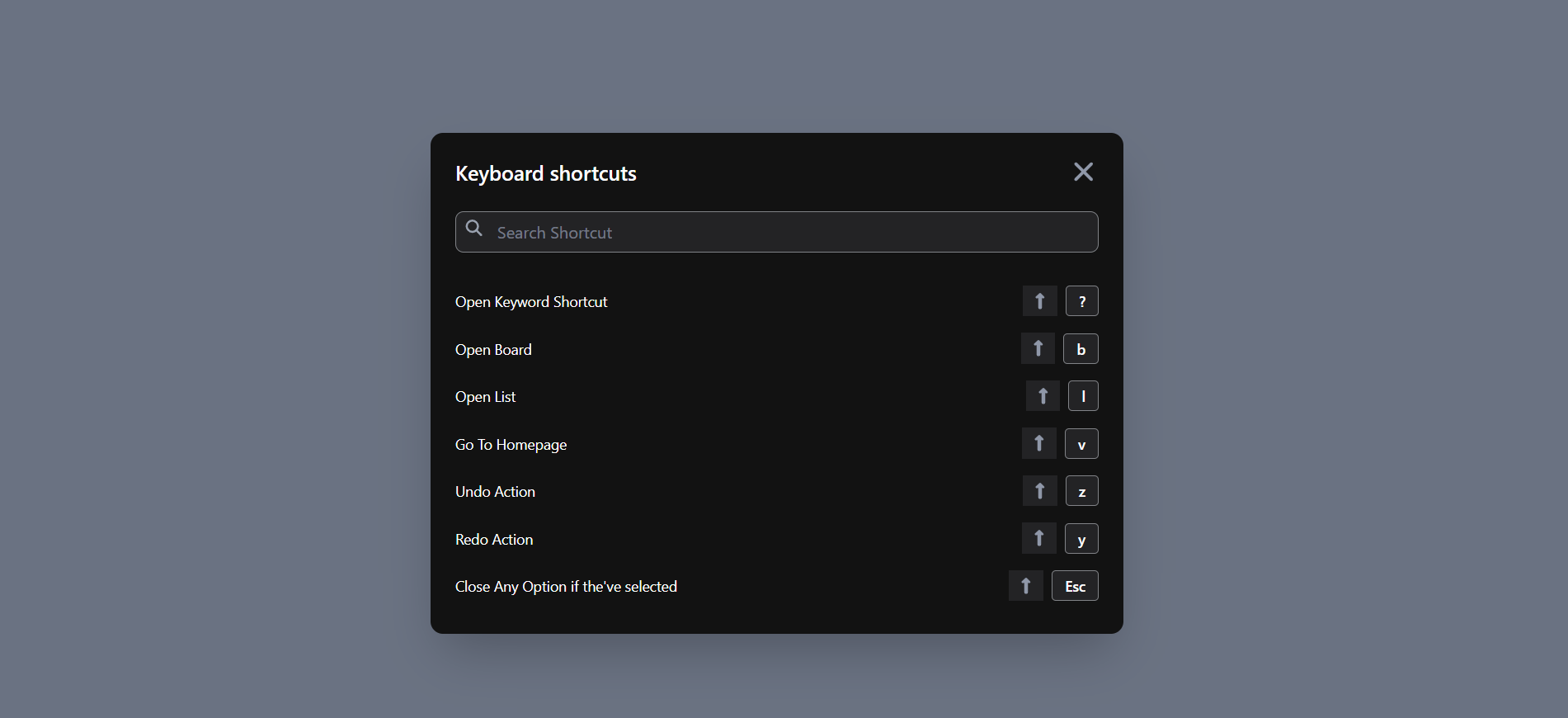
- Full keyboard shortcut implementation
- Shortcut cheat-sheet page accessible via
Ctrl+?or the header bar
- Export all task data in JSON or CSV format
- Chart view with pie charts (homepage + separate chart page)
- Dark/Light mode toggle (
tailwind.config.jssetup) - Responsive design across all pages: homepage, chart, list, shortcut, header, and footer
- Website logo and footer page
- Loading state with React Router (lazy loading +
Suspense) - Error page with error details shown to the user
- Cancel button on the input field
- Code splitting with
React.lazy()andSuspense - Vercel Analytics integration for visitor stats
| Library | Purpose |
|---|---|
tailwindcss |
Styling |
fontawesome |
Icons |
react-router |
Routing |
@dnd-kit/core |
Drag and drop |
react-date-picker |
Deadline date picker |
react-select |
Label/tag multi-select |
chart.js |
Chart rendering |
react-chartjs-2 |
React wrapper for chart.js |
lodash |
Utilities (camelCase, startCase) |
react-loader-spinner |
Loading spinner |
vercel analytics |
Visitor stats |
- Uses the
@dnd-kit/corelibrary, wrapping everything insideDndContext - Uses the
closestCornersalgorithm to identify which item is being dragged
⚠️ closestCornersis used onDndContextto identify the drag target.
useDraggable— attach to a draggable element with a uniqueiduseDroppable— attach to a droppable zone; key properties:id— the task's unique IDsetNodeRef— attach to the task's divlisteners— spread on the div (enables mouse/touch drag)attributes— accessibility attributestransform— makes it visually move while dragging
onDragEndis used to handle drop completion{css}utility from@dnd-kit/utilitiesis imported for transforms- Sensors added to support keyboard shortcuts and mobile dragging
- Create a
context/folder insidesrc/ - Create a
createContextfrom React, then wrap all content increateContext.Provider - Pass shared values via the
valueprop on<createContext.Provider value={[]}> - Access context anywhere with:
const [value] = useContext(dataContext) tasksandsetTasksare both wrapped and shared via Context API
Three states are maintained: past, present, and future.
| Action | Behavior |
|---|---|
| Undo | Takes the last value from past, moves present to future, sets new present |
| Redo | Takes the first value from future, moves present to past, sets new present |
| New action | Appends present to past, clears future, sets new present |
presentis a single value;pastandfutureare arrays- A custom hook was created to encapsulate this logic
- This was a first-time implementation — took multiple iterations and references to get right
Used for popup/modal features in React.
- Popups nested inside a component can conflict with
z-indexandposition: absoluteof parent elements createPortalfromreact-domsolves this by rendering outside the component tree- A new DOM element (e.g.,
#portal) is added beside#rootinindex.html - The popup is returned via
createPortal(content, document.getElementById("portal"))
arr.slice(0, -1)removes the last element and returns a new arrayparseIntconverts a string to an integer- Nullish coalescing:
val ?? 9uses9only ifvalisnullorundefined - Direct JSX return:
export default () => ()lets you write return JSX without curly braces whitespace-nowrapkeeps text on a single linestartCase(camelCase(val))from Lodash converts any value to Start Casetext-zinc-500is a valid Tailwind color option- Use
.find()for a single match,.filter()for multiple matches
- Default
<select>option hiding/showing behavior - Used
onSubmitinstead ofonClickon a form — caused unexpected triggers - Unable to track single row selection without selecting all rows — fixed
- Event delegation on parent elements not working — fixed
- Setting default input values in controlled components
- Click-outside detection to hide input
localStoragehook causing duplicate entries on re-render due to spread operator misuse- Duplicate entries resolved by checking array before inserting — update if exists
- Over-engineering on filter logic — simplified
- Confusing an object with an array when accessing
.properties — fixed - Header component incorrectly placed in render instead of inside the Router — fixed
- Many drag-and-drop bugs during initial implementation
- Naming and
toLowerCase()errors when converting static data tolocalStorage - Undo/redo
restoperator returning incorrect last value — fixed after multiple attempts - Used
redirect("/board")incorrectly for keyboard shortcut navigation — fixed if(e.ctrlKey == true)is redundant;e.ctrlKeyis already a boolean- Missing index route for the homepage — added
- Ellipsis delete menu styling issue — fixed
updateResultfunction not guaranteed to receive an array — added array checkcolspannot centering when list is empty — fixed- Sort by relevance (returning to the previous state) — solved using a separate
displayAllTaskstemp variable - CSV export not correctly separating object fields — fixed
- Array not spreading correctly, causing no line break — fixed
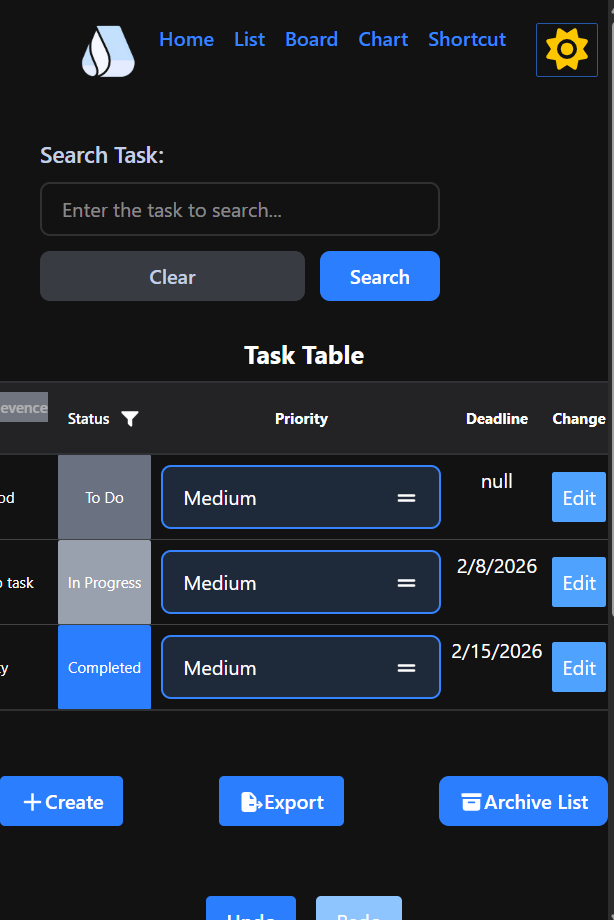
- Responsive layout added across: header, footer, homepage, chart, list, keyboard shortcut, and task sidebar
- Lodash
camelCaseused for value conversion - Remaining issue:
flex-rowlayout on the list chart on small screens is not fully resolved
| Date | Fix |
|---|---|
| 01/22 | Improved empty state styling on homepage; fixed colspan centering |
| 01/22 | Added cancel button for the input field |
| 01/22 | Fixed draggable scroll styling on empty table |
| 01/22 | Styled the label bar; added isLabel to input; auto-focus with cursor: text |
| 01/22 | Set isPinned to false by default; removed unnecessary props (using useContext instead) |
| 01/22 | Removed separate Pinned section from context bar |
| 01/22 | Styled error page; fixed create and export button styles |
| 01/22 | Implemented Archive feature |
| 01/23 | Added archive list view with delete; moved archive data to localStorage |
| 01/26 | Moved Pages to a separate folder; moved Common components out of Components; fixed all import/export errors |
| 01/26 | Improved footer page styling |
| Various | Fixed spelling and structural issues in README.md |
Reusable Tailwind class patterns I use across projects:
Button:
opacity-85 cursor-pointer bg-blue-500 font-semibold py-2 px-4 rounded m-2
Input:
bg-transparent h-10 w-72 rounded-lg text-black placeholder-transparent ring-2 px-2 ring-gray-500 focus:ring-sky-600 focus:outline-none
💡 Use
space-4on a parent instead ofgap-4on child elements where applicable.
⚠️ Infinite re-render warning: In React, infinite re-renders are usually caused by missing dependency arrays inuseEffect, or by calling a state setter directly in the render cycle. Always add a dependency array to stop unnecessary re-renders.