A simple dmenu file manager written in POSIX-compliant shell script.
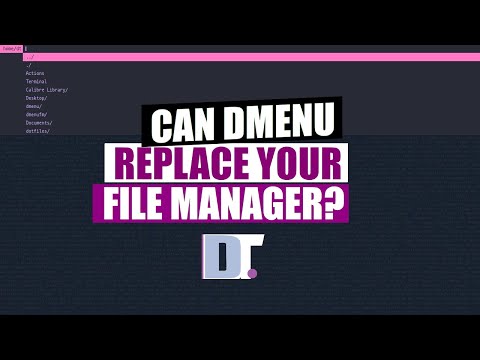
Distrotube introduce my project much better than I do.


awk,sed,cat,wc -l,rm,mkdir,touchin their POSIX-compliant version.xclipas clipboardtar;unlzma;bunzip2;unrar;unzip;uncompress;7z;unxz;cabextractfor extraction.
Put dmenufm in your $PATH.
- Type
dmenufmto launch, or assigndmenufmto your favorite hot key. You may supply a directory as an argument to start dmenufm in the specified directory. ../to go back to parent directory../to open your file manager in currend working directory (determined byxdg-open)- Choices with
/are directory; choices without/are files.
Optional arguments for custom usage:
-d | --directory: dmenufm only show directories
-f | --file: dmenufm only show files
-D | --dotdirectory: dmenufm only show hidden directories
-F | --dotfile: dmenufm only hidden files
-p | --lastpath: dmenufm open on last working directory (cd on exit)
-h | --help: Show this message
Terminal to open terminal in currend working directory. Should define terminal by adding
export TERMINAL=<your terminal> to the end of your .bashrc file (or any other system configuration file, like .profile, zshrc, etc).
Use -p option:
dmenufm -pActions is the actions you can do.
Example:
- current working directory is
$HOME, if pressESCto leave dmenufm, then$HOMEwill be copied intoxclip. - You can browse into the any directory. Inside that directory, choose
./, and current working directory will be copied.
Name with slash will consider as a directory; without as file.
- Example: Type
dirname/to create new directory, andfilenameto create new file.
- To move file to destination:
- Choose source and destination to move your file. Enter the directory and choose
./to confirm the destination. Bulk Movefor multi-selectionBulk Move allto move all the content in the directory.
- Choose source and destination to move your file. Enter the directory and choose
- To rename file:
- After choosing source, in the destination, type your new name (No need to add slash even for directory), and press
Shift+Returnto confirm inputed new name. - Note:
Shift+Returnwill confirm the input rather than patched menu item.
- After choosing source, in the destination, type your new name (No need to add slash even for directory), and press
- The usage of this action is the same as
MVR, but will copy the file instead of moving it.
- The usage of this action is the same as
MVR, but will create the symbolic link for the file instead of moving it.
Delete directories or files.
Bulk Deletefor multi-selectionBulk Delete allto delete all the content in the directory.
$HOME/.config/dmenufm/trashis the directory storing trashes for dmenufm.Move file to trashwill generate a new dmenu prompt.- Choose any file to move to trash.
- To move a directory to trash, enter the directory, and choose
./to confirm this directory.. Bulk Trashfor multi-selectionBulk Trash allto delete all the content in the directory.
Go to trashwill move current working directory to trash directory.Empty trashwill remove all files/directories in trash directory.
- Open the name of the selected files / directories to your
$EDITOR/ text editor.Bulk Renamefor multi-selectionBulk Rename allto delete all the content in the directory.
- history file stored in
$HOME/.config/dmenufm/dmenufm_history. - The maximum number of history is 5000.
- Choose the listed bookmark to enter that directory. Bookmarks are stored in
$HOME/.config/dmenufm/dmenufm_bookmark - Choose "Add BMK" to browse between directories using new dmenu prompt.
- To add file to bookmark, choose files in new dmenu prompt.
- To add directory to bookmark, enter the directory and choose
./to confirm.
- Choose "Delete BMK" to delete one file/directory in bookmark.
- Choose "Add CMD" to add both the command and command description in
$HOME/.config/dmenufm/dmenufm_command. - Choose "Delete CMD" to delete any command in
$HOME/.config/dmenufm/dmenufm_command. - Choose "Type and execute" to type and execute command.
- Choose any stored command to execute.
GUI application will open only one windows, and terminal application will open a terminal for this command.
If there is no terminal opened for your terminal application, you need to modify executecmd function in dmenufm.
executecmd () {
	software=$(printf '%s' "$1" | awk -F ' ' '{print $1}')
	if < $(locate $software.desktop | tail -n 1) grep "Terminal=false"; then
		printf '%s' "$1" | ${SHELL:-"/bin/sh"} &
	else
		$TERMINAL -e $1 | ${SHELL:-"/bin/sh"} &
	fi
}
$TERMINAL -e $1 is the one you need to modify.
Files are opened using xdg-open. If you have any trouble, go to troubleshooting on xdg-open
For compressions, now you can choose the compression, and it will extract into a new directory named by the compression.
There are many environment variables you can use to conigure dmenufm by exporting them in your system or shell configuration file.
The default options are as follows:
# FILES LOCATION
export FM_PATH="$HOME/.config/dmenufm"
export FM_TRASH="$FM_PATH/trash"
export FM_BMKFILE="$FM_PATH/dmenufm_bookmark"
export FM_CMDFILE="$FM_PATH/dmenufm_command"
export FM_HISFILE="$FM_PATH/dmenufm_history"
export FM_LASTPATH="$FM_PATH/dmenufm_lastpath"
export FM_REMFILE="$FM_PATH/dmenufm_bulk_rename"
# Max number for history
export FM_MAX_HIS_LENGTH=5000
# FONTS
export FM_GENERIC_FONT="Monospace-15"
export FM_NOTIF_FONT="Monospace-25"
export FM_DANGER_FONT="Monospace-20"
# COLORs
export FM_GENERIC_COLOR="#005577"
export FM_ACTION_COLOR_LV1="#33691e"
export FM_ACTION_COLOR_LV2="#FF8C00"
export FM_ACTION_COLOR_BULK="#CB06CB"If you hate GUIarrowy world like me, based on man dmenu, you can
Ctrl-nto go up,Ctrl-pto go down,Ctrl-yto paste from primary X selection- Everything your "are selecting" can be paste into dmenu by this hot key.
Meta-hto go up,Meta-lto go down,Meta-kto go one page up,Meta-jto go one page down,
where Meta is also called Alt.
For GUI application like sxiv, default setting will open sxiv in a new terminal. In total, 2 windows will be opened.
This is because sxiv.desktop has no Terminal=false entry.
To fix this, use
< $(locate sxiv.desktop | tail -n 1) sudo $EDITORto open .desktop file in your editor, and add
Terminal=falseYou can replace sxiv to any GUI application which has the same issue.
dmenufm use xdg-open to open files in the default application.
To open in the application that you want, you need to
- find the filetype (
minor/major) of the file - Set xdg-open default applications.
For example, I am using sxhkd. So I need to modify sxhkdrc. However, it is not opened in nvim.desktop, but in firefox.desktop.
So I
- find the filetype:
Find filetype
# Go to directory
cd ~/.config/sxhkd
# find the filetype
xdg-mime query filetype sxhkdrc
text/x-matlab - Set
xdg-opendefault applications:xdg-mime default nvim.desktop text/x-matlab
and you are all set.
You can export the following environment variables in your shell or system configuration file:
# FONTS
export FM_GENERIC_FONT="Monospace-15"
export FM_NOTIF_FONT="Monospace-25"
export FM_DANGER_FONT="Monospace-20"
# COLORs
export FM_GENERIC_COLOR="#005577"
export FM_ACTION_COLOR_LV1="#33691e"
export FM_ACTION_COLOR_LV2="#FF8C00"
export FM_ACTION_COLOR_BULK="#CB06CB"
Change the font / font size / color in the "" to customize the appearance of dmenufm.
- Compress directory
and extract filesto different format. - Support MacOS (darwin)