
Dynamic Draw.io AWS Network Diagramming Tool
Some python, Jinja, html, and xml all rolled hacked together to create a quick and dirty VPC drawing.
Draw.io cell groups with the following resources associated with the target VPC:
- Routes
- Security Groups
- NACLs
- Read access to the target AWS resources
- python 3.x+
- Configure your aws cli env
- Run
ddant.pyagainst your target VPC
python3 ddant.py --vpc vpc-1234abcd- Open the resulting xml document (
vpc-1234abcd.xml) in draw.io. The default path is theddantdirectory - Move the drawing's content around to your hearts content
Anyone who needs a quick and dirty VPC drawing (targets a single vpc for now), or anyone else who wants to take this project and build on it.
I wrote this because I needed a way to map a large AWS project and didn't want to have to bother with manual entry. That and the csv import capability of draw.io just wasn't cutting it for what I needed.
There are other tools like cloudcraft that will do this (and way more efficiently) but SaaS just wasn't an option for the project this was originally intended for.
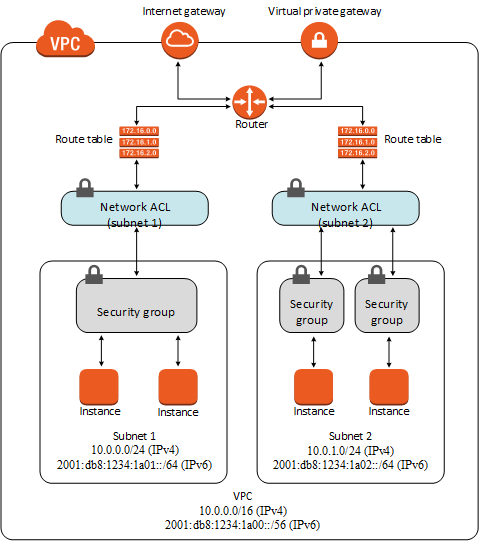
- associate the NACLs and route tables
- proper positioning
- group security groups by subnet
- dynamically size cells based on cell content (ie. long sg rule lists)
- include resource tags in drawing
- build test env
- build in targeting by vpc id
- include subnets