
Cluster SSH tool for Windows inspired by csshX





- Any SSH client (Windows 10 and Windows 11 already include a built-in SSH server and client - docs)
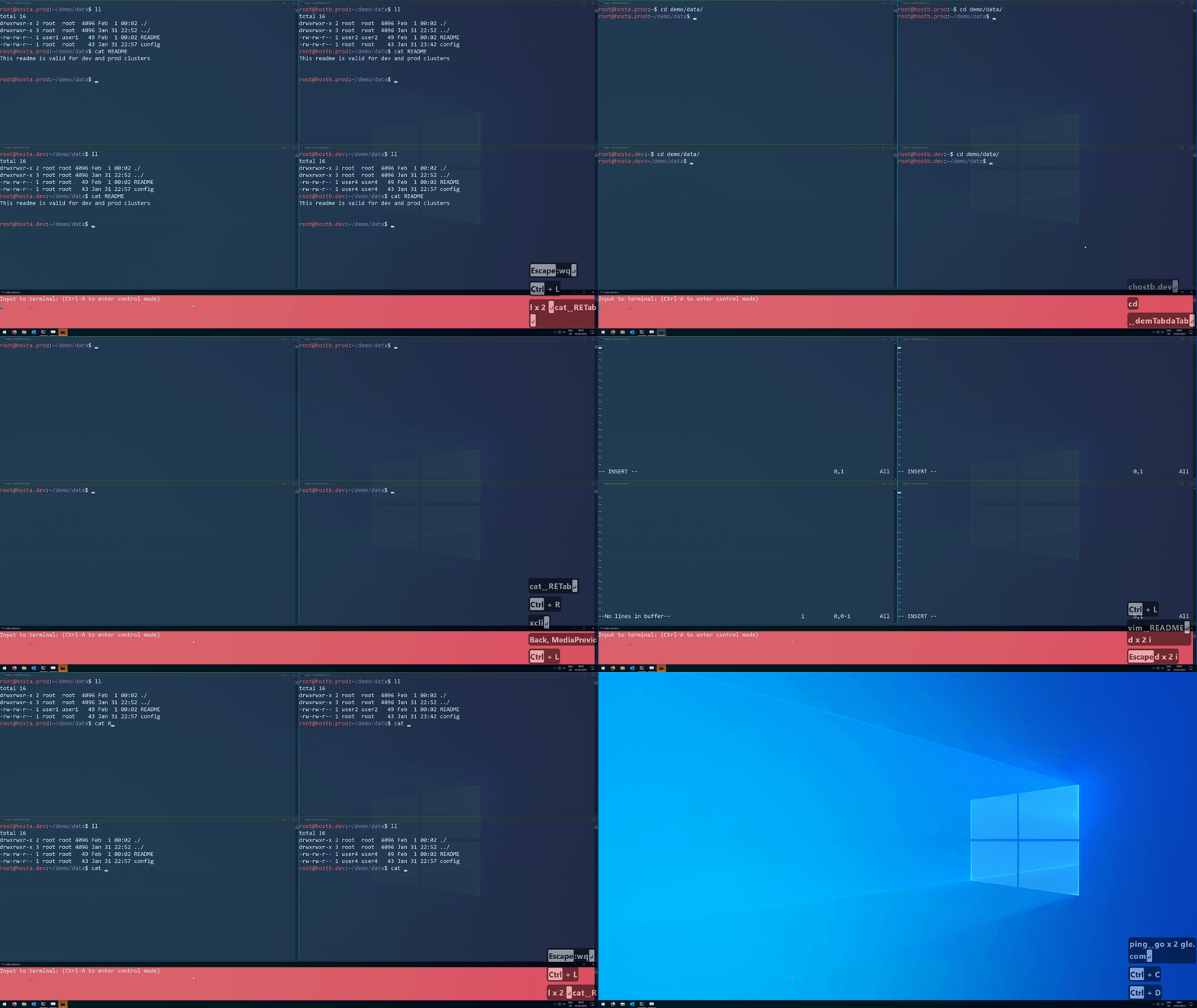
csshW will launch 1 daemon and N client windows (with N being the number of hosts to SSH onto).
Key-strokes performed while having the daemon console focussed will be sent to all clients simoultaneously and be replayed by them.
Focussing a client will cause any key-strokes to be sent to this client only.
csshW is a portable application and is not installed.
To download the csshW application refer to the Releases 📦 page.
Note
The released csshw.exe is not code-signed. On first launch Windows
SmartScreen shows a "Windows protected your PC" warning because the
binary was downloaded from the internet and has no recognized
publisher. To run it: click More info -> Run anyway, or
right-click csshw.exe -> Properties -> tick Unblock ->
Apply. Equivalent from PowerShell: Unblock-File .\csshw.exe.
The release .zip itself (0.19.0 and later) is signed with a
GitHub build attestation;
see the release notes for verification instructions. Verifying it
proves the archive came from this project's release workflow at the
tagged commit, but does not change SmartScreen's behavior for the
unsigned .exe inside.
csshw.exe --help
Cluster SSH tool for Windows inspired by csshX

Usage: csshw.exe [OPTIONS] [HOSTS]... [COMMAND]

Commands:
  client  Subcommand that will launch a single client window
  daemon  Subcommand that will launch the daemon window
  help    Print this message or the help of the given subcommand(s)

Arguments:
  [HOSTS]...
          Hosts and/or cluster tag(s) to connect to

          Hosts or cluster tags might use brace expansion, but need to be properly quoted.

          E.g.: `csshw.exe "host{1..3}" hostA`

          Hosts can include a username which will take precedence over the username given via the `-u` option and over any ssh config value.

          E.g.: `csshw.exe -u user3 user1@host1 userA@hostA host3`

          Hosts can include a port number which will take precedence over the port given via the `-p` option.

          E.g.: `csshw.exe -p 33 host1:11 host2:22 host3`

          If no hosts are provided and the application is launched in a new console window (e.g. by double clicking the executable in the File Explorer), it will launch in interactive mode.

Options:
  -u, --username <USERNAME>
          Optional username used to connect to the hosts

  -p, --port <PORT>
          Optional port used for all SSH connections

  -d, --debug
          Enable extensive logging

  -h, --help
          Print help (see a summary with '-h')

  -V, --version
          Print version
Example:
csshw.exe -u root hosta.dev hostb.dev hostc.dev
We recommend using the ssh_config for any configurations like default username etc.
csshw-config.toml contains all relevant configurations and is located in the same directory as the executable.
It is automatically created with default values if not present.
An array of clusters that can be used to alias a set of host names to a specific tag:
clusters = [
    { name = "dev", hosts = ["hosta.dev", "root@hostb.dev", "hostc.dev"] }
]
Clusters may be nested, but be aware of recursive clusters which are not checked for.
A collection containing client relevant configuration.
[client]
ssh_config_path = 'C:\Users\demo_user\.ssh\config'
program = 'ssh'
arguments = ['-XY', '{{USERNAME_AT_HOST}}']
username_host_placeholder = '{{USERNAME_AT_HOST}}'
disabled_console_color = 135
highlighted_console_color = 31| Option | Type | Default | Description |
|---|---|---|---|
ssh_config_path |
path | auto-detected | Full qualified path to your ssh config file. |
program |
string | 'ssh' |
Executable used to establish ssh connections. |
arguments |
list of strings | ['-XY', '{{USERNAME_AT_HOST}}'] |
Additional arguments passed to program. |
username_host_placeholder |
string | '{{USERNAME_AT_HOST}}' |
Token in arguments replaced with username@host. |
disabled_console_color |
u16 | 135 (4+2+1+128) |
Colors used while a client is in the disabled state (input ignored). Default paints default-grey text on muted dark-grey. See Console color encoding. |
highlighted_console_color |
u16 | 31 (4+2+1+8+16) |
Colors used while a client is the currently selected window in the control-mode [e]nable/disable input submenu. Default paints bright-white text on blue. See Console color encoding and Highlight overlay. |
A collection containing daemon relevant configuration.
[daemon]
height = 200
aspect_ratio_adjustment = -1.0
console_color = 207
submenu_edge_behavior = 'clamp'| Option | Type | Default | Description |
|---|---|---|---|
height |
u16 | 200 |
Height of the daemon console. |
aspect_ratio_adjustment |
float | -1.0 |
Bias for vertical vs. horizontal layout of client windows. See Aspect ratio. |
console_color |
u16 | 207 (8+4+2+1+64+128) |
Daemon console colors. Default paints white text on red. See Console color encoding. |
submenu_edge_behavior |
enum | 'clamp' |
What happens when an arrow / hjkl keystroke in the submenu would move the highlight past the edge of the client grid. See Submenu edge behavior. |
aspect_ratio_adjustment configures whether the available screen space should rather be used horizontally or vertically.
> 0.0- aims for vertical rectangle shape. The larger the value, the more exaggerated the "verticality". Eventually the windows will all be columns.= 0.0- aims for square shape.< 0.0- aims for horizontal rectangle shape. The smaller the value, the more exaggerated the "horizontality". Eventually the windows will all be rows.-1.0is the sweetspot for mostly preserving a 16:9 ratio.
Console-color options encode background and foreground attributes as a single integer. Available are all standard Windows color combinations (windows docs):
FOREGROUND_BLUE:        1
FOREGROUND_GREEN:       2
FOREGROUND_RED:         4
FOREGROUND_INTENSITY:   8
BACKGROUND_BLUE:        16
BACKGROUND_GREEN:       32
BACKGROUND_RED:         64
BACKGROUND_INTENSITY:   128
The highlight wins over disabled_console_color; pressing [d]/[e]/[t] on the selected window briefly flashes the underlying state color (~250ms) as action feedback before the highlight color is restored.
submenu_edge_behavior selects what happens when an arrow / hjkl keystroke in the [e]nable/disable input submenu would move the highlight past the edge of the client grid:
'clamp'(default) - the highlight stays on the current cell.'wrap'- the highlight wraps to the opposite edge of the same row (Left/Right) or column (Up/Down).
csshW uses pre-commit githooks to enforce good code style.
Install them via git config --local core.hooksPath .githooks/.
Step by step guide to create a new release:
cargo xtask prepare-releaseand follow the instructions- Create a pull request from the new maintenance branch to main OR cherry-pick the new Version change from the existing maintenance branch to main
cargo xtask create-release-tagand follow the instructions- Revise the automatically created Release Draft and publish it
Footnotes
-
The searchbar used to launch csshw in the demo clip is keypirinha. ↩
-
The tool to show key presses in the demo clip is carnac the magnificent. ↩
-
The tool used to record the screen as GIF is ScreenToGif. ↩