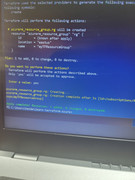
This is the process that I started when learning Terraform.
Terraform is the infrastructure as code tool used to manage things such as servers, networking and storage.
I am going to be using a Windows machine throughout this process but it is still great from Mac
The configuration file needed for this tutorial, is posted
The first step was to download Terraform onto my system using the instructions from the Hashicorp website
This link(https://www.terraform.io/downloads) takes you directly to the site and from there you can easily follow the steps for downloading Terraform
You're also going to need to install DOCKER from the Docker website (https://docs.docker.com/desktop/windows/install/) If you're using Windows 10, it will probably prompt you to update or install WSL2.
Note: PowerShell and VS Code are also good tools to have downloaded as well.
- Open PowerShell
- Create a directory mkdir learn-terraform
- Navigate to that directory cd learn-terraform
- Now open up VS code and create a configuration file. You can use the file that I created (main.tf)
- Initialize by using terraform init
- It will ask you if you want to perform the actions. Select YES
- terraform apply
- You can type docker ps to verify