10 Player Collision
As it is now, you can fly through the terrain. We need to add collision detection. This has two parts: Rigidbody, and one or more Colliders.
-
On the player prefab add a Rigidbody component.
-
We don't really want to use physics simulation since we're moving the ship ourselves. So we want to make some adjustments to how it's simulated. Change the Drag and Angular Drag values to 1.
-
Expand the Constraints and select Freeze Rotation - Z. Our player object never should roll, only the model within it should roll.
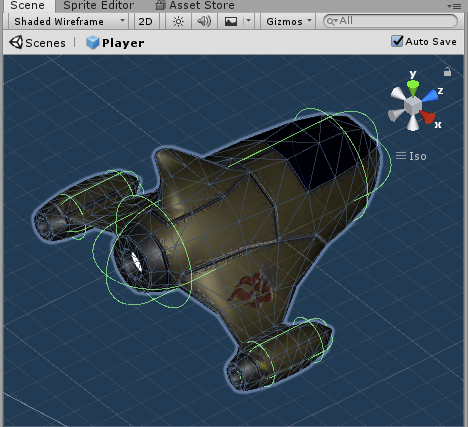
We need to add some 3D shapes that define how our ship looks to the physics simulator. We could use a Mesh Collider, but this is very wasteful and our game may not play well on slower computers. Instead we'll add 3 Capsule Colliders to estimate the overall shape of our ship. The colliders will look like green wireframe shapes in the prefab editor. This is what we're shooting for
-
With the Player prefab selected, add a new Capsule Collider component for the body of the ship.
-
It's going to be easier to see what we're doing if we change the Scene view to Wireframe mode.

-
Change your view to Top so you're looking directly down on the ship. We don't want to be in a perspective view so we can align these things correctly.
-
Change the collider's Direction to Z-Axis and adjust the Radius, Height, and Center so that the capsule covers just the fuselage of the ship.
-
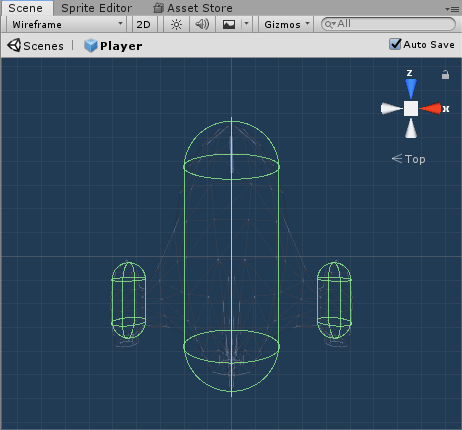
Create two more capsule colliders and align these with the engines at the ends of the wings. It should now look like this
-
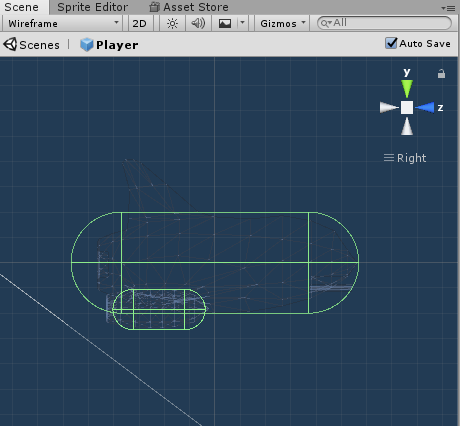
Adjust your view to be from the right, with no perspective, and move the smaller engine colliders into position